What's New
v0.38.4 — Your training, in context
October 16, 2026
I’ve added a clearer explanation of how a completed session fits your plan: what you were aiming for, what was recorded and how it supports your weekly focus. When evidence is missing, Coach says so.
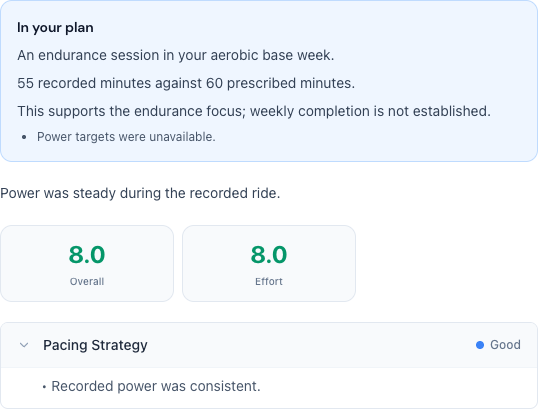
I’ve added an optional mobile alert that opens your saved review when an automatic analysis is ready. To receive it, you need a compatible app and must explicitly opt in to coaching notifications. Choosing automatic analysis remains a separate decision.
I’ve also moved the PlanWatts link to the first line on authorized Strava activities, keeping your notes and activity name intact. Your attribution choice still applies. If the activity cannot be safely shared, the link leads to the PlanWatts homepage.
v0.38.0 — Choose optional reactivation emails
October 15, 2026
I’ve added a separate email choice in Settings → Preferences for gentle invitations to return to sport. It starts off, requires a verified current email, and can be turned off at any time. Required account notifications are independent.
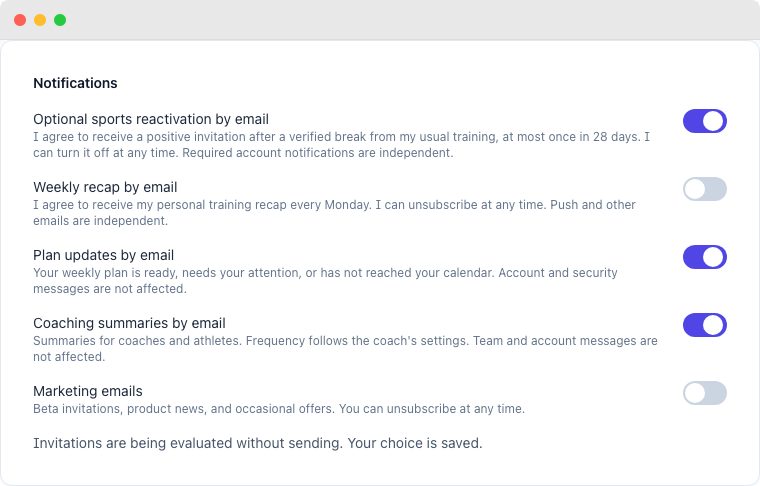
Invitations are currently being evaluated without sending. Saving your choice does not start email delivery. The checks use your recorded training rhythm, reliable synchronization and planned rest or pauses; missing evidence is not treated as inactivity.
v0.37.1 — Reliable background processing
October 14, 2026
I’ve fixed a startup problem that could leave background processing waiting after an update. This also helps required account security emails, such as password resets and verification codes, continue through the normal delivery flow.
v0.37.0 — Compare your cycling power over time
October 14, 2026
I’ve added a cycling power comparison to your dashboard. Choose 30, 90 or 365 days and see your best recorded efforts beside the preceding period of the same length, for 5 seconds, 1 minute, 5 minutes, 20 minutes and 60 minutes.
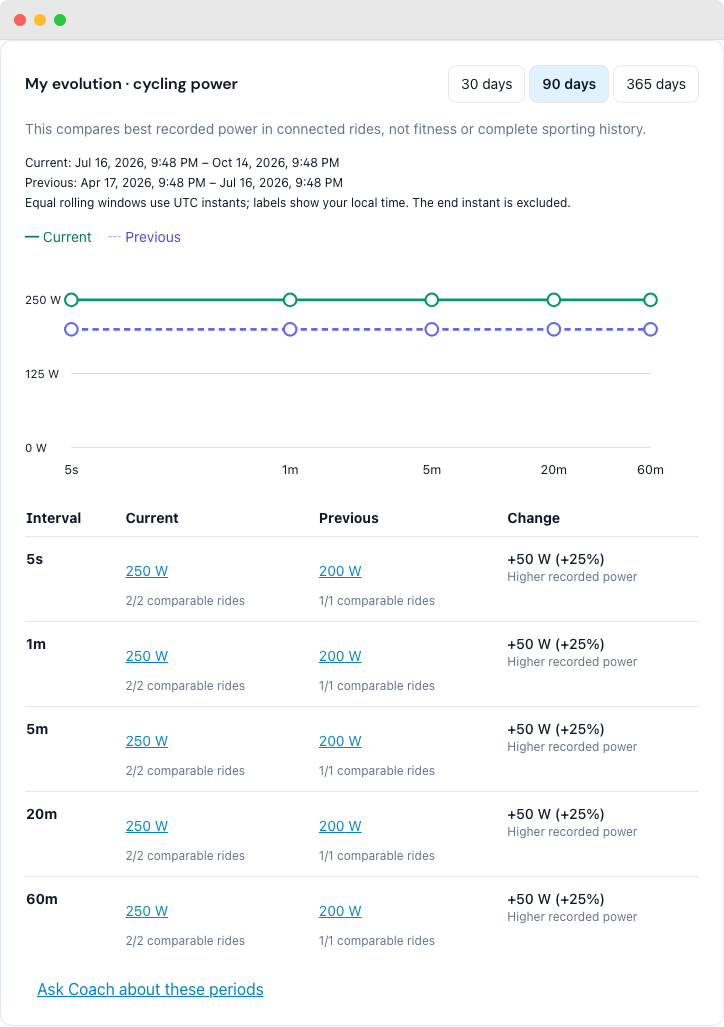
Each point links to the ride that produced it. The view shows how many rides have comparable power and says when data is missing or still being prepared. It compares the rides in your connected history; it doesn’t claim a change in fitness or a complete sporting history.
It’s private to you and available on the free plan too. Opening the comparison doesn’t use AI credits. You can choose to ask Coach about the periods when you want more context.
v0.36.0 — Your training, in perspective
October 14, 2026
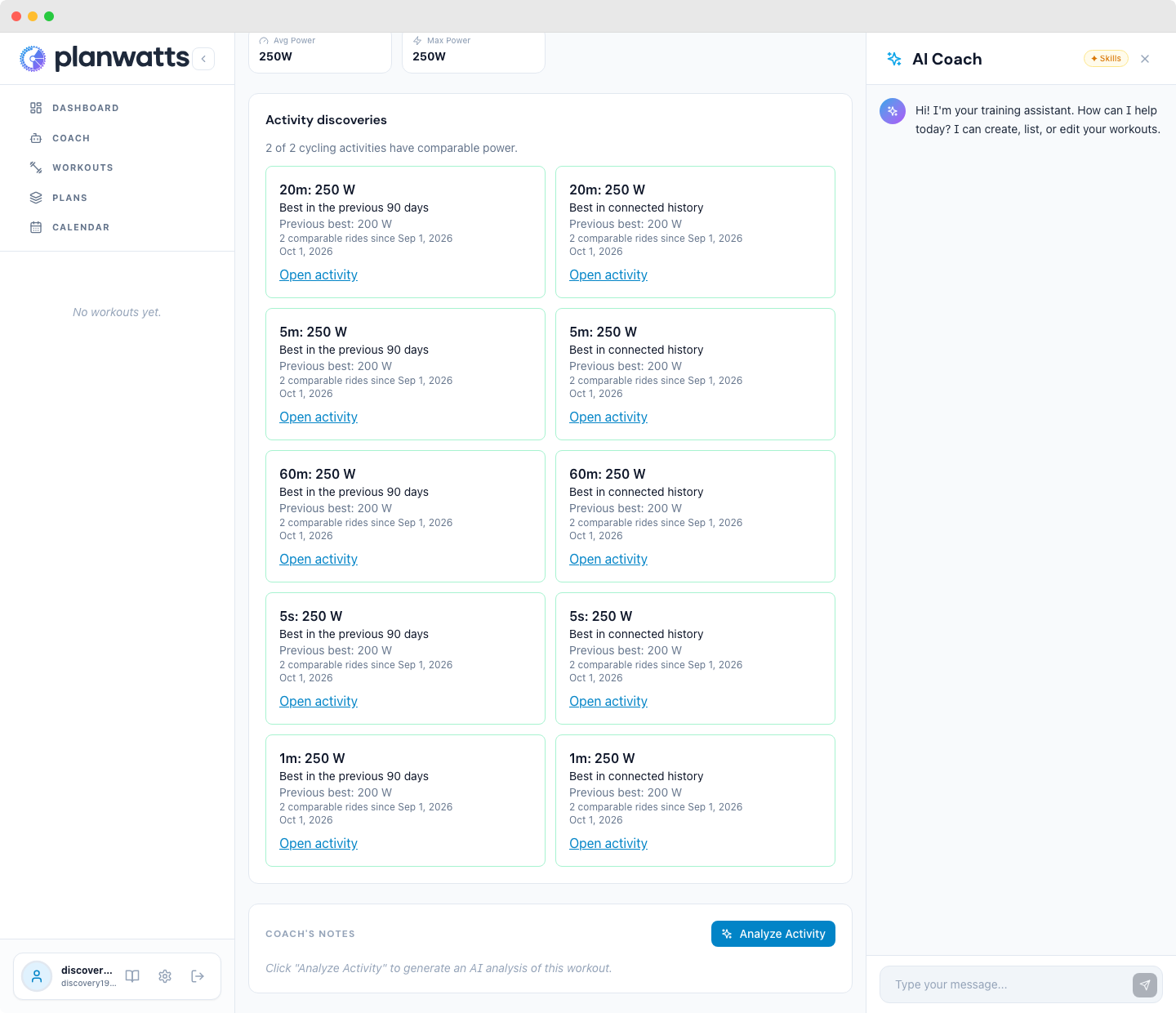
Discover your best efforts
You can now spot new cycling power bests in your dashboard and open the ride that earned them. I’ve added highlights for 5 seconds, 1 minute, 5 minutes, 20 minutes and 60 minutes, with separate comparisons against your previous 90 days and your connected history.
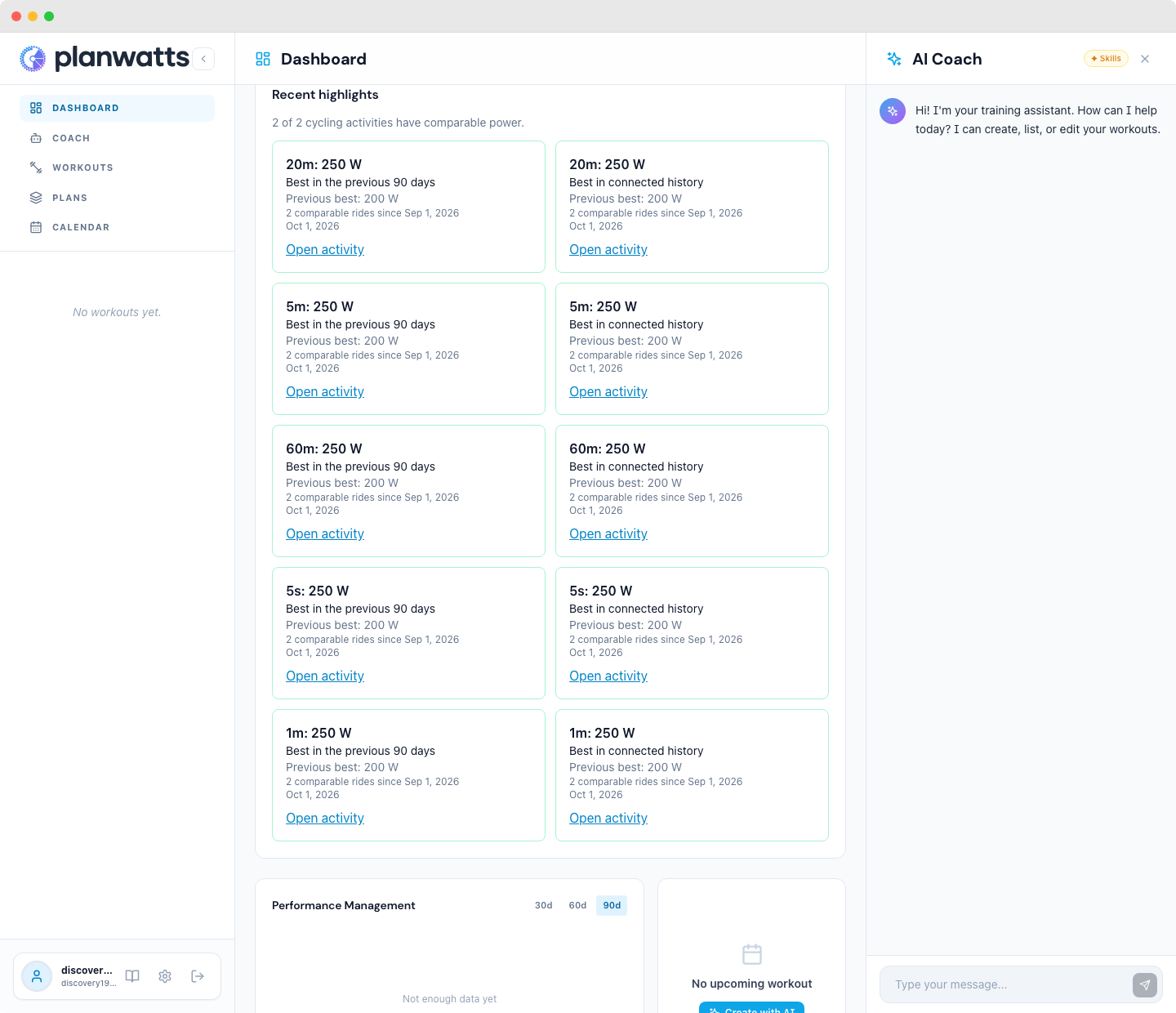
Each discovery shows your previous best and how many rides could be compared. If the available power data isn’t sufficient, PlanWatts says so instead of claiming a record. Discoveries are private to you and available on the free plan too.
Weekly consistency with room for rest
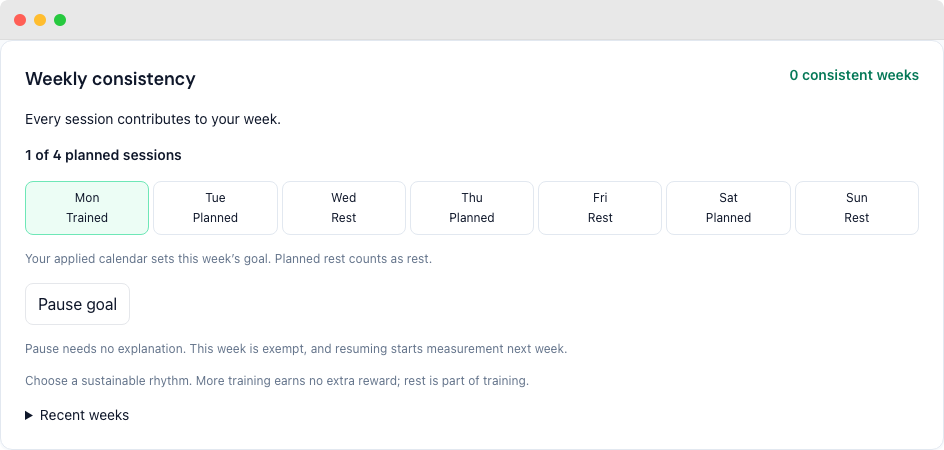
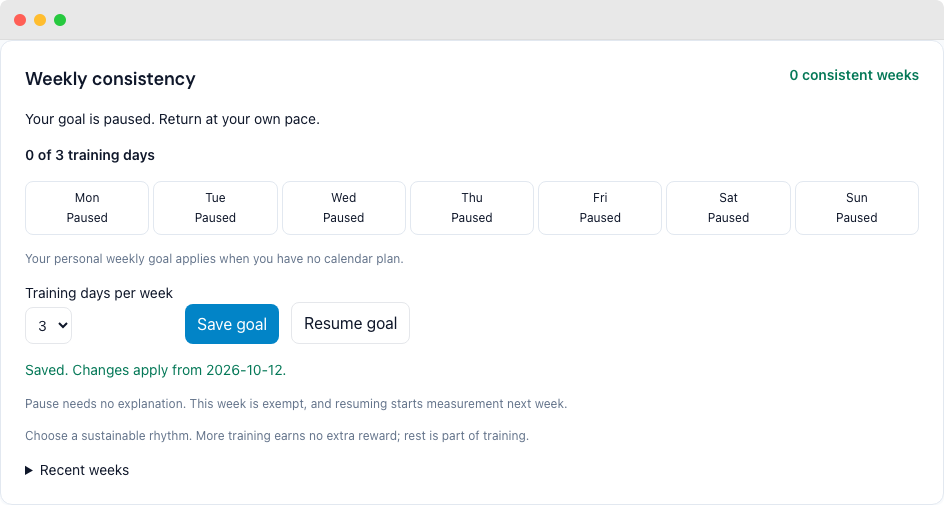
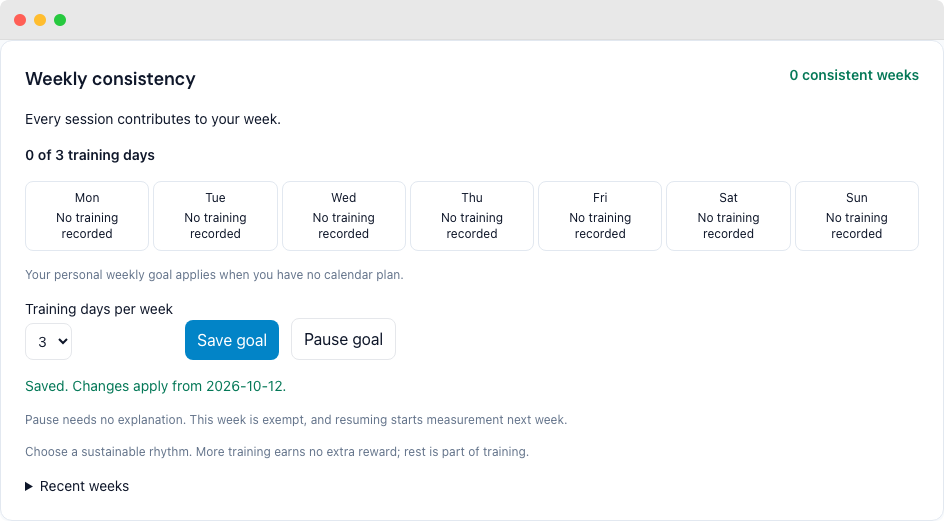
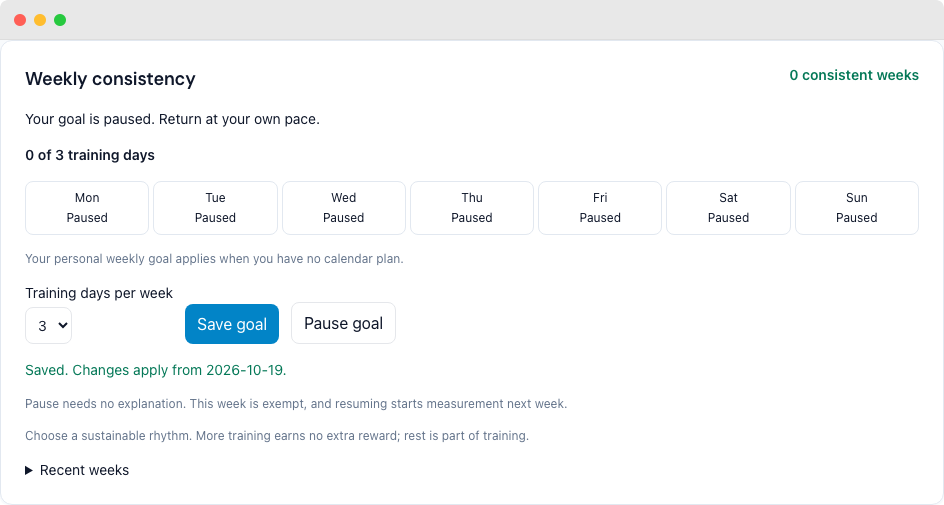
Your dashboard now shows weekly consistency, with training and planned rest shown separately. With an applied plan, your published calendar sets the goal. Without a plan, choose a personal goal of 1–7 training days per week, available on every tier.
Pause without giving a reason and return at your own pace. Pausing exempts the current week; resuming starts measurement next week. Extra training earns no extra reward. When a week has not been published or reliable data is missing, the dashboard shows that more data is needed instead of inventing a missed goal or recovery week.
Your week in training
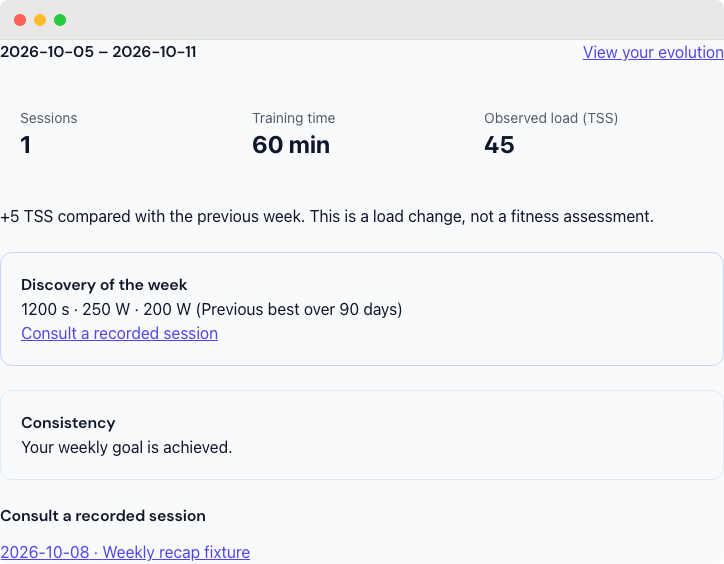
Open your private weekly recap to see recorded sessions, training time, available load, a useful cycling highlight and your weekly consistency. Follow a session to inspect it, or open your dashboard to see your evolution. This is available on every tier, with or without a training plan.
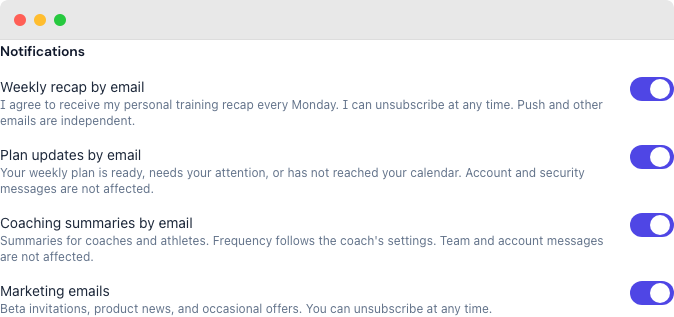
You can choose a Monday email in Settings. Verify your current email first; if it needs verification, Settings offers a code sent to that address. Enabling weekly email is a separate choice, and you can unsubscribe at any time without changing push or other email preferences. Settings shows your saved preference and any operational pause; your web recap remains available. Missing synchronization or load data is shown honestly, without a fitness claim.
A smoother experience on your phone
Long activity names now stay inside the header, leaving room for details, provider links and sharing. When you return to a browser tab on your phone, the page adjusts its height automatically so the bottom actions stay within reach.
Authentic TestFlight and App Review subscriptions also restore on your normal PlanWatts account, with the same verified subscription state and no repeated credit grants.
v0.35.0 — Clearer sharing and calendar choices
October 13, 2026
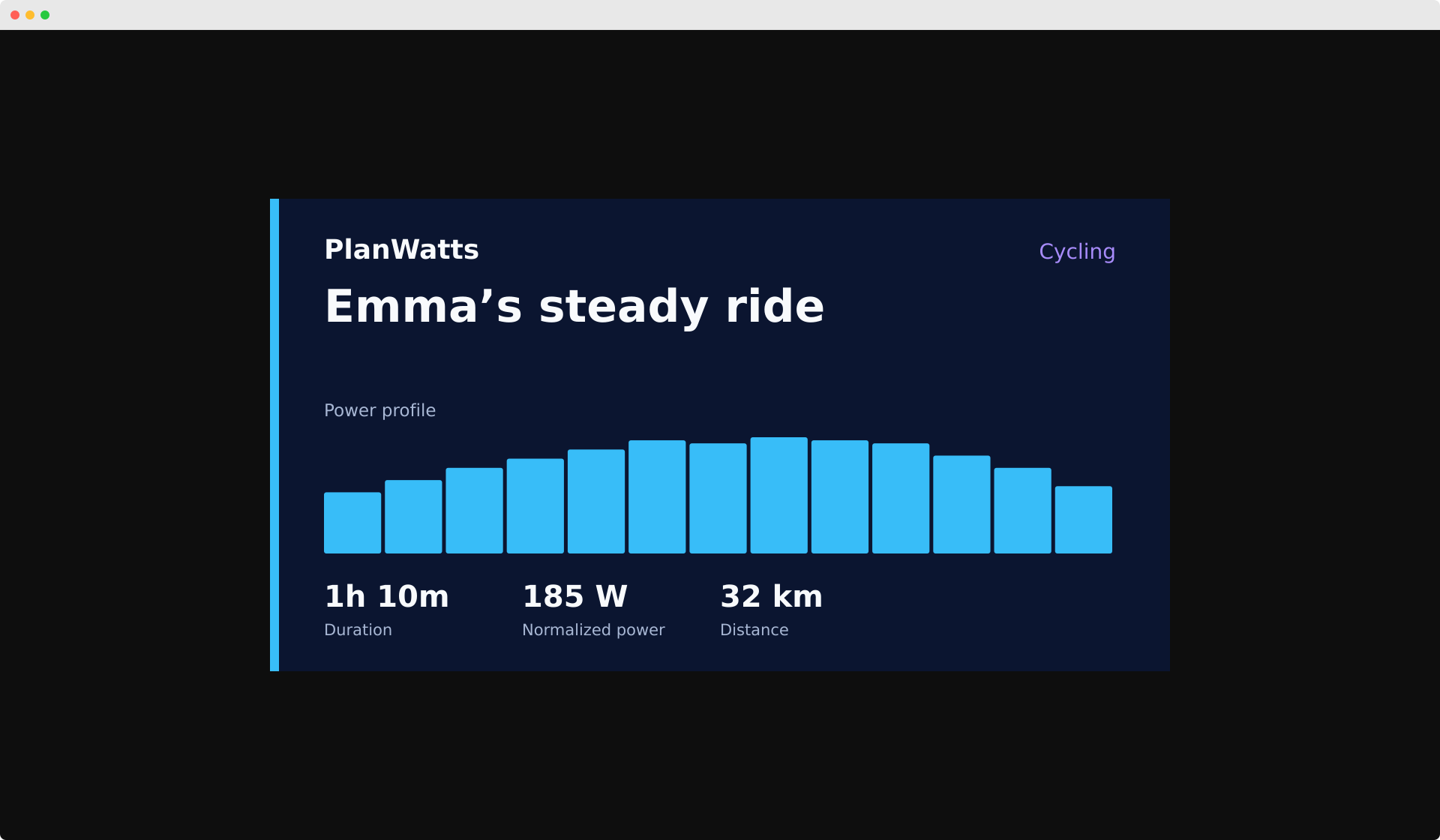
I’ve made shared workouts and activities easier to recognize: their previews include the session name, PlanWatts and the figures that are actually available. The first time you share a link, its preview is prepared before the link is copied.
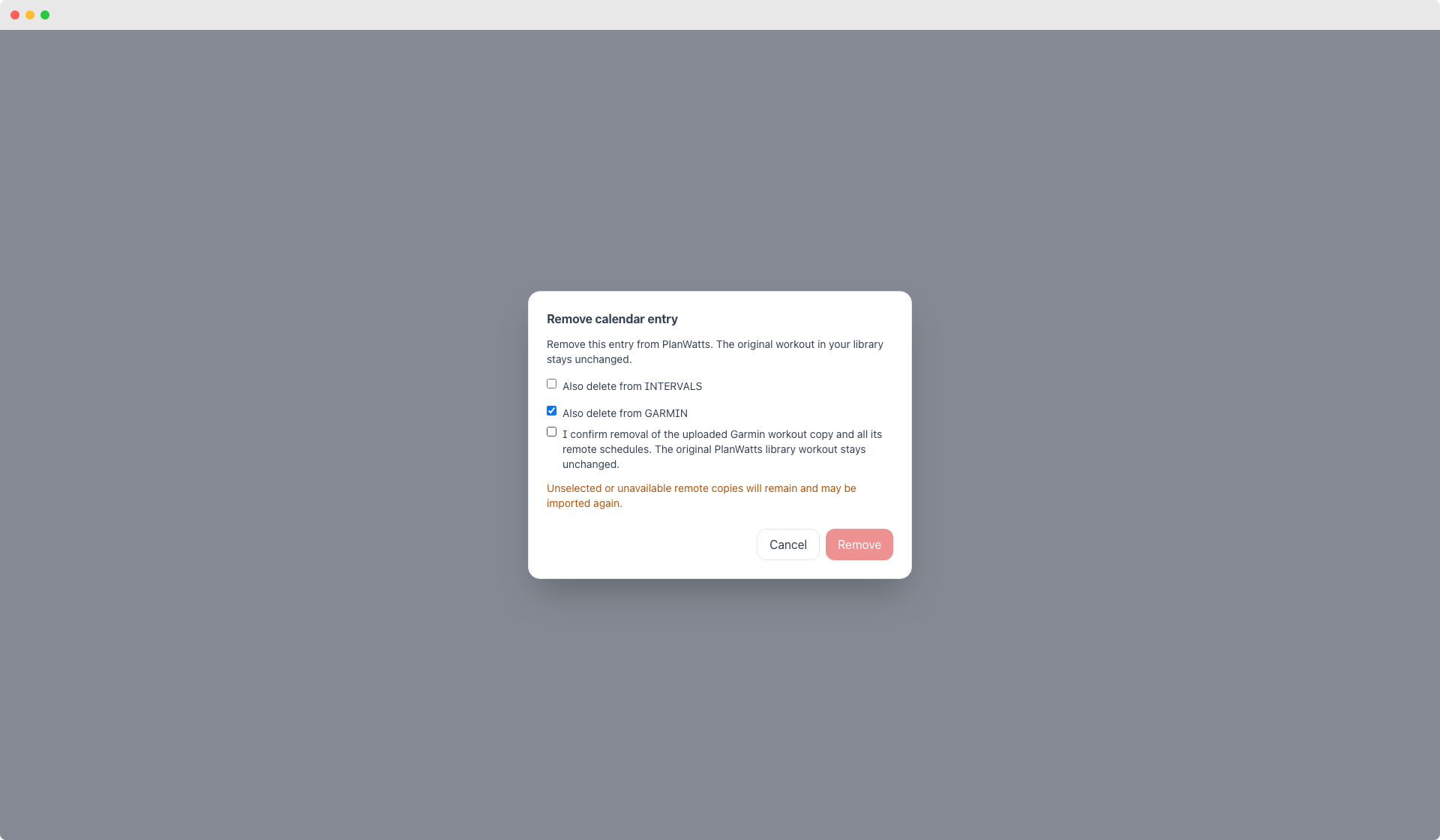
When removing a session from your calendar, you can choose to remove it only from PlanWatts or from a supported connected platform too. If part of the removal fails, you can see what happened and retry. Your original library workout stays available.
Let me know how the new previews look!
v0.34.0 — Workout generation, more reliable
October 12, 2026
I’ve improved workout generation so sessions fit the time you ask for. Rounding no longer makes an otherwise valid workout fail, and valid sport names no longer send the Coach through repeated generation attempts.
Workout previews also receive their saved duration and training load, so they can show the same figures as your library. Missing figures stay unavailable instead of becoming misleading estimates.
v0.33.0 - Your adaptive week, explained
October 7, 2026
See why your adaptive week looks the way it does
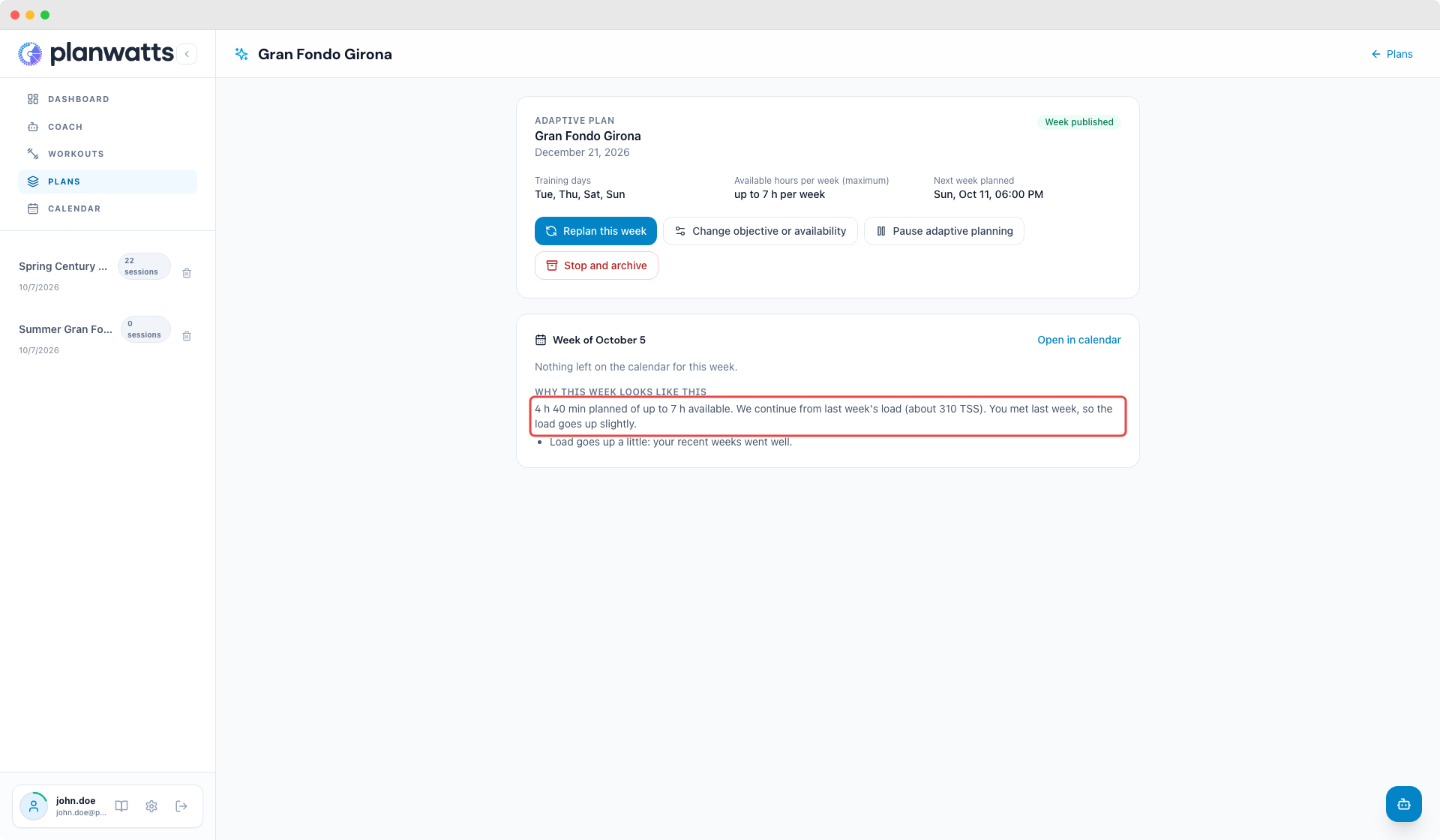
Each adaptive week now tells you why it has its load: how much time it plans out of the hours you have available, where the load starts from, what lowered it (fatigue or an upcoming event) and whether it goes up because you met last week. Your weekly hours are a maximum, never a target to fill: a generated week never plans more time than you said you have.
Your plan progresses on time
The week you finish on Sunday now counts when the next one is prepared that evening, so a good week moves your load up right away instead of a week late. If your Sunday training changes the decision, next week is adjusted once overnight. And when you ask the Coach why your sessions have a certain length, it answers with the reasons the plan actually used.
Sign in to the app with Google or Apple
The PlanWatts app for Android and iPhone now has Continue with Google and Continue with Apple, just like the web. It is the same account everywhere: your plans, activities and integrations are waiting for you whichever way you come in. If you create your account this way, PlanWatts keeps the language you were using instead of switching you to English.
Choose which emails you get
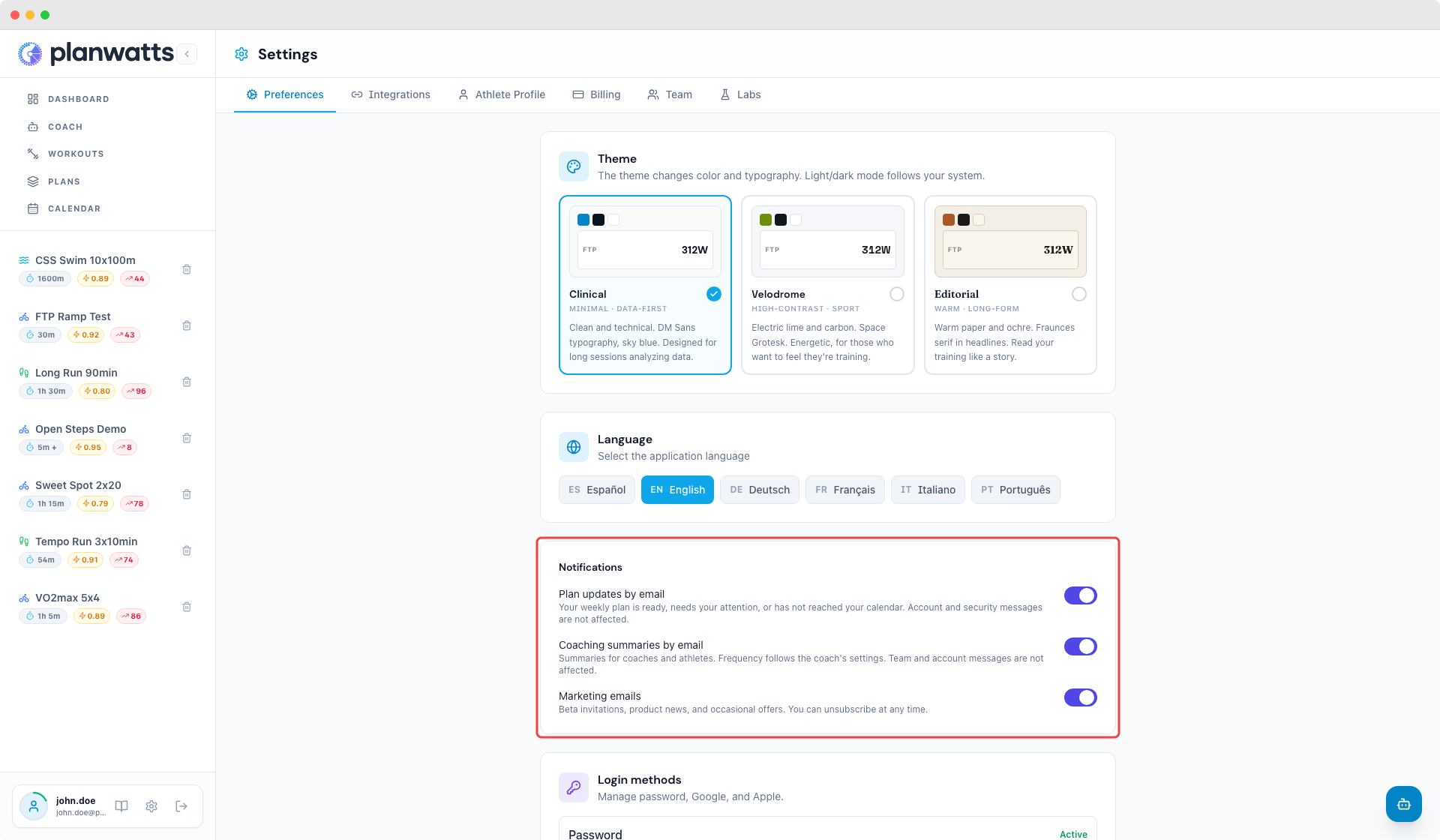
Settings has a new switch, Coaching summaries by email, next to plan updates and marketing emails. Reminders and summaries follow your choice. Messages about your account, your security or your team always arrive, and if sending one fails PlanWatts retries it without you having to repeat anything.
Running workouts keep their paces
When a running workout goes to Intervals.icu, it now keeps the exact paces you were prescribed and how they progress through the session. Targets set as a percentage of your threshold pace show their charts and training load again instead of zero.
Let me know what you think of the new explanations!
v0.32.0 - Your activities, analyzed as they arrive
October 3, 2026
Analyze new activities automatically
Turn on Analyze new activities automatically in Settings and every ride or run that arrives from Strava, Intervals.icu or Wahoo gets its analysis once, without you tapping a button. It uses credits like a manual analysis, and when you have none left the activity is simply skipped. If a page reloads or you open the activity in a second tab, you get the same analysis instead of paying for another one.
The Adaptive Plan is open to everyone
There is no pilot list anymore. Any athlete can open the Adaptive Plan, see the proposal it builds from their history for free, and decide afterwards. Supporter or Pro is what switches it on.
Sign in with Google or Apple
The login and signup pages now offer Continue with Google and Continue with Apple. If you already have a PlanWatts account with the same email, we never merge it silently: you confirm it is yours first. In Settings you can link or unlink each method and set a password if you started with Google or Apple.
Fairer numbers on the activity page
- Without an FTP in your profile, PlanWatts no longer invents one of 200 W to show IF and power zones, and runs use your running FTP instead of the cycling one.
- Plan vs actual only appears when the recording matches the planned workout's duration, so steps are not compared against the wrong part of the ride.
- An activity linked to a PlanWatts workout now carries that workout's name.
- The plan confirmation buttons in the Coach show the estimated credit cost before you click.
v0.31.0 - Your plan, proposed first
September 30, 2026
Ask the Coach for a plan, or click Create plan in Plans, and you get a proposal before anything is built: the phases, your training days and hours, the race it aims at, what it will cost in credits, and what it will replace on your calendar.
Confirm once, we build it in the background
When you say yes, PlanWatts reserves the credits, generates every workout outside the chat, and creates the plan in one go. Whatever the generation does not spend comes back to you.
What you see while it builds
A progress card in the chat and in Plans tells you which week is being generated, when the plan is on your calendar, and, if Intervals does not answer, exactly what happened and what to do next. Nothing half-built ever shows up as a plan.
Prefer to set the workouts up yourself?
The proposal has a door into the advanced editor: the structure is created for you, the workouts are yours to generate phase by phase as before.
v0.30.0 - Your adaptive plan, without the chat
September 28, 2026
Until now an adaptive week started with a conversation. That works when you like talking to the coach, and it is a wall when you just want a plan. From this version the whole adaptive plan lives on its own pages: you can create it, see your first week, correct it, pause it and stop it without typing a word.
Create it from Plans
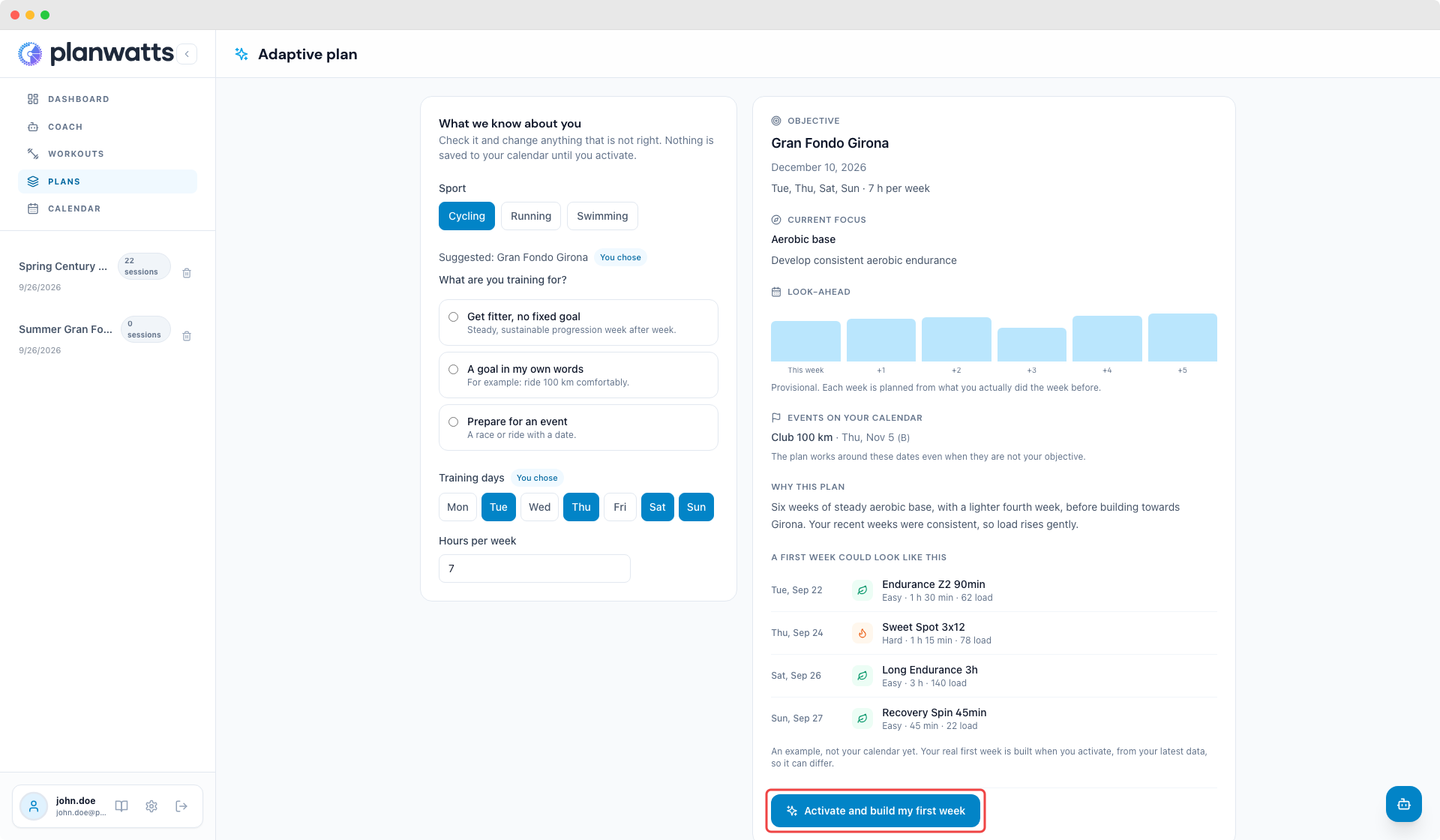
Open Plans and choose Create adaptive plan. PlanWatts shows what it inferred from your history (sport, objective, training days and weekly hours) and says where each value came from, so you can fix whatever is wrong. Pick one of three objectives: get fitter with no fixed goal, a goal in your own words, or an event with a date. Races already on your calendar are always respected, even when they are not the objective.
The proposal is free: objective, current focus, six provisional weeks and an example week. Activating it puts the real first week on your calendar and comes with Supporter or Pro. If you need to upgrade, checkout keeps your choices and brings you back to the same plan, and the first week appears in the same screen.
Change it without starting over
Your adaptive plan has its own page with its current week and the reasons behind it. Replan this week, change your objective or availability (save for the next weeks, or save and replan the rest of this one), pause and resume, or stop and archive. Pausing and archiving never delete sessions already on your calendar. Every week after that is prepared from what you actually did, on Sunday evening in your own timezone.
If a week cannot be published as planned (your days are already gone, you marked yourself sick, a connected calendar is slow to confirm), the plan page explains why and offers the fix. Retrying never creates a second plan.
Already have a structured plan with phases? Open it and choose Adapt week by week to keep your phases and targets and let each week adapt.
The coach can still do all of this for you, and now it is optional. If something on these pages is unclear or does not match what you expected, tell me: that is exactly what I want to hear before more athletes use it.
v0.28.0 — Your plan adapts to the week you are actually having
September 21, 2026
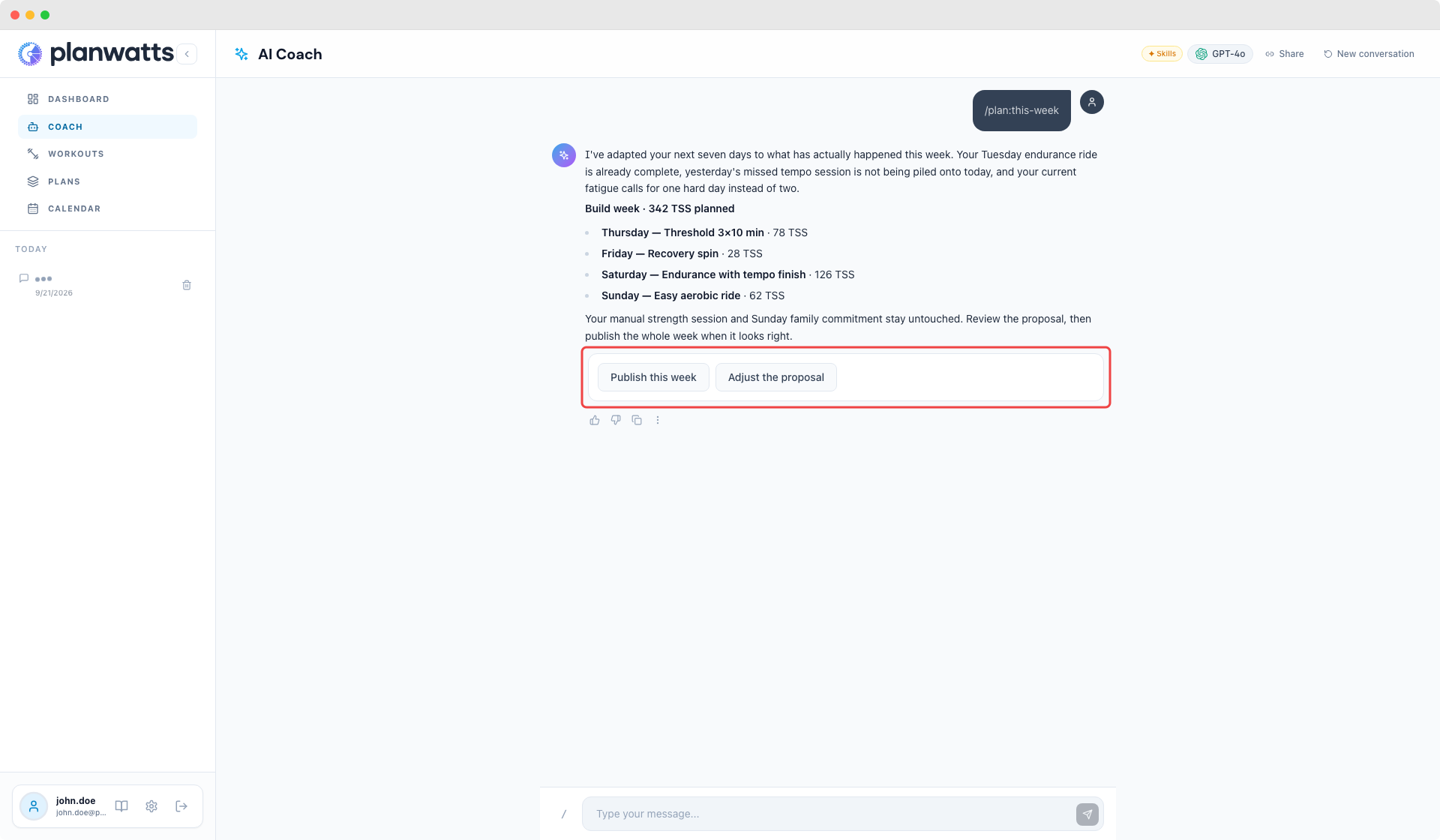
A twelve-week plan is useful until real life changes Tuesday. You finish a different session, miss the one that was planned, sleep badly, add a family commitment, or move closer to a race. From now on, /plan:this-week turns your active plan into a fresh seven-day proposal using what has actually happened: completed and missed work, current fitness and fatigue, available wellness, races, training days and everything already on your calendar.
A proposal first, then your calendar
The coach explains the load and each session before changing anything. Manual sessions, coach assignments, locked work and anything you have already edited stay protected. If your calendar changes between the proposal and confirmation, the coach stops and asks you to review the week again instead of publishing a stale plan.
Once it looks right, publish the whole week in one action. Repeating the same run does not duplicate workouts, and a failed calendar sync can be retried without creating a second copy.
One paid-plan rule everywhere
Plan access now follows the same rule in Skills mode, the classic coach, the plan editor, team coaching and calendar sync. Free athletes can still read plans and prepare the weekly blueprint. Supporter and Pro athletes can publish it, create and fill multi-week plans, deploy them to the calendar and sync their sessions. Bringing your own model key changes model usage, not plan access.
The server checks this at the operation itself, so a direct request cannot bypass it. When an action is unavailable, the coach returns a clear upgrade path instead of failing halfway through. Coaches and admins can still manage plans for their athletes, and standalone workouts remain unaffected.
Try /plan:this-week on a week that has already gone off-script and let me know whether the explanation matches the decision you would have made yourself.
v0.27.0 - Your coach runs on skills now
September 18, 2026
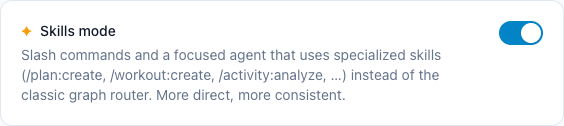
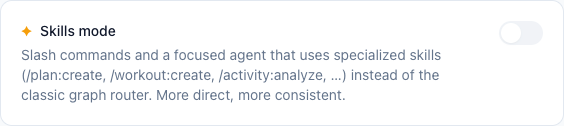
Until today the coach came in two flavours. The classic one routed every message through a fixed set of intents, and Skills mode, a switch hidden in Settings → Labs, let the coach decide for itself which tools to use and gave you slash commands like /plan:create or /activity:analyze. I have trained with Skills mode for months, and a handful of you turned it on and kept it on. From this version it is the default for everyone.
What changes for you
Your coach reads your message, decides what it needs (your wellness, your calendar, an activity, your plan) and goes to get it, instead of guessing your intent first. Type / in the chat to see the skills it has, or just talk to it as you always did. The quick-action chips on the home page now start the matching skill directly.
Costs are the same. The coach uses the same models it used before for your tier, and credits are charged from what a message really costs, so nothing burns faster.
If you prefer the classic coach
The switch is still there, and now it works the other way round. Open Settings → Labs and turn Skills mode off. Your next message goes through the classic router. Turn it back on whenever you want.
If you run out of credits, the classic coach steps in automatically until they reset or you top up, exactly as before.
This is the biggest change to the coach since it exists, and I am doing it because one architecture I can look after well beats two I can only patch. If an answer feels off, slower, or the coach forgets to look at your data before replying, hit the thumbs down and tell me what happened. That is what I will be reading for the next two weeks.
v0.26.0 - Your calendar days open now
September 6, 2026
This one comes from a forum report. An athlete with a dense synced calendar said that opening a day "is not working for me", and that when several sessions are planned you can hardly read what is on the day. Both halves of that were true, and they were two separate problems.
Clicking a day opens the day
Clicking a past day did nothing at all. No view, no message, nothing happened. It was not a bug in the ordinary sense: it was a guard that returned early on any date before today, so the click was swallowed in silence. Clicking a future day did do something, but not what you would expect. It opened the form for creating a note or a race, not a view of what was already there.
Any day opens now, past or future, and what opens is the day itself.
Crowded days are readable
A calendar cell is small, and it gets smaller the more you put on it. Three items on one day and the cards truncate each other until none of them tells you anything useful. If your calendar syncs from Intervals.icu this happens constantly, because every synced session arrives as its own card.
The day view lists everything on the day at full size: name, sport, duration and TSS, with planned against actual wherever you have both. The header totals the day, so you can tell whether you did what was planned without opening a single thing.
Tapping a row opens that session where it already lives, layered over the day view, so closing it puts you back on the day rather than back on the calendar. A completed activity with nothing planned behind it still opens its full analysis.
On a phone it is a full-height sheet, which is where a crowded day hurts most.
Creating an event is still one gesture
Since a click now opens the day, creating an event moved to its own button on the day cell. It sits next to the day number and is always visible, on every screen size. Before, that button only existed on days that were completely empty, so on a day that already had something on it you could not create at all without going elsewhere.
You can fix a mis-paired session there too
Automatic pairing decides which of your activities counted as the planned session. When it picks wrong, the only way to correct it was to drag one card onto another in the grid, which is awkward on a crowded day and impossible on a phone, where dragging is turned off so the calendar can scroll. Those are the two situations where pairing goes wrong most.
Now a planned session that nothing is credited to offers you the day's own unattached activities, with their duration and load, and you pick the right one. A session credited to the wrong activity lets you detach it in one tap. Same confirmation, same result as the drag, without the drag.
The coach view got the same fix
The athlete calendar inside the coach view carried a byte-identical copy of the same guard, so a coach reviewing last week clicked into nothing either.
Building this turned up something else. Sessions synced from your platform keep their training load in a different place than sessions built here, and the new day view was reading only one of the two. It would have shown TSS 0 for every synced session, which is most of them for the person who reported this in the first place. Found before it reached you, but it is the kind of thing that only shows up on a real calendar, so keep telling me when a number looks wrong.
v0.25.6 — The chart stops filling in gaps it does not have
September 6, 2026
The last release changed the fitness chart to read the CTL and ATL your platform computes instead of recalculating its own. That was the right call, and it introduced a worse problem, reported within a day. This fixes it.
Your training load chart plots days, not readings
Those synced values only exist for the days your platform actually sends a wellness update, and nothing filled in the rest. The chart drew whatever readings it had side by side, so the 90 day view showed as many points as you had readings. With three readings you saw three points, with the button still saying 90d. With more, it went wrong more quietly: a three week hole in the data was drawn as a single step, so the line ran straight across it and looked like a smooth curve.
The axis is real days now. A gap looks like a gap. And your history fills itself in on sync, so the gaps should stop appearing.
Weight and resting heart rate keep themselves up to date
Both were only written when your platform pushed a wellness event, so a profile could sit months behind while the Sync button was the only thing that moved it.
They also came from two different places depending on what triggered the update, which could leave two different weights in the same field. There is one rule now: your most recent dated reading, falling back to what your platform's settings hold, and a missing reading never overwrites a weight you already have.
FTP, zones and thresholds stay on the manual button on purpose. Those are settings, not measurements, and syncing them on every sync would quietly undo any correction you agreed with the coach.
Your next race shows on the dashboard
The dashboard reads two weeks ahead, which is the right window for your next session and the wrong one for a race. It now looks four months ahead for your next event and shows it under your name.
Building a plan by hand was hidden behind an AI label
The only entry in the New Plan menu read "Create AI-assisted plan", and it opened the ordinary plan editor. So the manual planner looked like it did not exist, or like it was paid. Neither is true: you can build a plan yourself, add your phases, assign your own workouts to each day, and send the result to your calendar and your watch.
What is paid is the periodisation: phases, weekly load targets and generated sessions worked out from your goals and your current fitness. The menu now says which is which.
Two of these were mine, introduced last week while fixing someone else's report. Keep telling me when a number looks wrong.
v0.25.4 — The numbers now agree
September 3, 2026
Almost everything in this release comes from one very detailed bug report. An athlete went through his day, compared PlanWatts against Intervals.icu number by number, and found six separate problems. He was right about all six. Here is what changed.
The right ride gets credit for your session
If you did your planned workout and also rode to work, PlanWatts could credit the commute with the session. It picked the first activity of the day with a matching sport and nothing else, so a 16 minute commute could take the slot of a 90 minute threshold workout, and the real ride that arrived later was left unattached to your plan.
Pairing now looks at what the activity actually was: it skips rides your platform flags as commutes, checks the duration against the plan, and defers to the pairing Intervals.icu already made. When several sessions are planned on one day, the closest fit wins.
PlanWatts no longer renames your activities
When it decided an activity completed a planned session, PlanWatts wrote the session's name onto that activity on Intervals.icu and Strava. That was never mine to do, and when the pairing was wrong it also made the mistake look correct. It now writes only the description line, and leaves your activity name alone.
Time in zones matches Intervals.icu
Ask about your time in Z5 and you could get 16% where Intervals.icu said 4.7% for the same ride, with the same zones configured. Two things were wrong. The calculation used a built-in default zone table instead of your own zones, so a session prescribed at 105% of FTP read as VO2max for an athlete whose Z5 starts at 110%. And it classified every single second of raw power, where Intervals.icu smooths it first, which scatters spikes across the high zones on a punchy ride.
Both fixed. On the ride that was reported, PlanWatts now lands within 0.2 points of the Intervals.icu figure. Your zones are read from one place in the app, with no fallback table anywhere.
Normalized power and training load no longer read high
Coasting was being thrown away before computing normalized power, which shrank the denominator and pushed NP, IF and the estimated TSS up on any ride with descents or traffic lights. Freewheeling is time on the bike, and it counts now. On the reported ride this moved NP to one watt off what Intervals.icu reports.
Your analysis reads the session, not its title
Ask the coach about a structured workout and it could reason from the workout's name alone, telling you what a 3x10min session usually looks like while missing the sprints your plan actually included. That happened because the step by step breakdown was only used when the session was linked inside PlanWatts. Your training platform often knows the pairing when PlanWatts does not, and the analysis now uses it.
The dashboard shows your whole plan
The week strip and the next workout card only counted sessions created inside PlanWatts, so if your plan lives in Intervals.icu they were close to empty. They now count everything on your calendar.
The fitness chart was also recalculating its own CTL and ATL from scratch over 90 days, starting from zero, which never catches up and read low. It now uses the values your platform has already computed against your full history, which is what the AI coach was reading all along.
Races are recognised as races
A race synced from Intervals.icu arrived as an ordinary planned workout. The calendar could not draw it as an event and the planner could not see it, so it could not taper into it or place openers before it. The event type comes through now, and races already in your calendar have been reclassified.
Heart rate sessions arrive at the beats we agreed
Separately reported and separately fixed: heart rate targets were sent to Intervals.icu as a percentage of your threshold heart rate when they are stored as a percentage of your max. A session agreed at 150 bpm reached the watch as 136.
If you find a number that looks off, tell me. This release exists because someone did.
v0.25.0 — Your squad, read by the AI
August 25, 2026
Coaches get an AI view of their team
If you run a team in PlanWatts, the dashboard now reads your roster for you. One click generates a plain-language summary of the squad's week: who is ramping too fast, who is under-recovering, who is skipping sessions, and who has no data yet because they have not connected anything. The numbers come from the same pipeline that powers the dashboard; the AI phrases and prioritizes them, it does not invent physiology.
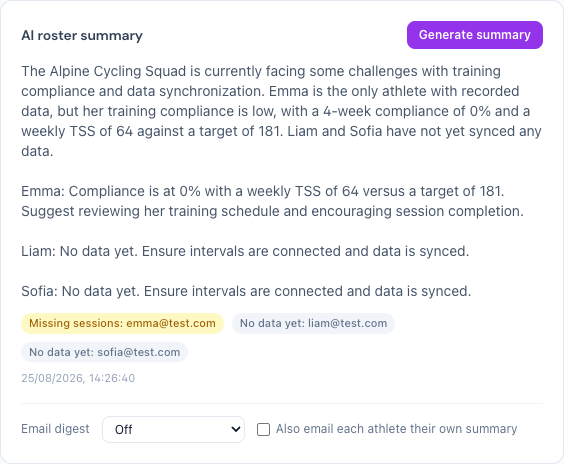
The chat knows your team too. Ask "How was the team's week?" or "Who's not following the plan?" and it answers with the real numbers. Ask it to lower an athlete's load and it drafts a workout for you to review; nothing reaches an athlete's calendar until you approve it, in the chat or from the dashboard. From an athlete's page, Ask AI and Adjust Plan open the chat already focused on that athlete.
You can also get all of this by email: a weekly or daily digest per team, with an optional copy to each athlete containing only their own week. Coaching is still in preview; Team Setup explains how to get access.
Your athletes' AI knows who their coach is
When a coached athlete asks their AI what to do today, it answers with the session you assigned instead of inventing one. If they are tired, it offers a lighter version of your session that keeps it in place; if they ask for a new plan, it points at yours and offers complementary work only. It reads your shared notes and the team's weekly notes; your private notes stay private.
The chat composer behaves on phones
Opening the keyboard used to paint over the input bar, and on iPhones with a notch the send button sat under the home indicator. The app now shrinks with the keyboard and clears the indicator, so the composer stays visible and grows upwards.
v0.24.13 — Apply means apply
August 20, 2026
Asking to apply your plan did nothing
You could spend eight turns with the coach refining a twelve-week plan — correcting weekly hours, making Sunday the longest ride, pinning down the gym work — then say "apply it" and get nothing back. No plan, no error, no reply. The structure you had just agreed on stayed in the conversation and never reached your plan.
Two things were wrong. Your message was routed to an internal path that only the plan wizard can feed, so it arrived with nothing to apply and gave up without a word. And the coach decided your design was finished by looking for a checkmark in its own replies — so a reply that used ✅ to tick off your corrections ended the design mid-revision, while you were still working.
Both fixed. The design now stays open until the structure is actually written into your plan, and "apply it" does what it says.
The same workout showed different numbers in different places
Duration and TSS were worked out separately in four parts of PlanWatts, and the four had drifted. The workout card, the calendar and the editor could each show a different number for the very same session. Workouts built from distances were the worst of it: a 2 km rep counted as zero seconds, so a 55-minute run read as 6 minutes, and running and swimming sessions built that way came out at TSS 0.
There is now one calculation, shared by everything that displays it. Stored numbers refresh on startup, so your existing workouts correct themselves.
One more: errors thrown by browser extensions were reported on screen as PlanWatts crashes. They are not ours, and we no longer claim them.
v0.24.9 — Paces your watch can actually run
August 5, 2026
Pace targets arrived on your watch as sprint paces
If you train by pace, a tempo session could land on your Garmin asking for 1:11-1:31 /km — sprint pace, held for fifteen minutes. The paces were right everywhere you could see them (in the app, in the workout description) and wrong in the one place that matters: the target your watch alerts on. Your session's paces were being sent as percentages of your threshold pace instead of as paces.
Fixed on every path a workout leaves by, and the sessions already sitting in your calendar are corrected on their own — no need to re-create anything.
Three more from the same corner: running warmup ramps went out at walking pace, re-syncing a workout never actually replaced the structure on your watch, and the .fit download of a running workout was a cycling file.
The coach knows which sport you train
Ask for a cadence session as a runner and you got rpm, FTP and a bike workout. Your sport was in your profile the whole time — the coach just never read it. Now it does: running and swimming in pace, cycling in power. And when it genuinely doesn't know your sport, it asks instead of assuming you ride.
v0.24.6 — The coach answers as it writes
July 27, 2026
The answer now appears as it's being written
Until now the coach composed its whole reply in silence and dropped it on screen at the very end. On anything that takes a few steps — analysing a session, comparing two rides — that meant minutes of spinners with nothing to read, and if your phone locked or you closed the tab in the meantime, the finished answer never reached you. Now the text arrives as it's written.
Comparisons say "Recent" and "Previous" instead of "A" and "B"
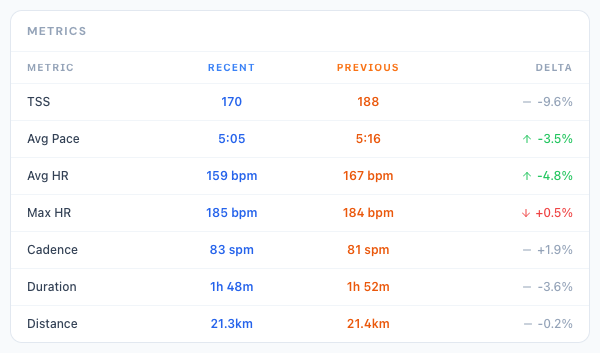
Which column was which activity? You had to work it out from the dates. Now they're labelled, and every comparison is stored newest-first — so a green arrow always means you've improved since the earlier session. A few older comparisons were stored the other way round and read backwards; those have been corrected.
Comparing two activities no longer gets stuck
Asking the coach to compare two sessions could churn for minutes and come back empty: the analysis was being computed and then thrown away, again and again. That's fixed, and the result is now cached — asking a second time is instant.
v0.24.1 — Wahoo is out of beta
July 4, 2026
No more toggle needed
Wahoo sync — connecting your ELEMNT, receiving workouts with the right power targets, and merging recorded rides back into your activity feed — is now available to everyone. Just connect it from Settings → Integrations; the old Experimental features toggle is gone.
v0.24.0 — The PlanWatts blog is here
July 3, 2026
Plain-language guides to the data you already have
We launched a blog — straight-talking guides to power, zones, FTP and the numbers your watch already gives you, written by the same coach that turns them into a plan. No jargon.
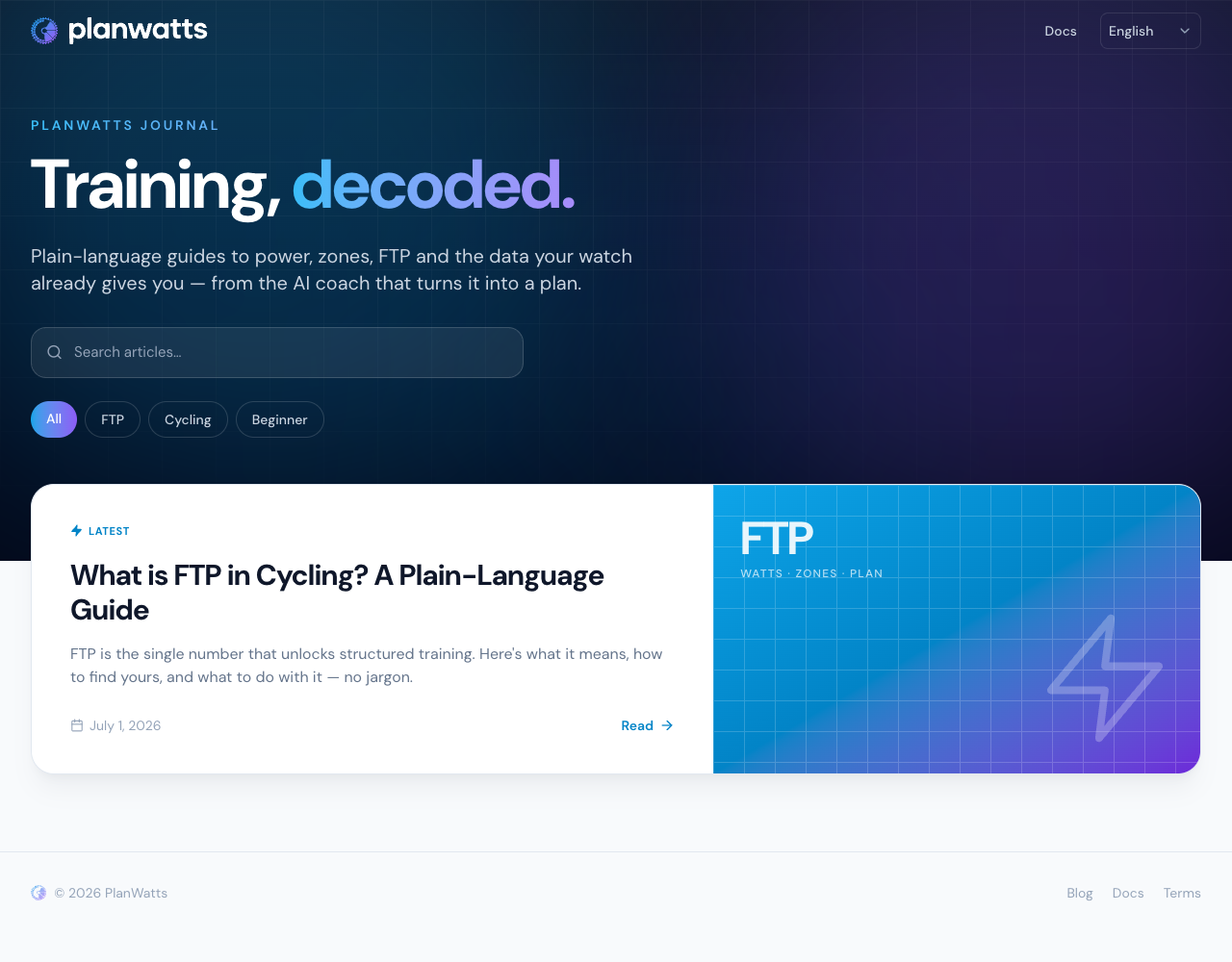
Made to be read, in your language
Clean reading layout, a table of contents, share buttons — and fully multilingual: every article has its own page per language, so you read it in yours.
v0.23.6 — A smoother first 2 minutes
June 9, 2026
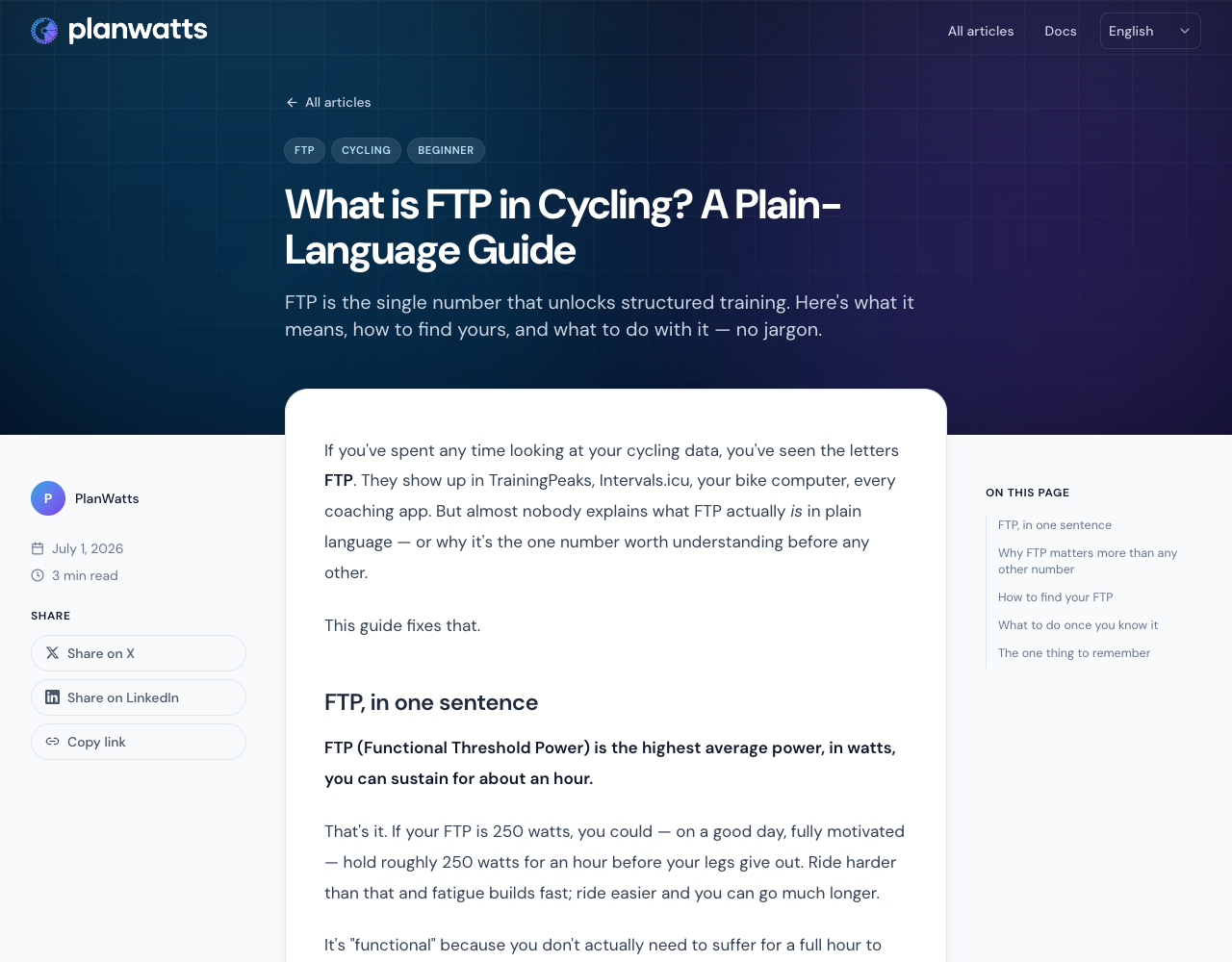
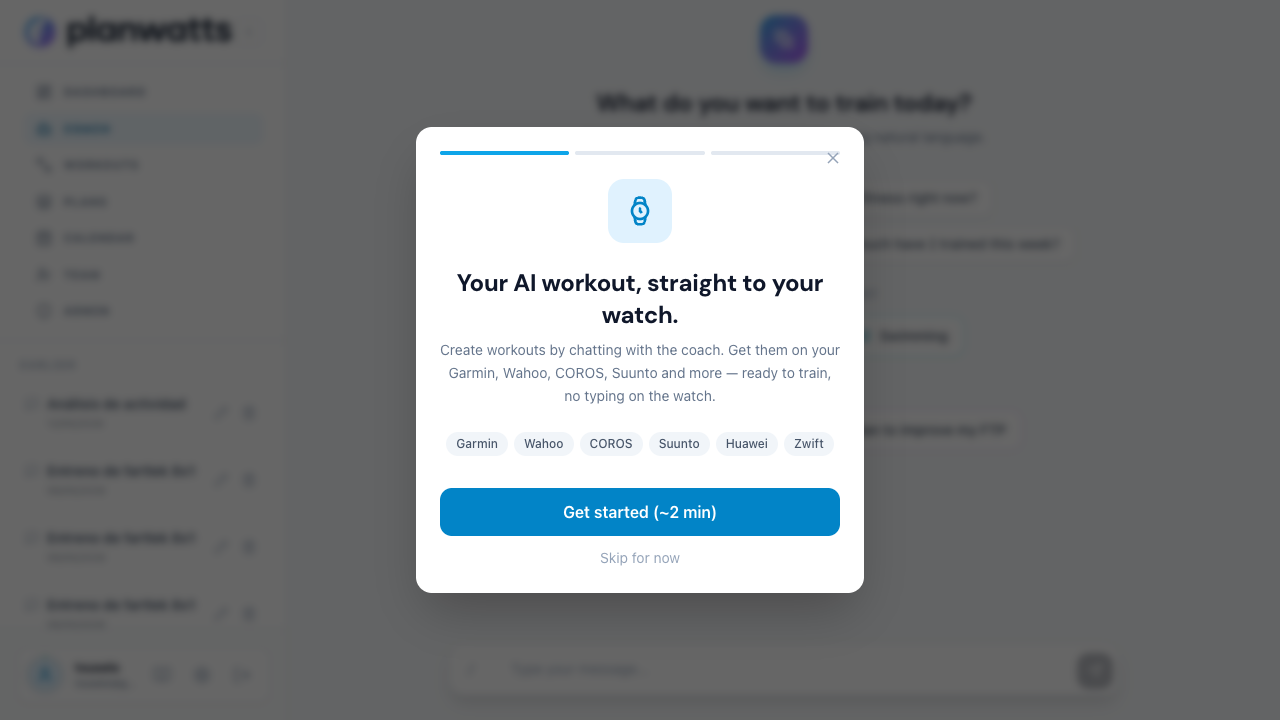
Your AI workout, straight to your watch — in six steps
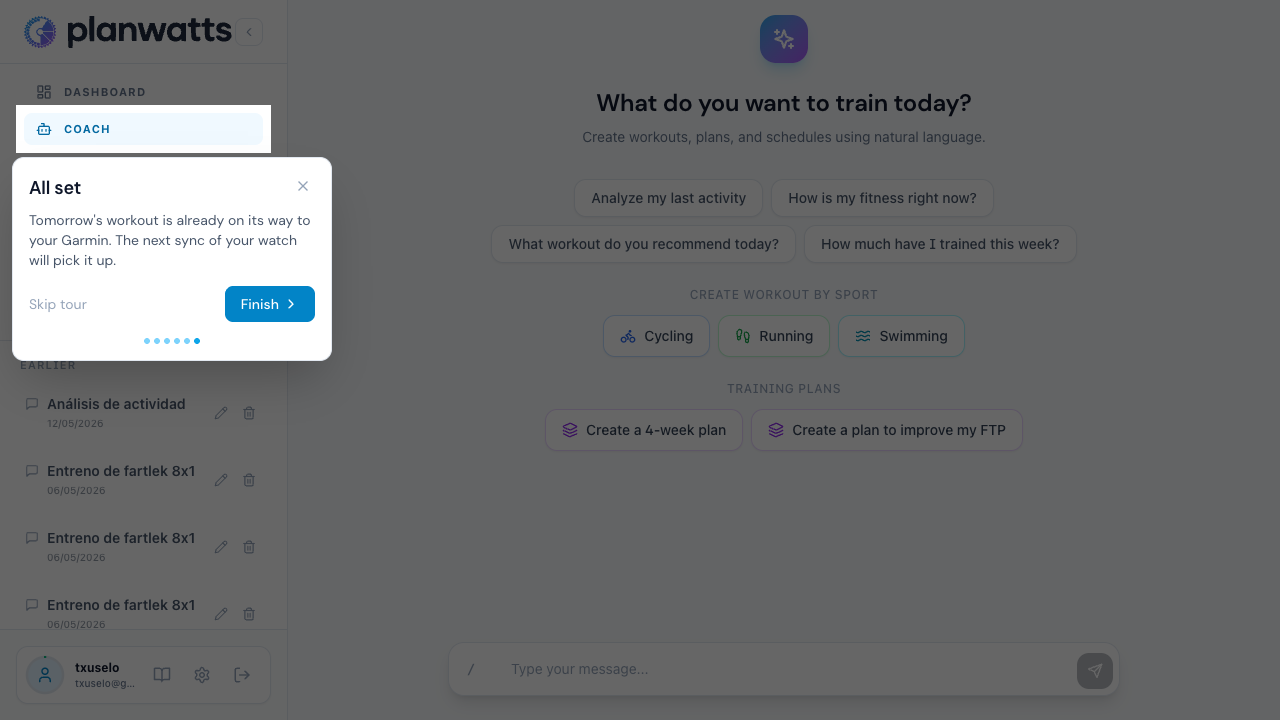
The welcome guide is rebuilt around the killer feature: an AI-built workout that lands on your Garmin (or Wahoo, COROS, Suunto, Huawei, Zwift, Zepp) without you typing anything on the device. The tour is now six steps instead of seventeen, and the welcome screen leads with the outcome.
We detect when you're already set up
The tour checks intervals.icu in the background to see if Upload planned workouts is already on for a connected device. If it is, the configuration step is silently skipped — you go straight to the confirmation, which tells you exactly which watch your workout is headed to.
A persistent nudge if the toggle is off
If intervals.icu is connected but no provider has Upload planned workouts enabled, you'll see a small amber banner on the coach view with a one-click walkthrough. Dismiss it for 24 hours, or finish the 60-second setup in intervals.icu — once you turn the toggle on, the banner disappears for good.
Workout targets as a range, not a single number
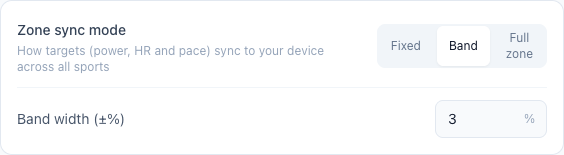
Choose how your zone-based targets land on your device: a single value (Fixed), a configurable Band around the target, or the Full zone. It now covers power, heart rate and pace across cycling, running and swimming — not just cycling power — so your watch stops fighting an impossible single number mid-workout. Set it once in Settings → Athlete Profile.
v0.23.2 — Wahoo: sync your ELEMNT (beta)
May 29, 2026
Send your workouts straight to the ELEMNT
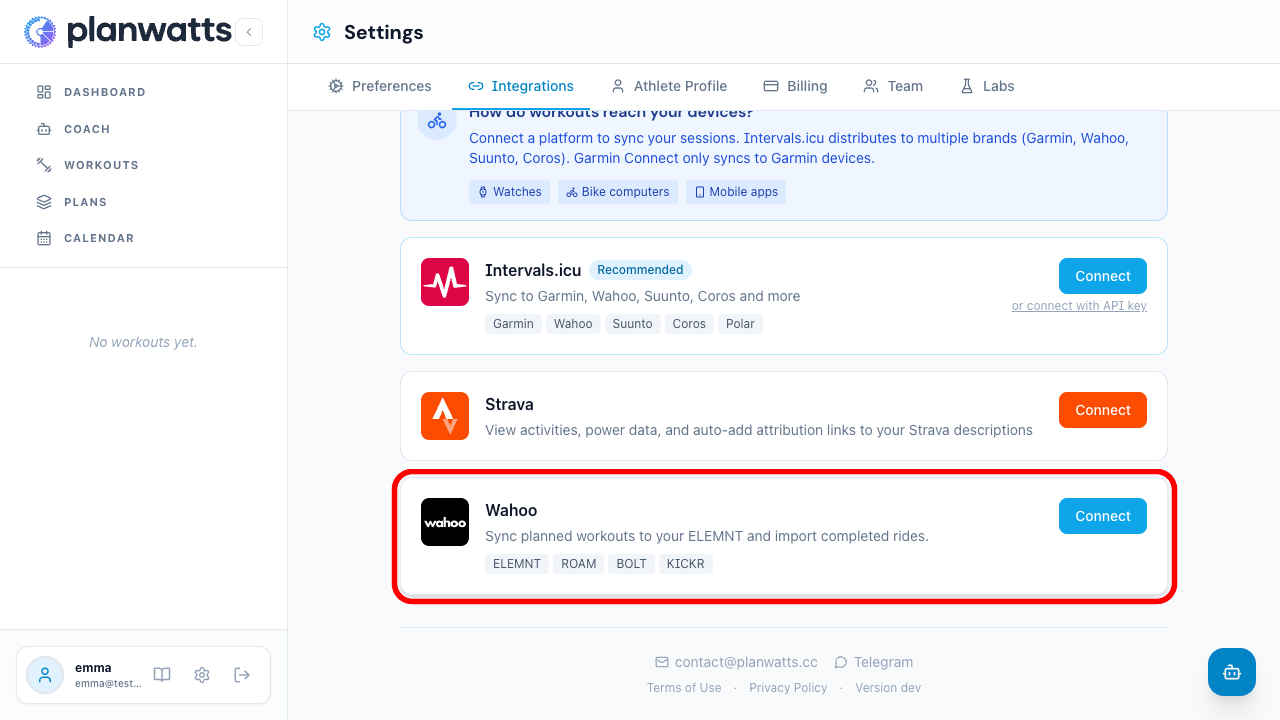
Connect Wahoo from Settings → Integrations (turn on Wahoo under Preferences → Experimental features first), and the workouts PlanWatts plans for you start landing on your bike computer with the correct power targets — ready to ride. Rides you record on the ELEMNT, or upload manually to the Wahoo app, flow back into PlanWatts and merge with your Strava and Intervals copies into a single activity tagged with all three providers.
Delete a session, lose it everywhere
When you delete a workout that's synced to several platforms, the confirmation now names every platform you're removing it from, and the delete actually reaches each one. Before, Wahoo copies were quietly left behind in your account when you cleaned up from PlanWatts. Fixed.
v0.22.12 — Coaching tools & heart-rate workouts
May 27, 2026
Assign workouts straight to an athlete's calendar
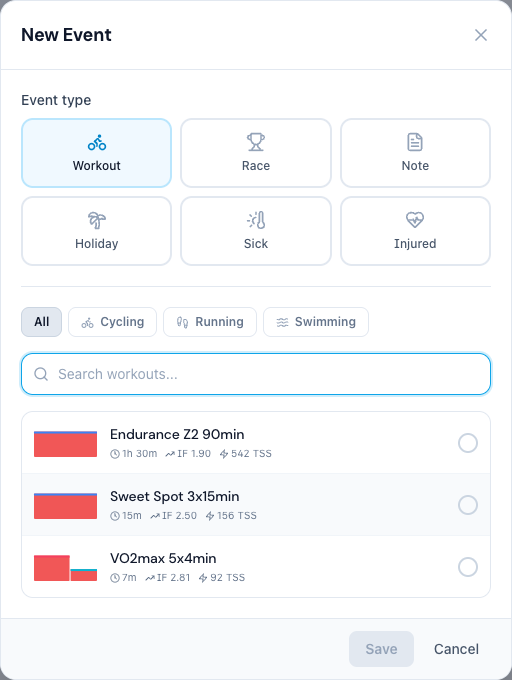
From an athlete's detail view, click any day to open the workout picker. The workout you choose is copied into the athlete's library, dropped on their calendar with a Coach badge, and synced to their connected platforms. You can also drag to reschedule, edit your copy in place, or delete sessions you assigned — without ever touching the athlete's own workouts.
Remove an athlete from your team
You can now remove an athlete you no longer coach — either from the trash icon on their roster row, or the Remove from team button on their detail page. A confirmation step keeps it safe, and any workouts you assigned stay on the athlete's calendar.
Coach-assigned workouts stay out of the athlete's library
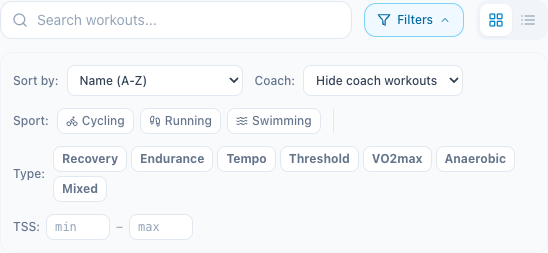
Workouts a coach drops on an athlete's calendar no longer clutter the athlete's own workout library. A new Coach filter (Hide / Coach only / All) lets you choose what to see, just like the plan filter.
Heart-rate-based workout generation
Ask the AI coach for a heart-rate workout and it now builds one. Before, the generator could only attach heart rate as a secondary target and would send you to Garmin to edit it; now HR can be the primary target (as a % of your threshold HR), exported correctly to Garmin, Intervals and FIT, and counted toward TSS. Power and pace stay the default — HR is used when you ask for it and your max HR is known.
v0.22.0 — Dashboard, Themes & Multi-sport Performance Curve
April 28, 2026
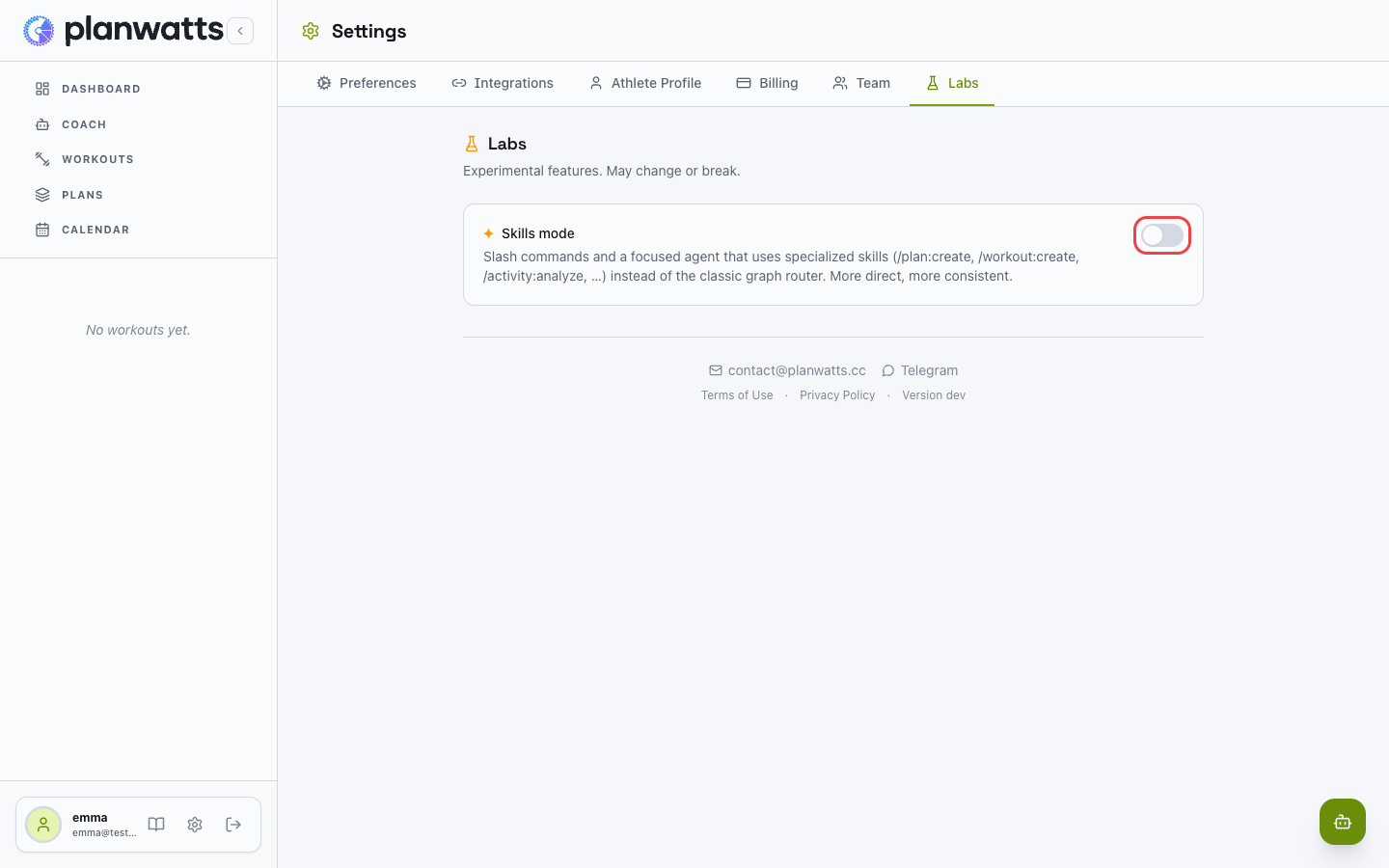
Skills mode is now opt-in
Open Settings → Labs and flip the switch to give your coach slash commands and a focused single-agent runtime — direct and consistent.
- Slash commands:
/plan:create,/workout:create,/activity:analyze, … - Classic graph mode stays the default.
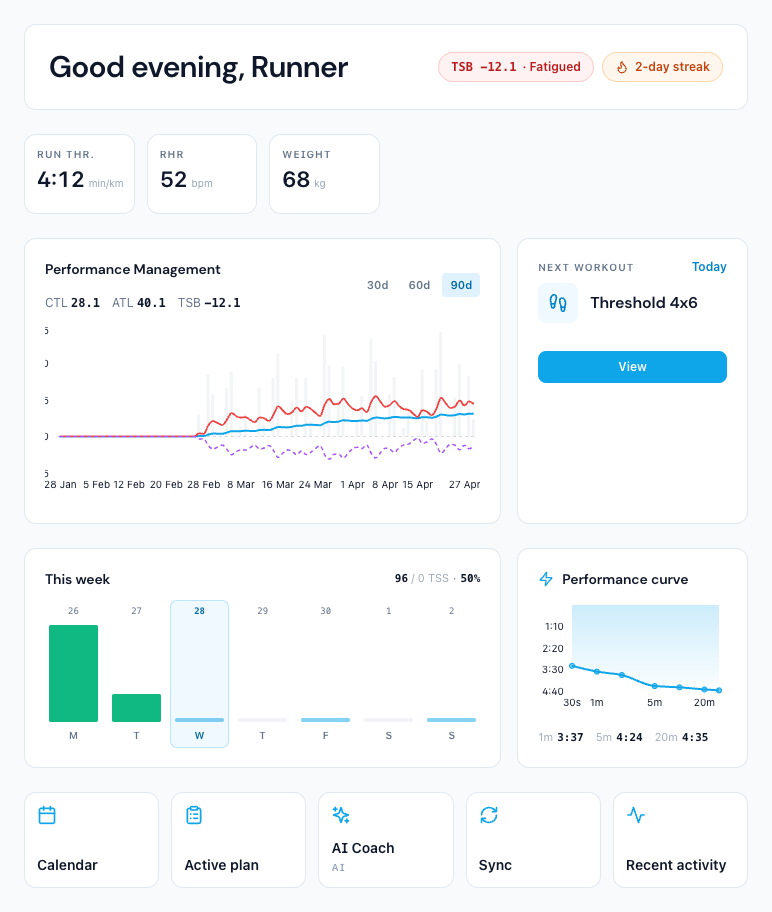
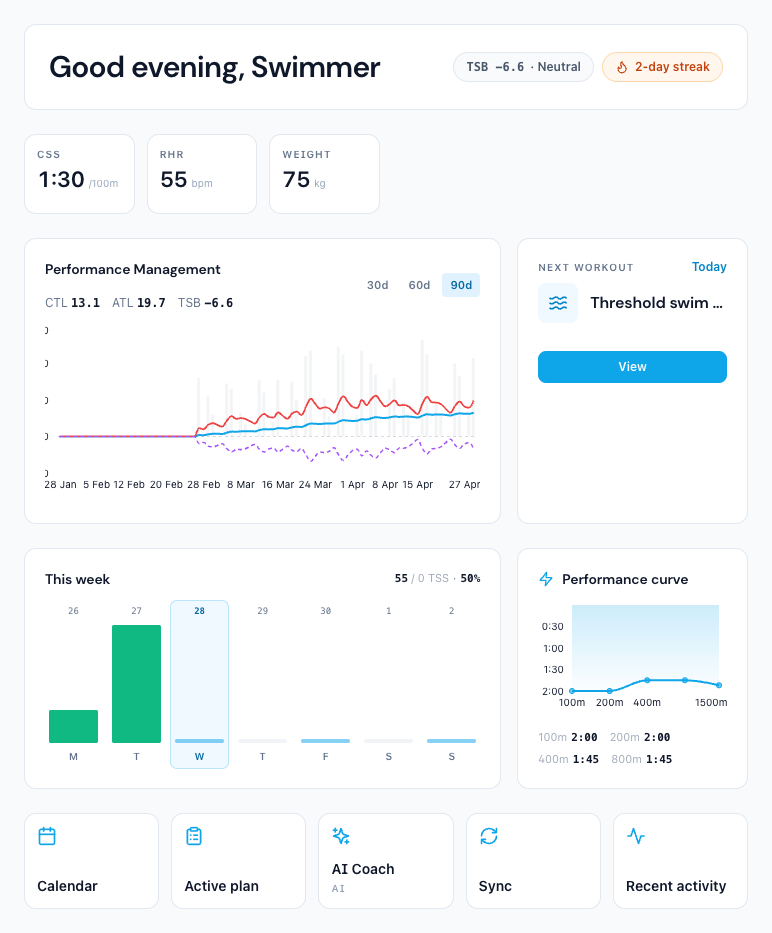
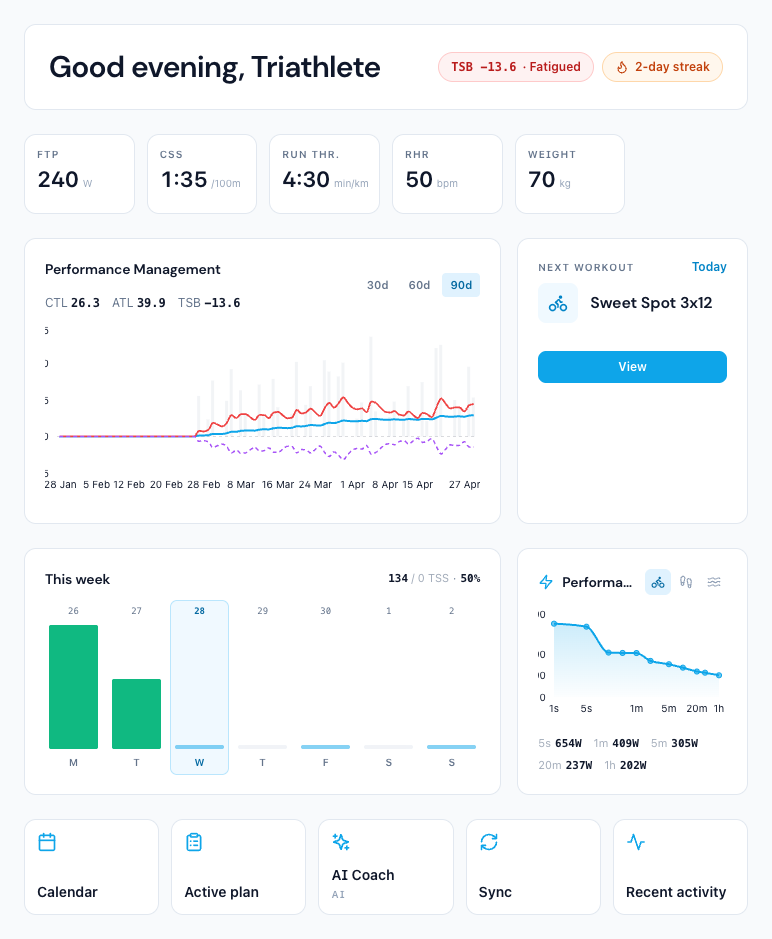
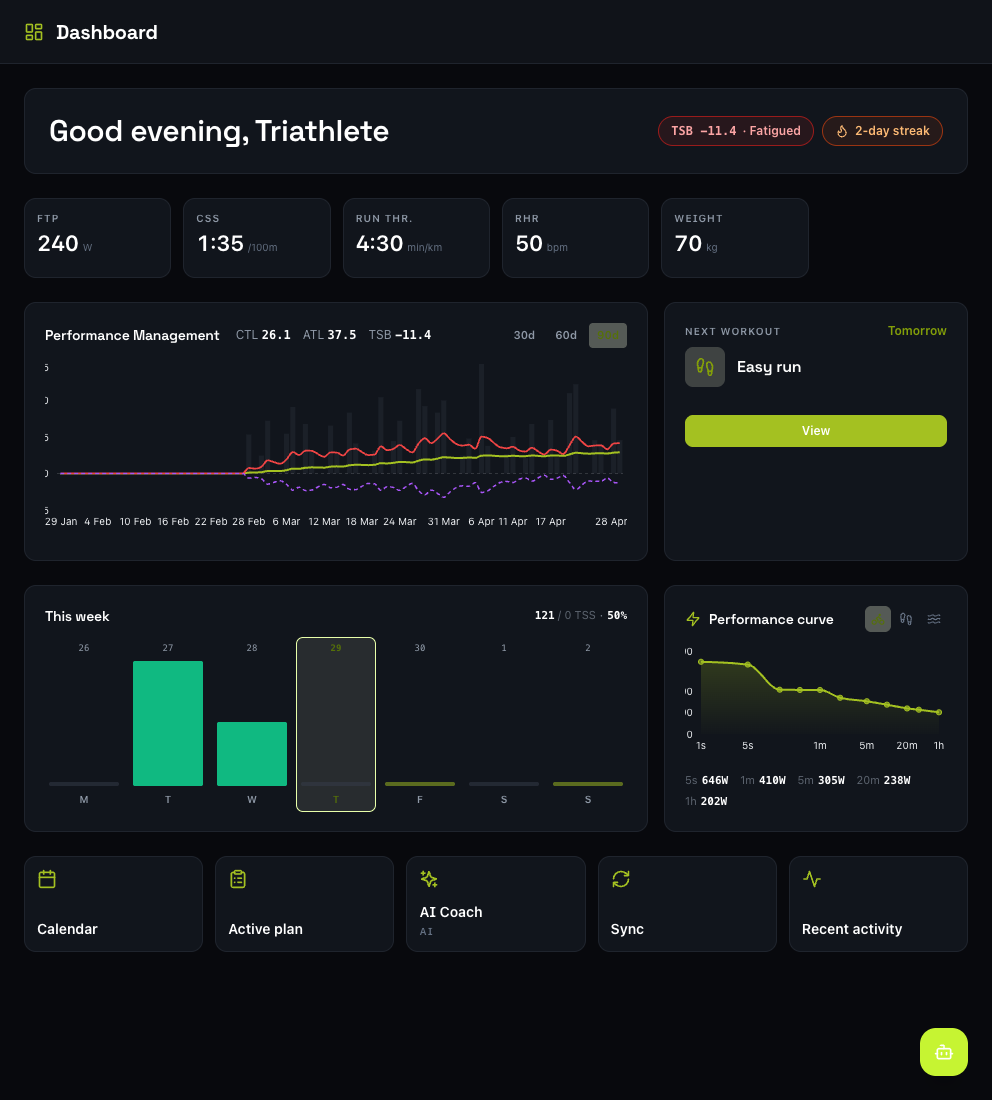
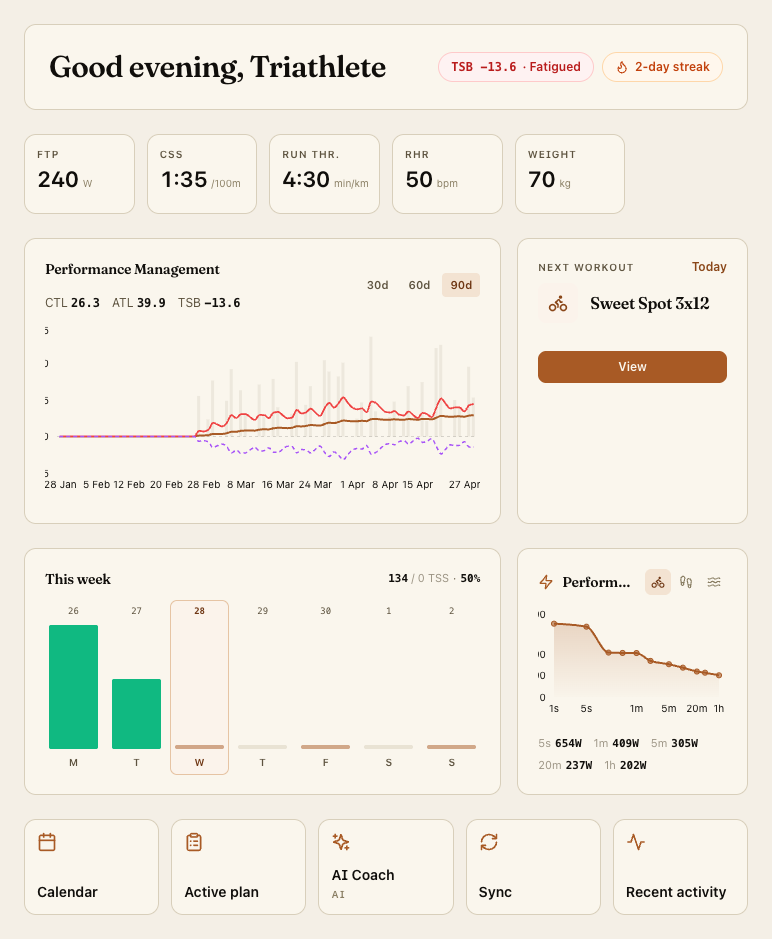
A new at-a-glance Dashboard
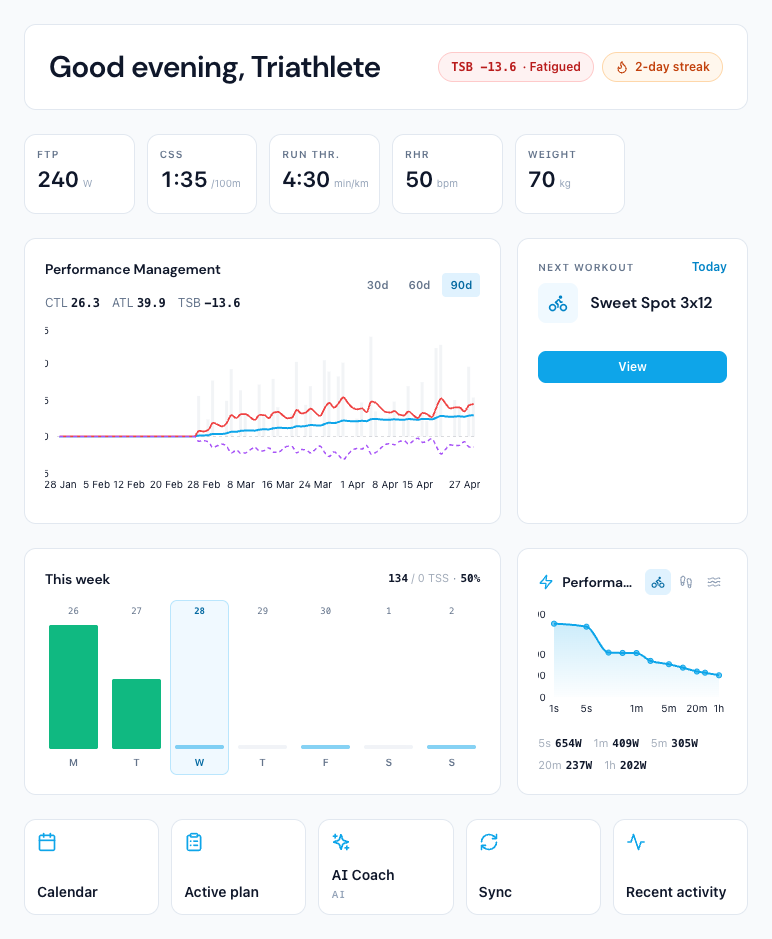
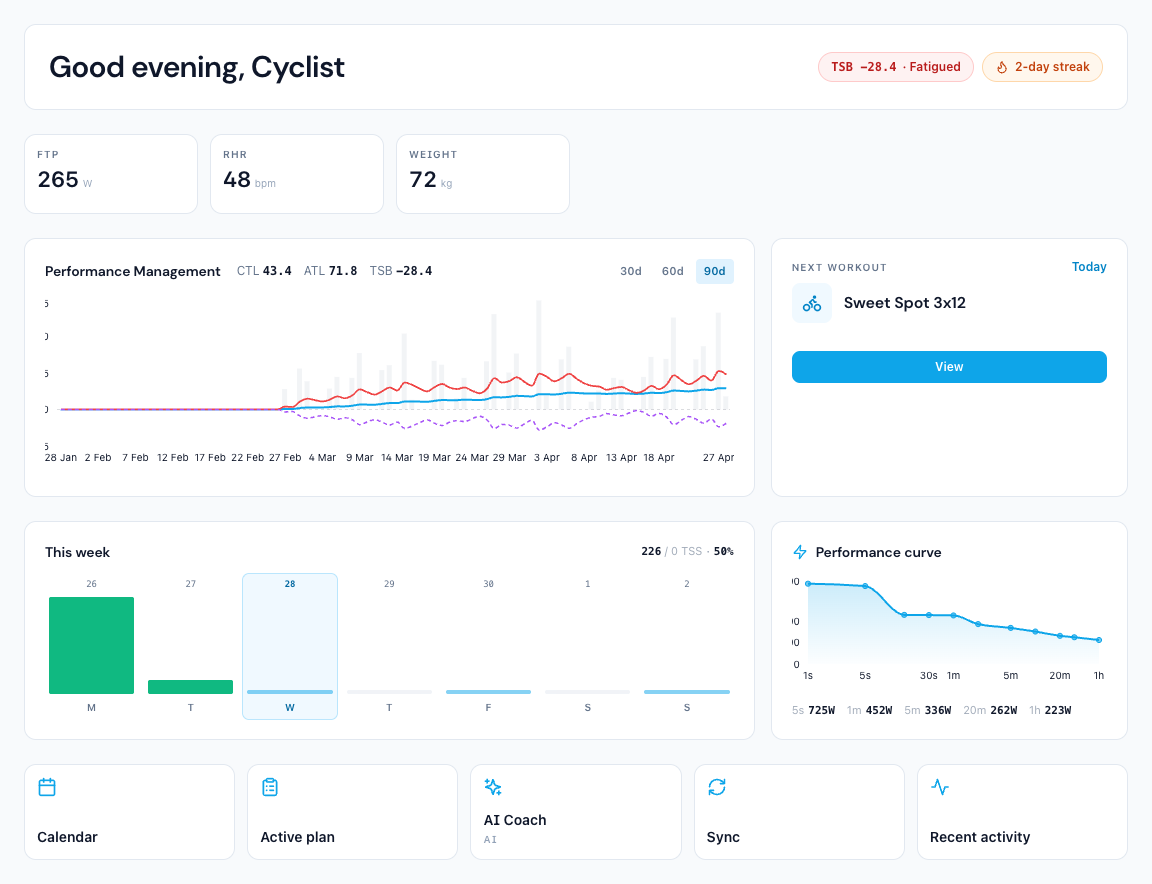
A single page summarising everything that matters today.
- Greeting reflects how fresh you are (TSB).
- Current FTP / CSS / run threshold / RHR / weight — metrics you don't track stay hidden.
- 90-day PMC chart with CTL / ATL / TSB lines.
- Next workout, current-week planned-vs-actual TSS.
- Multi-sport Performance curve (see below).
- Shortcuts to Calendar, Plan, Coach, Sync, last activity.
One dashboard, three sports
The Performance curve adapts to what you train.
- Cyclists — real mean-max power curve (1 s sprint → 90 min), straight from your streams.
- Runners — pace curve (best mean pace per duration, min/km), inverted axis so faster sits higher.
- Swimmers — best pace per 100 m at each common distance bucket.
- Triathletes — sport switcher; auto-selects whichever sport you train most.
Three themes, one click away
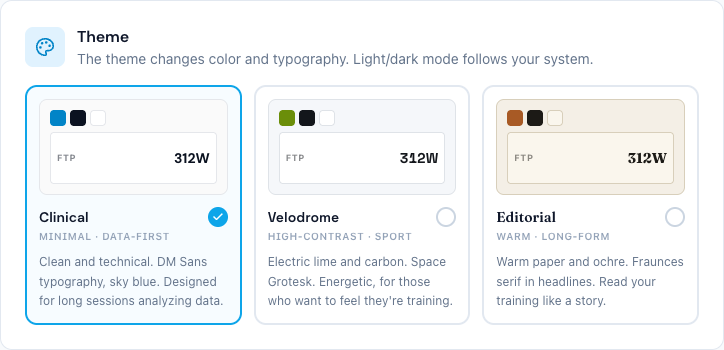
Changes the full neutral palette and heading font (not just the accent). Light/dark still follows your system preference.
- Clinical — sky-blue + DM Sans. Minimal, data-first.
- Velodrome — electric lime on carbon neutrals, Space Grotesk. High-contrast, sporty.
- Editorial — warm cream, ochre, Fraunces serif. For reading your training like a story.
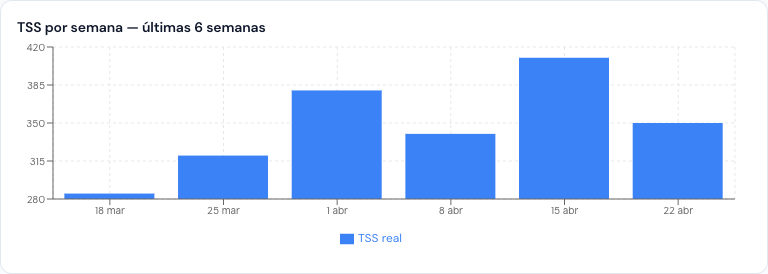
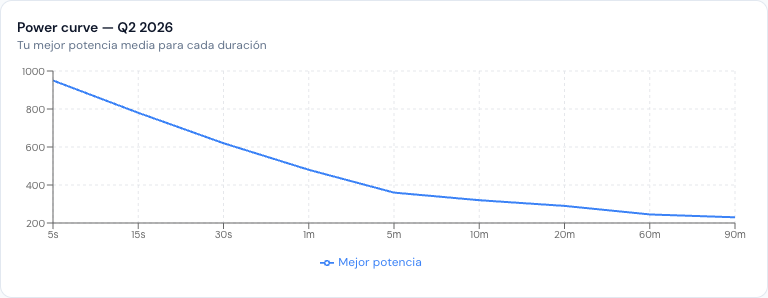
Your AI coach now draws charts
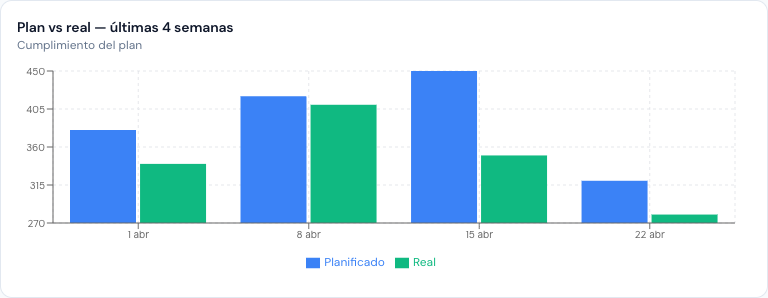
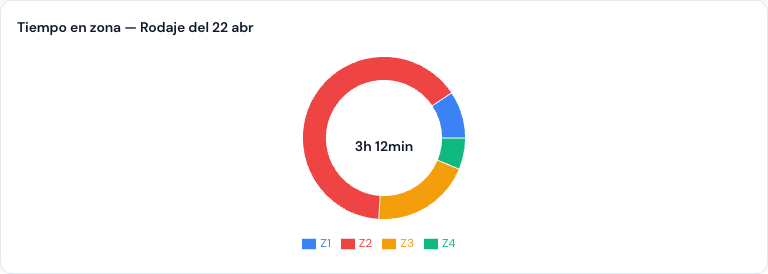
Ask the coach to visualize anything; it plots it in the chat. Combines activities + plan + streams into the right chart type (line, bar, area, pie/donut, scatter) without leaving the conversation.
Prompts that work:
- "Show me my weekly TSS for the last 6 weeks"
- "What does my power curve look like this quarter?"
- "How much time did I spend in each zone on my last long ride?"
- "Am I keeping up with the plan these last 4 weeks?"
Requires Skill mode (see below). Classic graph mode doesn't have the charting tools yet.
Also fixed
- Activity analysis disputes now actually re-run. Telling the coach "the analysis is wrong, it was Z2–Z3" used to return the same cached result; it now re-runs.
- Custom zones honored in activity analysis. Athletes with non-Coggan zones (e.g. Kuepper) and range-target workouts no longer get misread as "pure Z2".
- Friendlier tool labels in the chat thinking strip. Raw names like
aggregate_activitiesare replaced with localized descriptions in all six languages.
v0.21.0 — Plans with Real Dates and Events
April 15, 2026
Your plans now know when they happen. Plans have a real start date — pick it once in the editor and every week shows its actual date range, even before you apply. Add events (races, key sessions) directly to the plan grid with drag-and-drop; they show up as RACE markers in the calendar and now sync to Intervals.icu correctly.
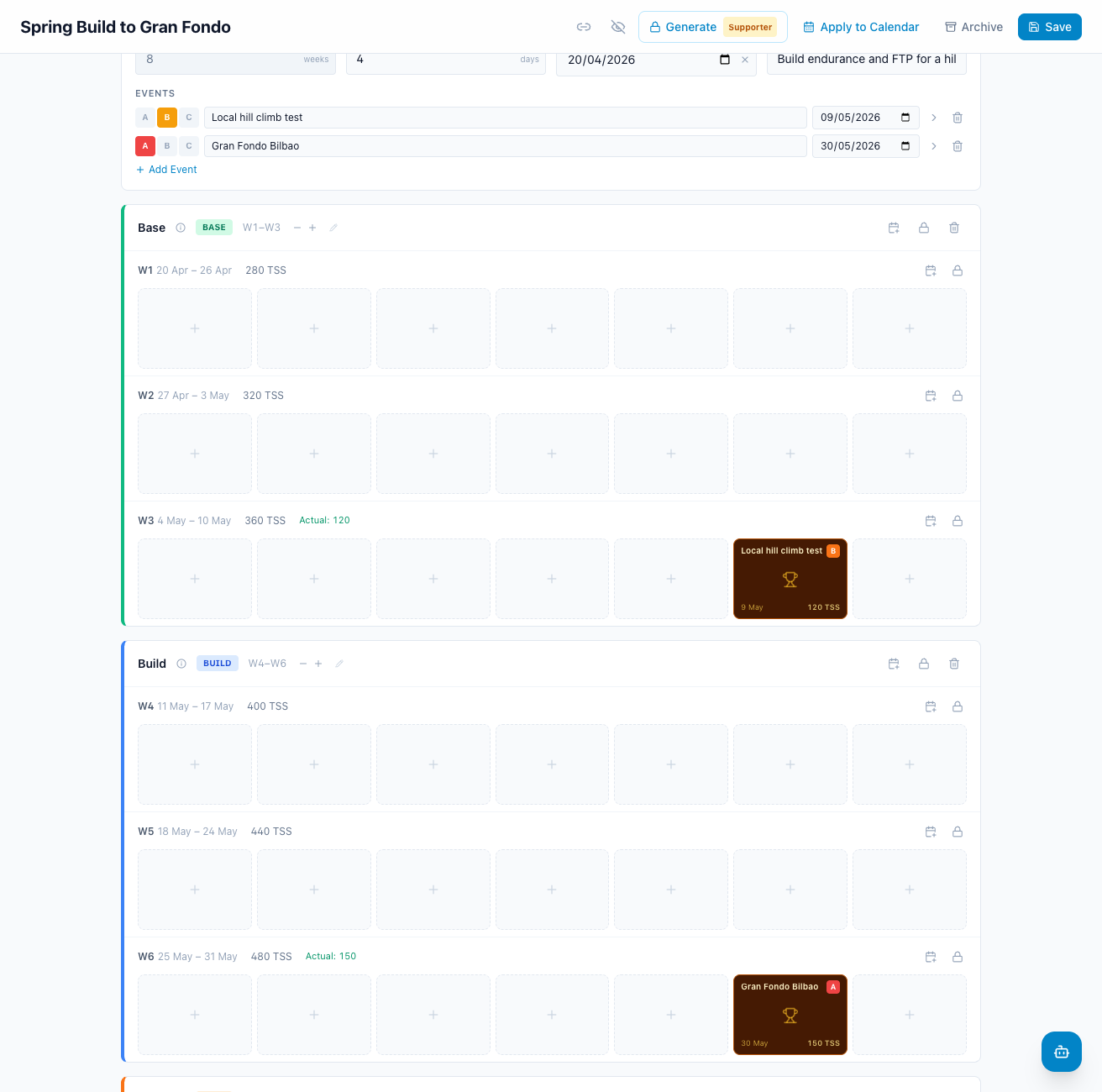
Race-aware workout generation. When you generate workouts for a week that contains an event, the coach excludes that day from training and subtracts the event's TSS from the weekly budget — no more conflicts between your race and your Tuesday VO2 session. Estimated TSS is shown on every event and you can edit it from advanced options.
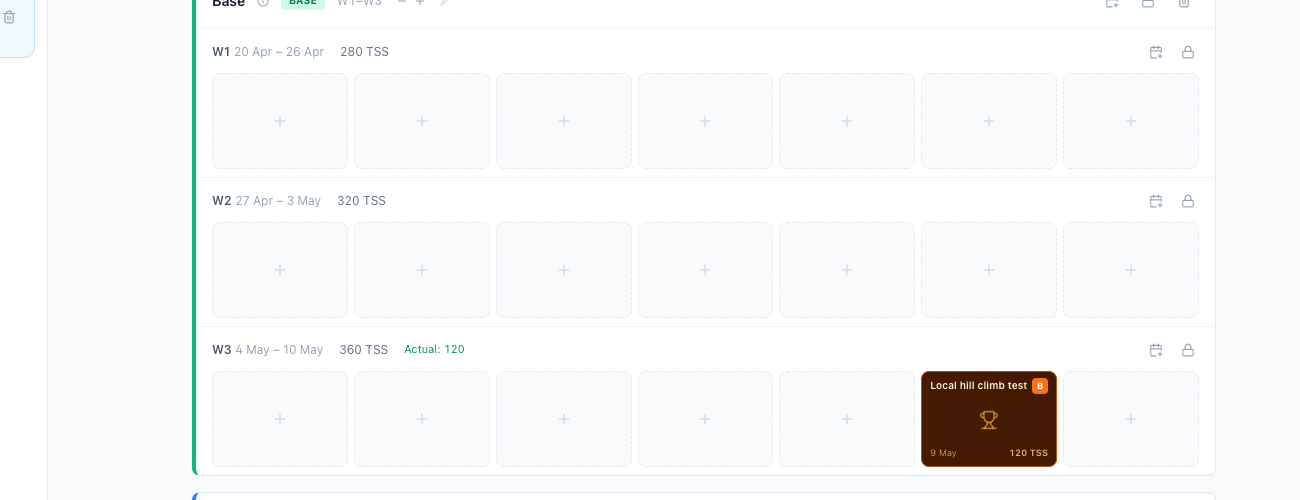
Smarter Plan Setup wizard. Tell it your goal in plain words; it suggests the right duration based on your farthest event, lets you lock weekly hours, and writes a rationale you can edit before generating.
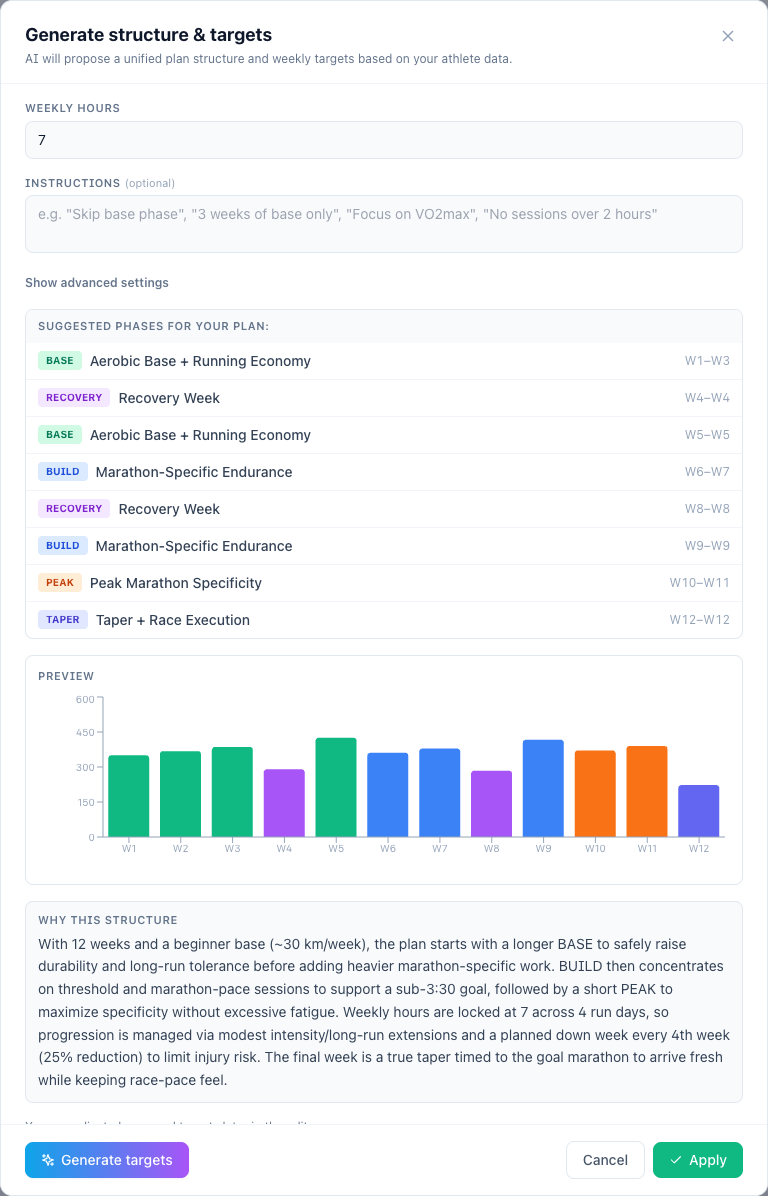
The AI coach finally applies plans correctly. Asking the coach to "apply my Spring plan" used to leave your previous Cycling plan stuck as Applied — two plans fighting for the same calendar. Now it cleanly replaces the previous same-sport plan and tells you which one was replaced. Past workouts are always preserved. The same fix applies to team deploys.
Generate one workout, one week, or one phase. The Generate Workouts modal now lets you scope the regeneration: a single day, a single week, a phase, or the whole plan — handy when you only want to tweak Wednesday.
Also fixed
- Plan events now reach Intervals correctly (sport-type translation was missing)
- Sync no longer rewrites past workouts (was an unintended side effect of editing past entries)
- Sync now reconciles plan events (was a silent gap)
- Apply popover's overlap dialog is sticky-footer, pre-fills your last start date, and warns on past dates
- Phase objectives show as tooltips in the plan editor
- Plan duplication copies objectives, events and start date
- Intervals badge no longer sticks after unapplying with "delete from Intervals"
- Event weekdays no longer drift when toggling the plan start date on/off
- Coach now shows the right week's activities in long sessions
v0.19.3 — Smarter Coach Memory
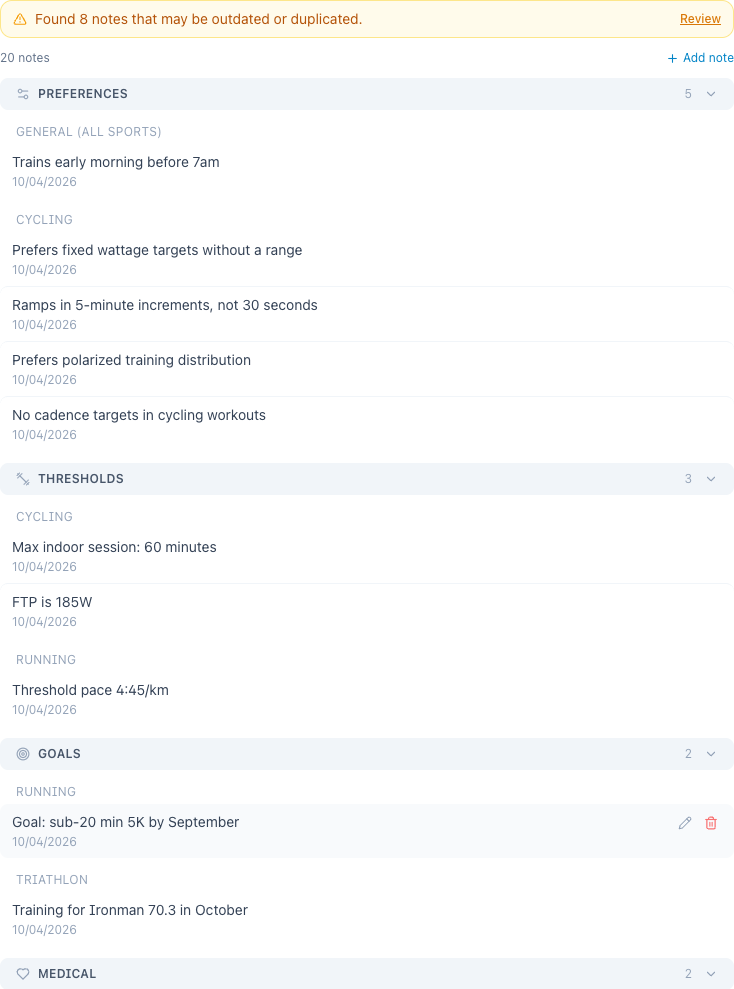
Coach Memory has been redesigned to be more reliable and transparent.
What changed:
- The coach now correctly loads all your preferences when generating workouts — no more repeating yourself
- Automatic extraction filters out volatile data (daily metrics, ephemeral events) that shouldn't be saved
- New grouped view in settings shows notes organized by type and sport
- "Used in generation" badge shows which notes the coach actually used
- Cleanup tool detects duplicates, stale data, and garbage — review and delete with one click
- Notes are automatically translated to your language
- You can now create notes directly from settings
Also fixed
- Workout editor: zone buttons on ramps now set correct boundaries instead of midpoints
- Zone clicks on regular steps no longer force range mode
- Z7 zone no longer breaks the workout chart (was spiking to 999%)
- Ramp power inputs now fit 3-digit values properly
- Saved preferences (cadence, zones) now correctly reach workout generation for all sports
v0.19.0 — Day-Scope Workouts & Multi-Event Plans
April 10, 2026
Change a single day without regenerating the whole week. Ask the coach to modify just one workout — "change Tuesday to 30 minutes" or "make Saturday a recovery ride" — and it updates only that day, leaving the rest of your plan untouched.
Plans can now target multiple events. Training for a race series? Add multiple events with their own dates and the coach considers each one when generating your periodized workouts.
The coach knows your active plans. When you have a deployed plan, the AI automatically detects it — no need to tell it which plan you're talking about. It knows your current phase, week number, and what's coming next.
Also in this release
- Plan calendar view shows actual date ranges next to week numbers
- Conversations no longer appear empty after plan operations
- Sidebar label renamed from "Coach" to "Team" to avoid confusion with the AI Coach
v0.18.3 — Import Your Training History
April 6, 2026
Compare your rides across the whole year. You can now import past activities from Intervals.icu — up to 2 years of history — directly from Settings > Integrations. Select a year, click Import, and watch your activities flow in with a live progress bar.
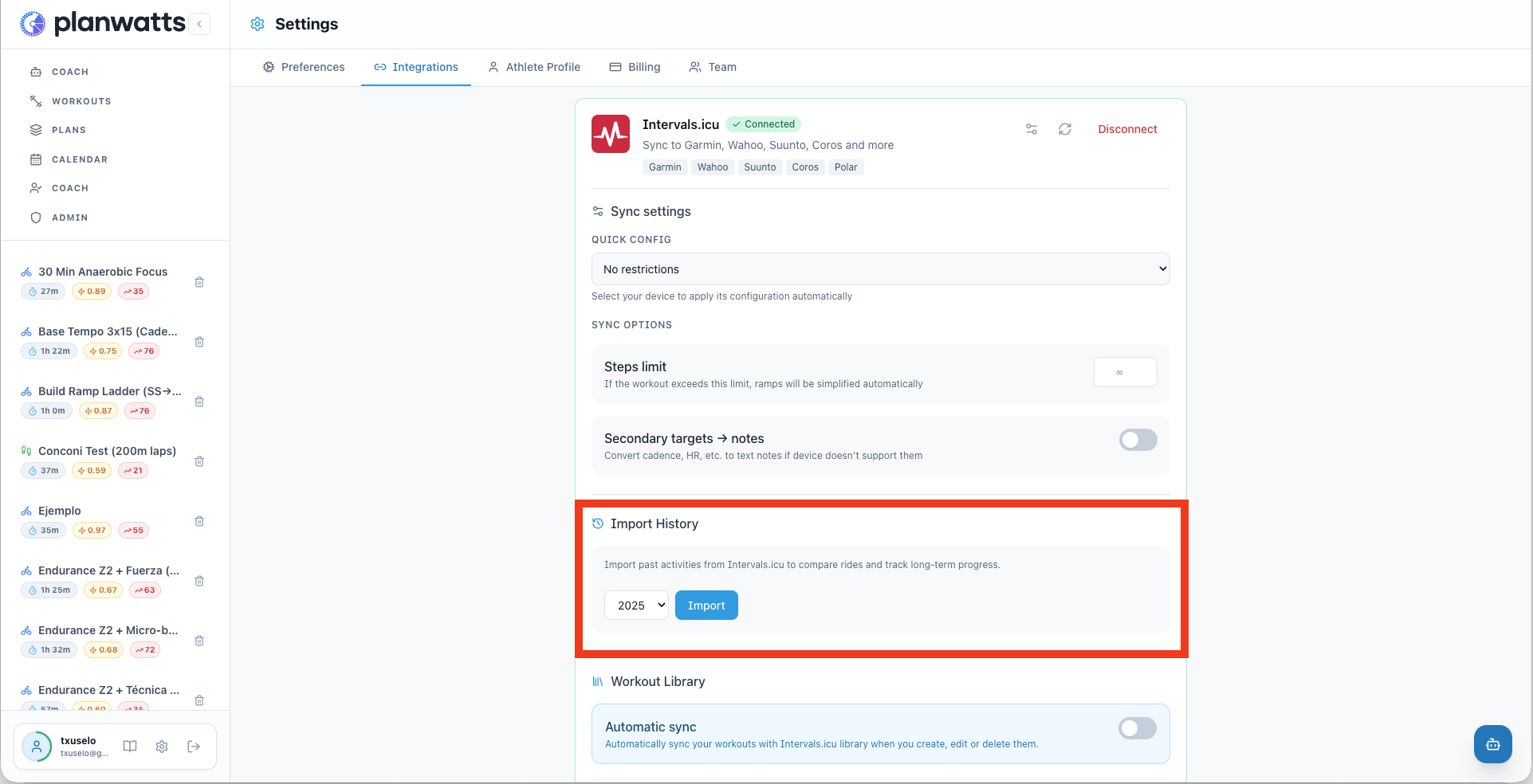
Once imported, your AI coach has the full picture: long-term trends, repeated routes, and year-over-year comparisons. Perfect for tracking your progress on those rides you keep coming back to.
Also fixed
- Backfill on connect now works — The 90-day auto-import that runs when you first connect Intervals was silently failing due to a date format bug. Fixed — your recent activities will now import correctly on first connect.
v0.18.0 — Coach Dashboard & Athlete Deep View
April 6, 2026
Your athletes, at a glance. Coaches can now see their entire team's health in a single roster table — today's workout status, weekly load, 4-week compliance, and fitness/fatigue semaphore. Click any athlete to dive into their full profile.
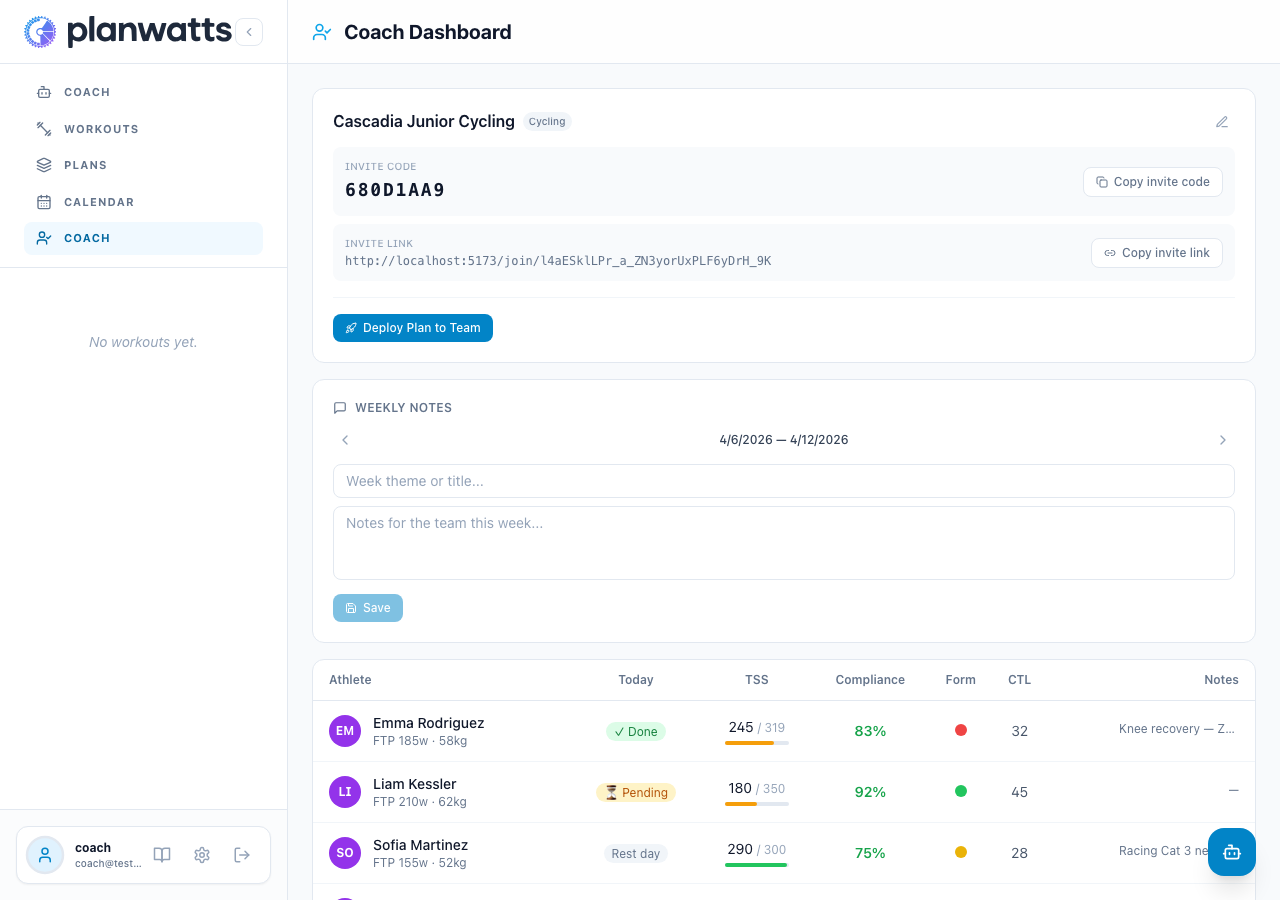
Athlete Deep View
Click an athlete's row to open their dedicated page. You'll see their fitness status (CTL/ATL/TSB with trends), weekly training summary, a 30/60/90-day PMC chart, private and shared notes, and their full calendar — the same calendar they see, with week and month view.
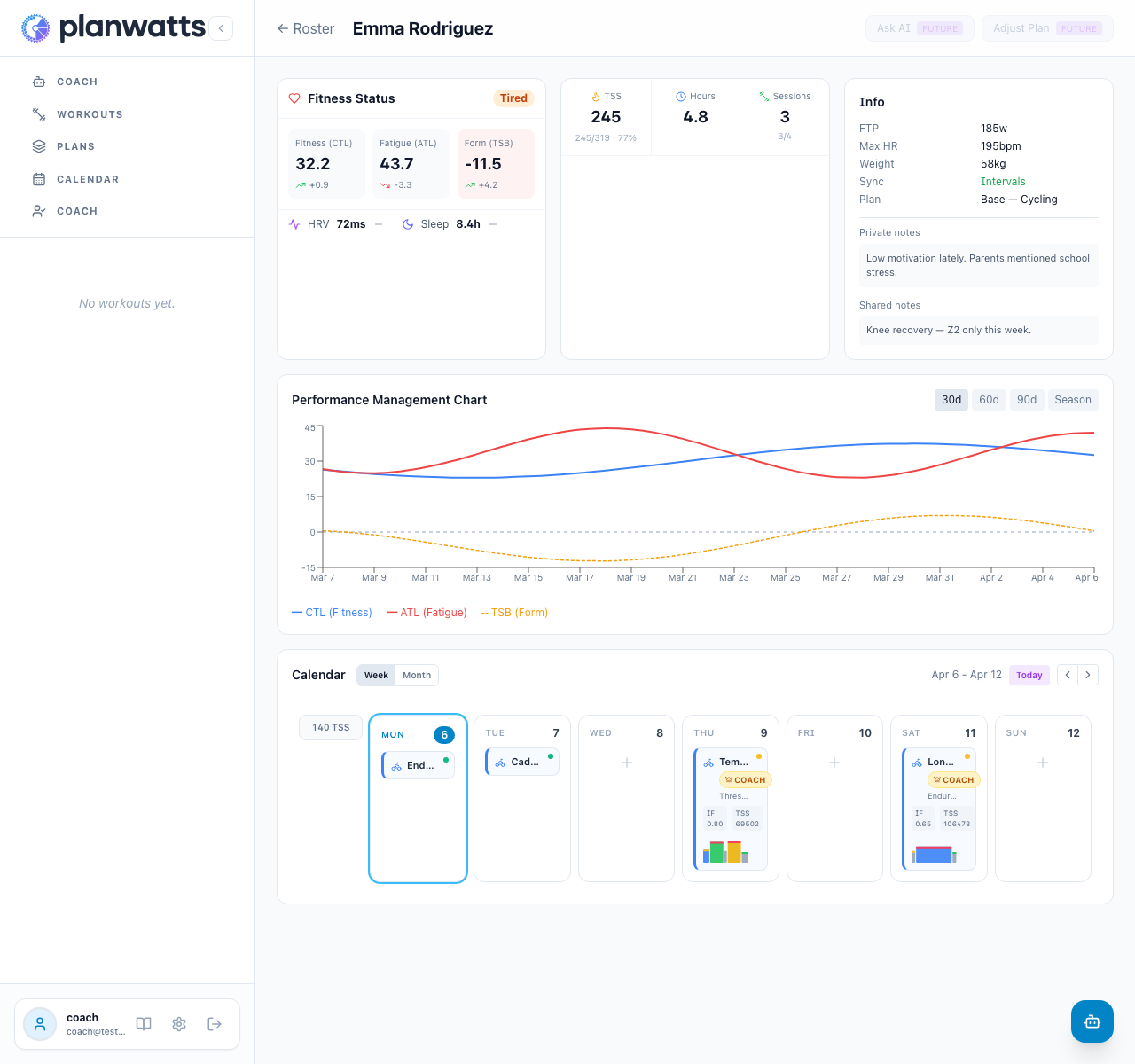
Calendar management
From the deep view, coaches can browse the athlete's calendar, see which workouts were completed, pending, or missed, and manage their schedule directly. The coach badge distinguishes coach-assigned workouts from the athlete's own sessions.
Under the hood
- Wellness snapshots — CTL, ATL, TSB, HRV, and sleep data from Intervals.icu now persist daily via webhooks, powering the fitness charts and roster metrics
- Calendar refactored — The calendar rendering was extracted into a reusable
CalendarBodycomponent, shared between the athlete's own calendar and the coach's athlete view - Shared fitness components — The fitness card and week summary from the AI chat are now reusable components used across both views
v0.17.0 — Full-Width Layouts & Calendar Improvements
April 3, 2026
More space for your training. Workouts, Plans, and Calendar now fill the full width of your screen — card grids scale up to 6 columns on wide displays.
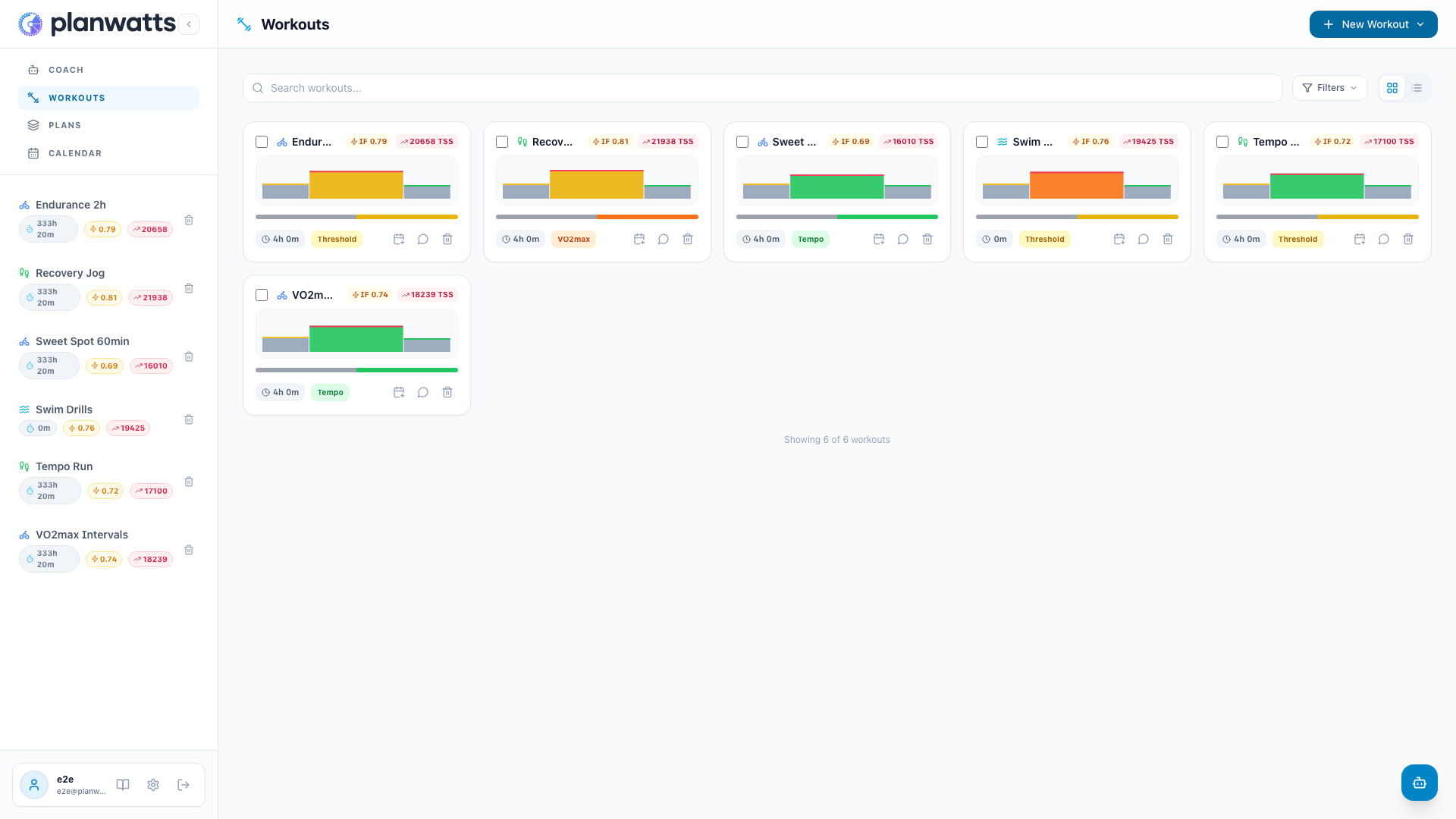
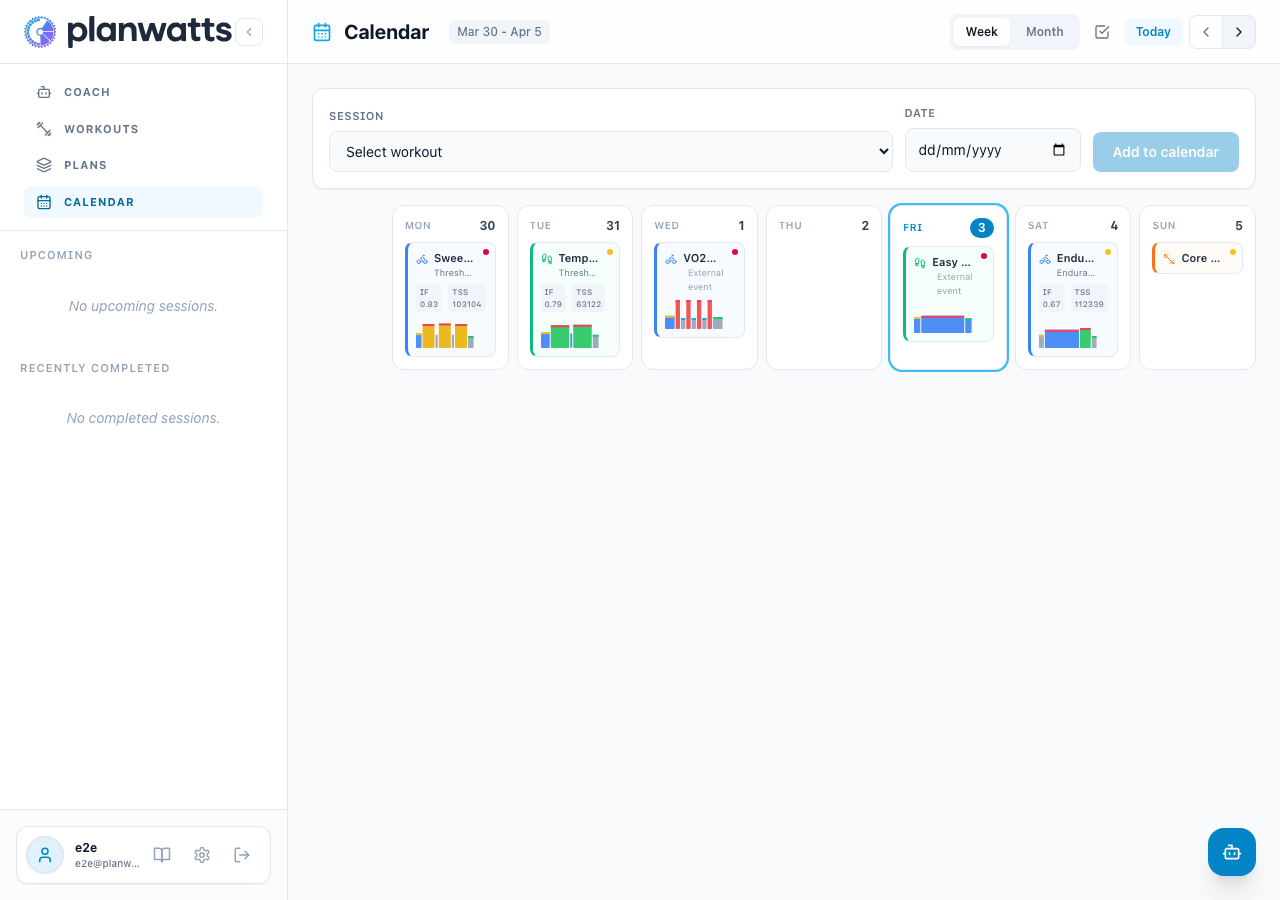
Calendar mini charts everywhere
Every scheduled workout now shows an intensity mini chart — including external events synced from Intervals.icu. At a glance you can see the shape of each session across your entire week.
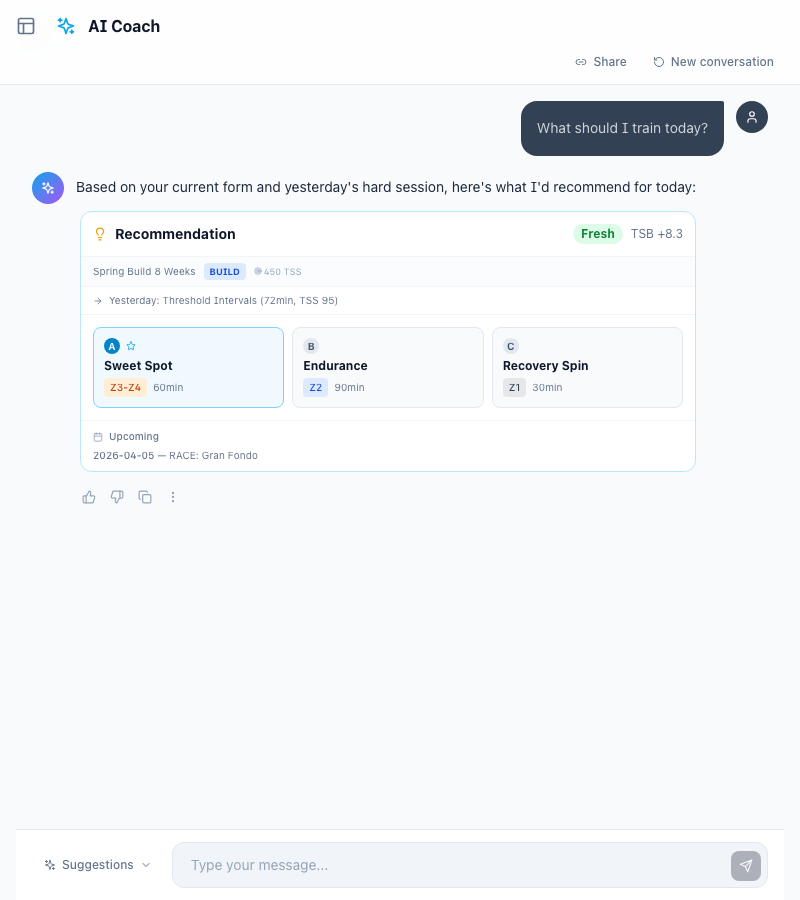
Clickable recommendations
When the AI Coach suggests training options (A, B, C), you can now tap the card directly instead of typing your choice.
v0.16.1 — New Supporter Tier
March 27, 2026
PlanWatts now has a new way to support the project — and it costs less than an energy gel.
Supporter — 3€/month
If PlanWatts has helped you train smarter, you can now support its development for just 3€/month. That's it — less than a coffee, less than a gel, less than a single ride to the cafe and back. Every subscription helps keep PlanWatts independent, ad-free, and constantly improving.
What you get:
- 150 monthly credits (3x the free plan)
- AI training plan creation — design periodized plans with the AI Coach
- Credit rollover — unused credits carry over to next month
This isn't about locking features behind a paywall. Everything you love about PlanWatts — the AI Coach, workout generation, activity analysis, calendar sync — stays free. Supporter is for people who want to help the project grow and get plan creation as a thank-you.
Pro — 9€/month (previously "Supporter")
The old Supporter tier has been renamed to Pro. If you were already a Supporter, nothing changes — you're now Pro with all the same benefits:
- 500 monthly credits
- Claude Opus — Anthropic's most capable AI model
- Model selection — switch between OpenAI and Claude per conversation
- Credit rollover up to 1,000 credits
Billing improvements
- Stripe sync — the billing page now syncs directly with Stripe when you open it, so your subscription status is always accurate
- Cancellation status — if you cancel, the badge shows "Cancels at period end" instead of misleading "Active"
- Instant refresh — tier and credits update immediately after checkout, no page reload needed
v0.16.0 — Coach Tier
March 27, 2026
PlanWatts now supports coaches. Create a team, invite your athletes, deploy training plans to everyone at once, and communicate through notes — all from a dedicated Coach Dashboard.
Teams & Invites
Create a team with a name and sport, then share your invite code or link. Athletes join from Settings and you approve each request. No cost to athletes — the coach handles billing.
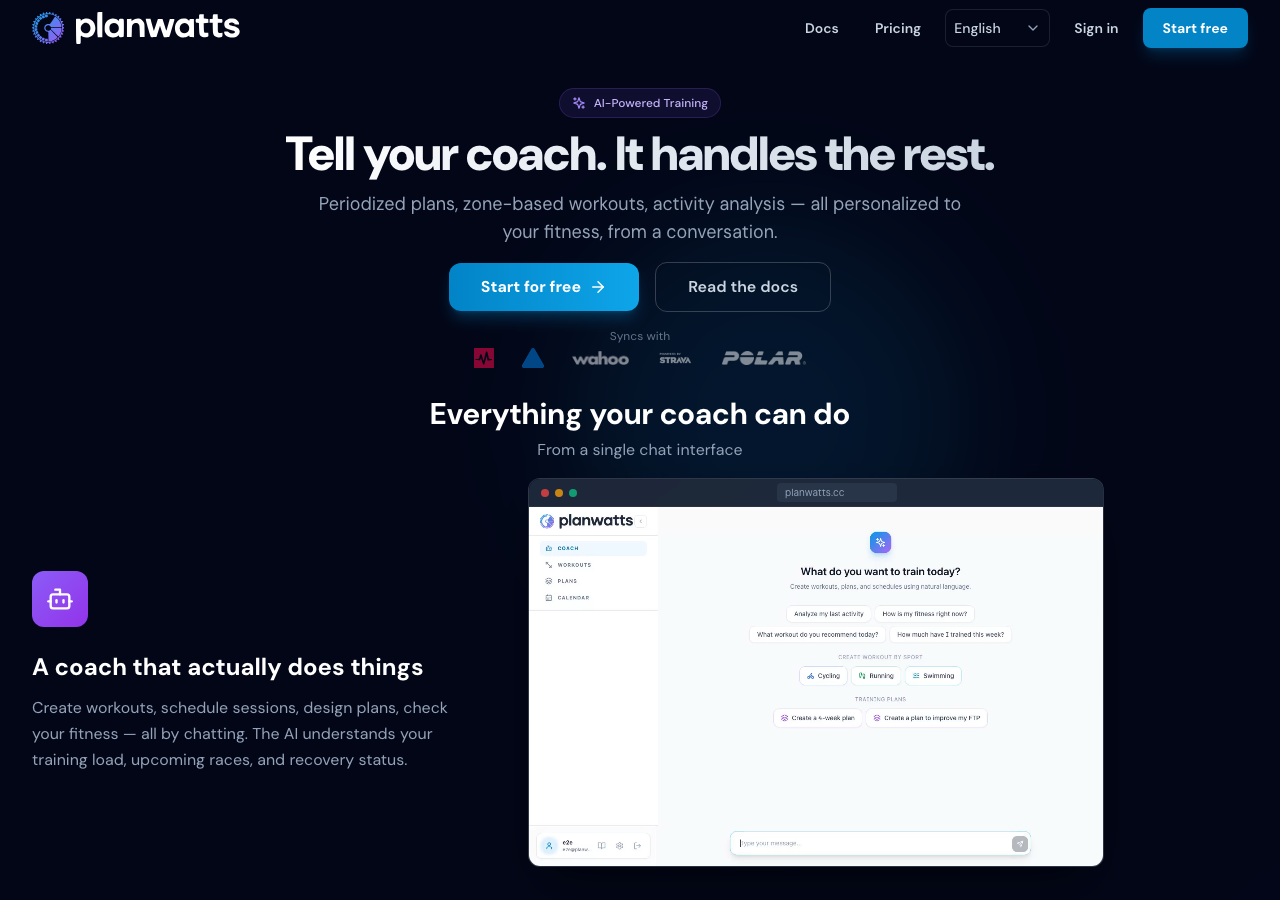
Deploy Plans to Your Team
Build a plan using any PlanWatts tool (AI Coach, plan builder, duplicate), then deploy it to your entire team in one click. Each athlete gets their own copy with workouts on their calendar, marked with a Coach badge.
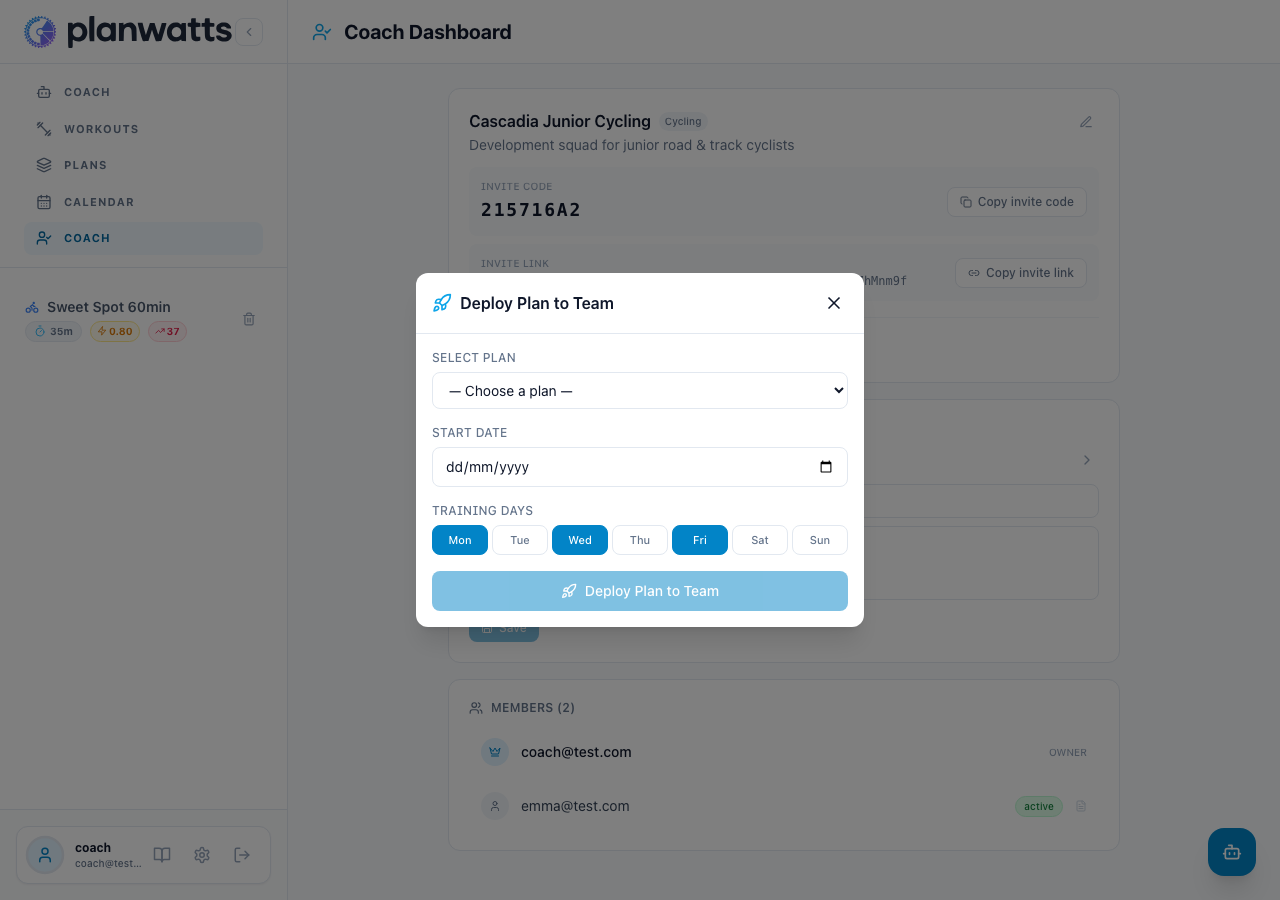
After deploying, propagate changes to all copies when you update the master plan. Individual overrides are preserved. New athletes who join mid-season get only the remaining weeks.
Read the full guide at Deploying Plans.
Notes in the Calendar
Weekly notes appear as collapsible amber banners at the top of each week in the athlete's calendar. Use them for training focus, race reminders, or team-wide instructions.
Personal notes appear as a blue info bar above the calendar grid — private between you and each athlete.
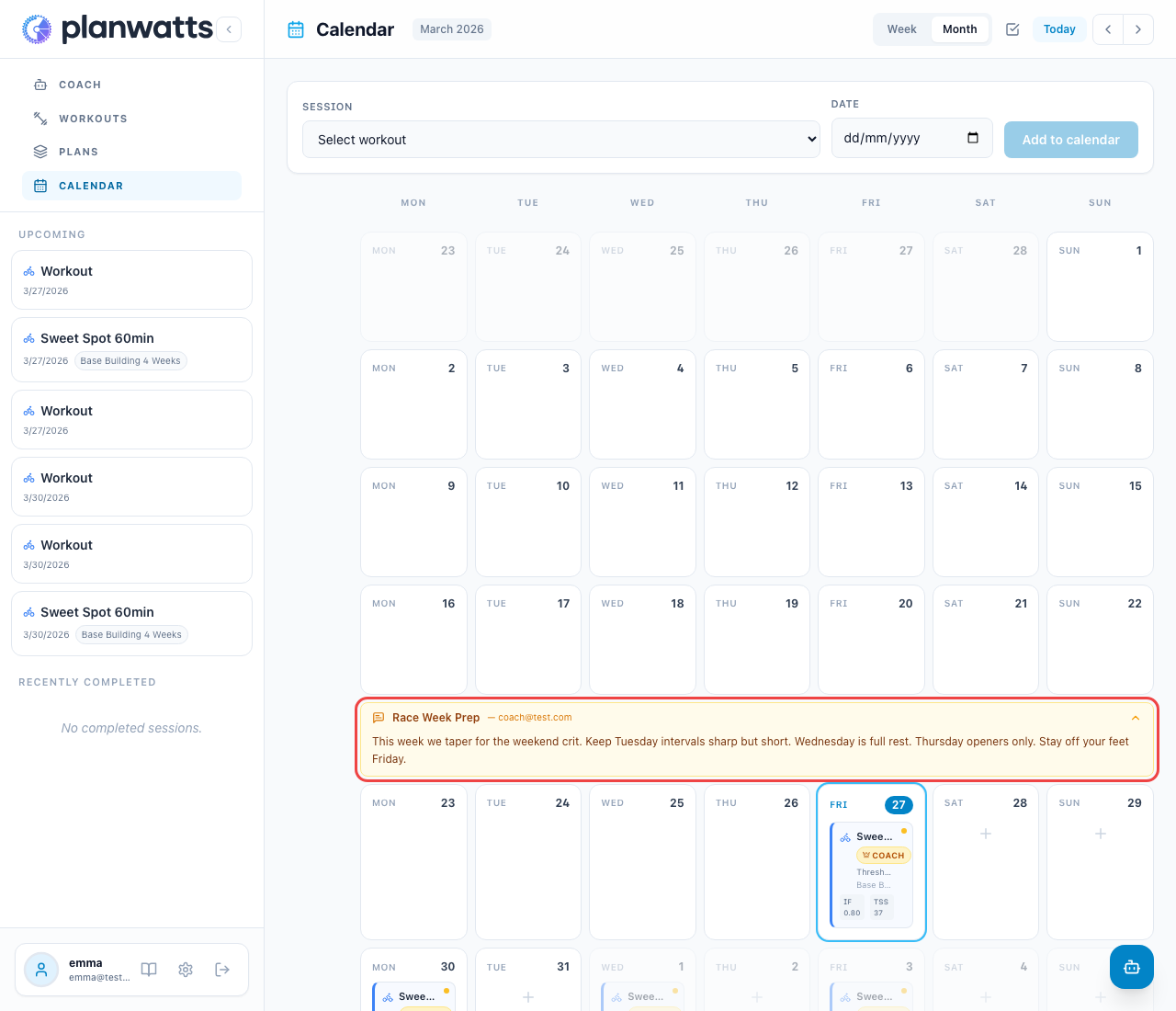
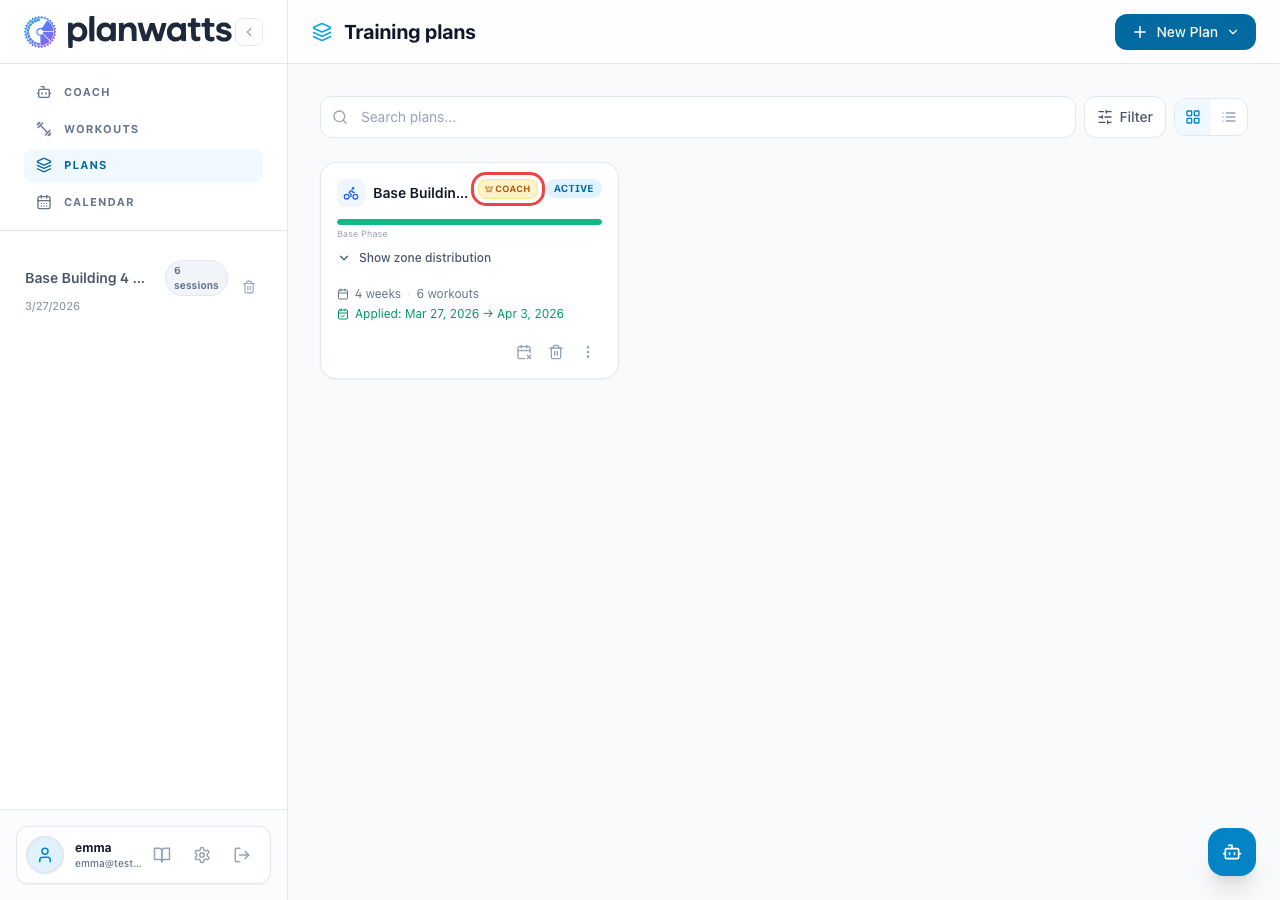
Coach Badge Everywhere
Athletes always know which workouts came from their coach. The Coach badge appears on calendar workout cards and in the Training Plans list.
More improvements
- TSS bar fix — Week summary TSS bars now correctly count completed activities (previously only counted schedule items)
- Cross-sport pairing fix — Activity sync no longer matches workouts across different sports
- Playwright screenshot spec — All doc screenshots are now generated by an e2e test (
npx playwright test e2e/screenshots/coach-tier-docs.spec.ts)
v0.14.5 — Payments, Subscriptions & BYOK
March 18, 2026
PlanWatts now has real pricing — and it's designed to be fair.
After weeks of tracking real usage data, the monetization system is live. Two tiers, no locked features, and a BYOK option for power users.
Free & Supporter tiers
- Free — 50 AI credits/month with GPT-4.5. Every feature is available, no paywalls
- Supporter — 9€/month for 500 credits/month and access to Claude Opus, the most capable model available. Manage your subscription anytime via the Stripe Customer Portal
- Credit packs — Need a quick top-up? Buy 200 credits for 5€ (one-time, available to all users)
When your credits run out, the AI gracefully falls back to a lighter model (GPT-4o-mini) instead of blocking you. You're never locked out.
The one exception is AI training plan creation — designing a periodized plan requires deep reasoning about your fitness history, goals, and long-term progression that the fallback model can't handle reliably. Plan creation requires Supporter credits or BYOK. Everything else (chat, workouts, analysis, calendar) works on any tier.
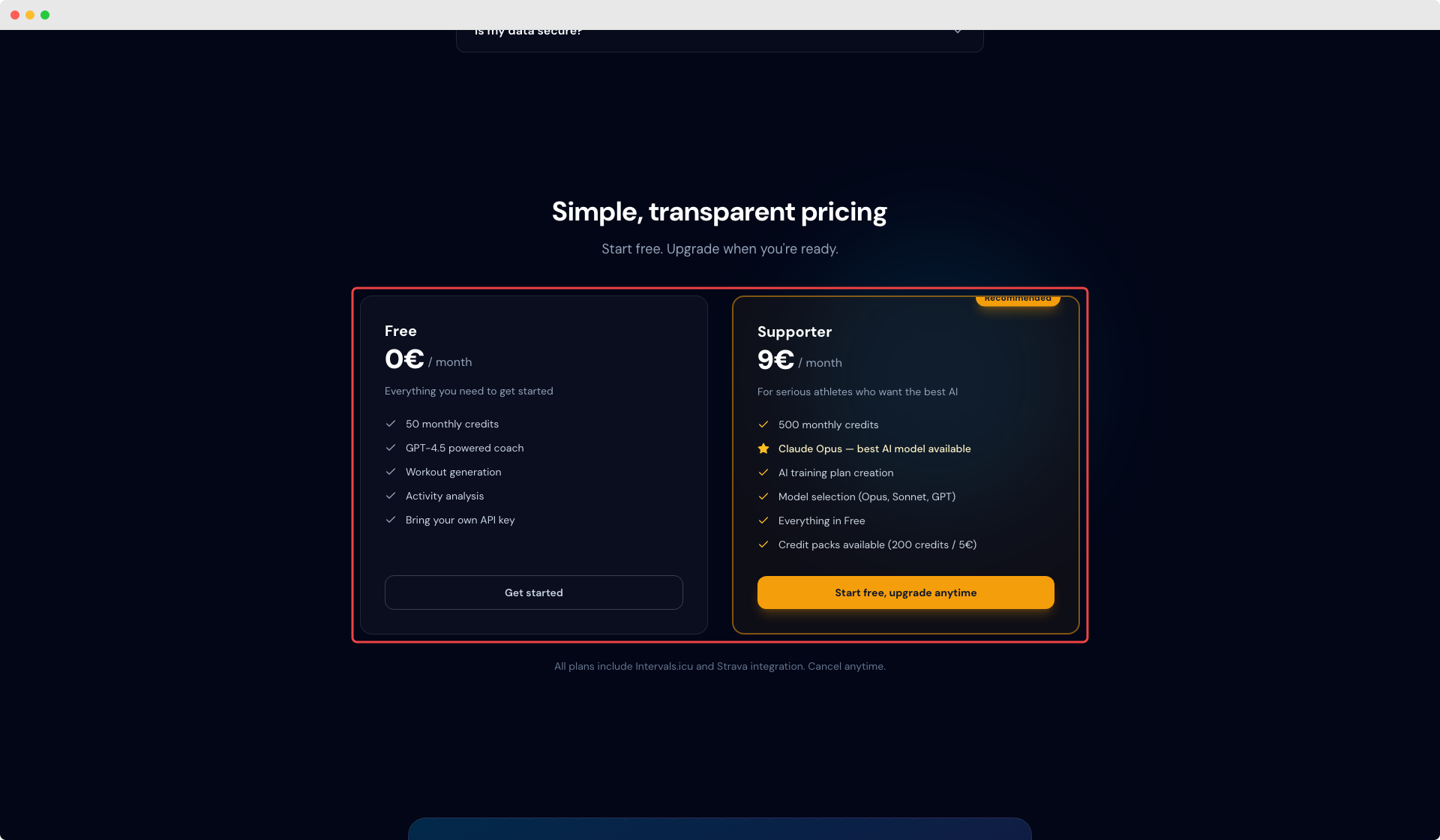
Read the full details at Billing & Credits.
Bring Your Own Key (BYOK)
If you have your own Anthropic API key, you can plug it in under Settings > Billing and use Claude Opus without a Supporter subscription. BYOK is available on any tier — it's a feature, not a plan.
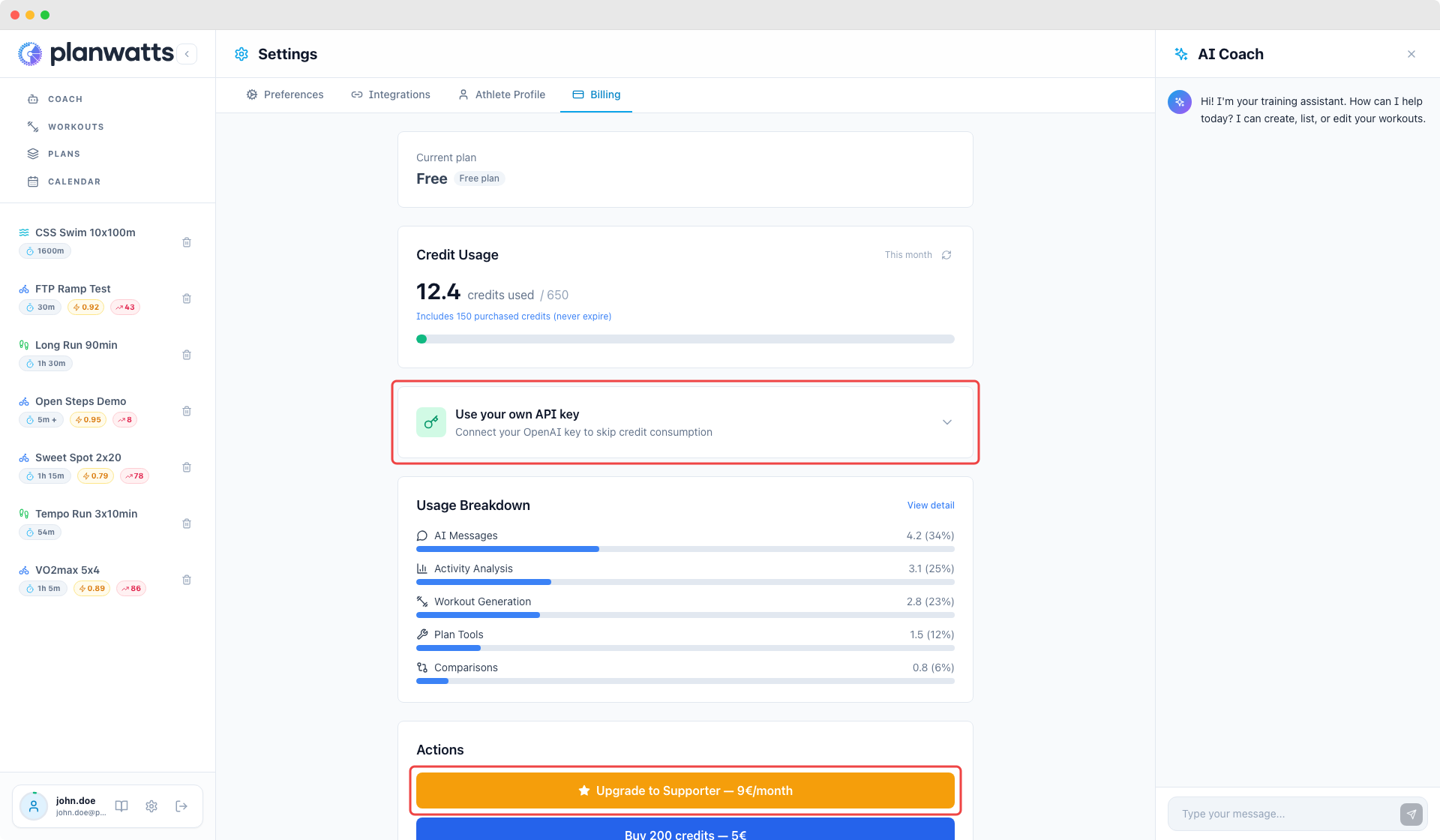
Pricing page & promo codes
The landing page now has a full pricing section with tier comparison. Promo codes work at Stripe checkout — share them with your training group.
Activity route maps
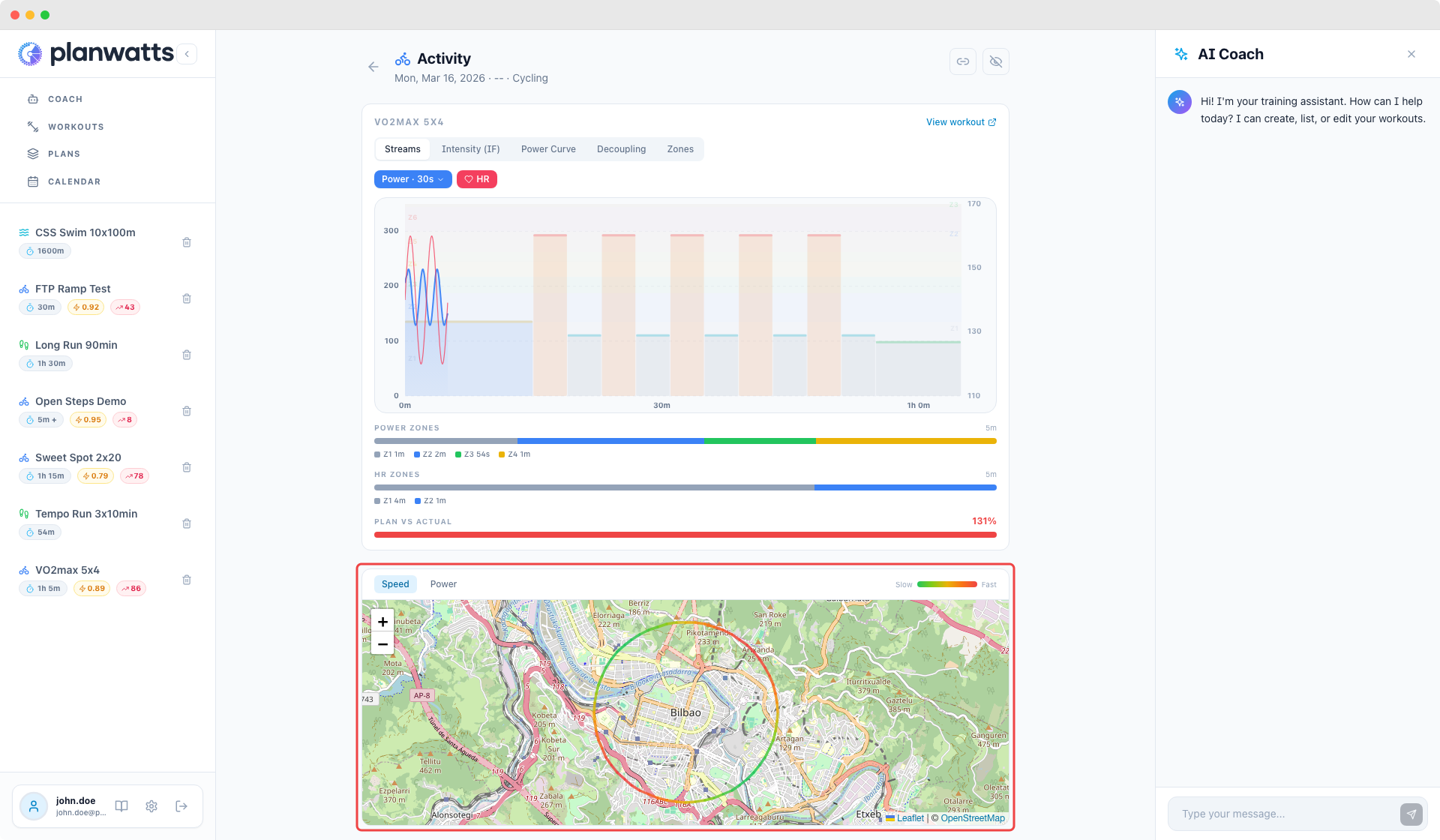
Activity detail pages now show an interactive OpenStreetMap with your GPS route, color-coded by speed or power. Toggle between them with a click. Activity comparisons overlay both routes on the same map (blue dashed vs orange solid).
Coach Memory
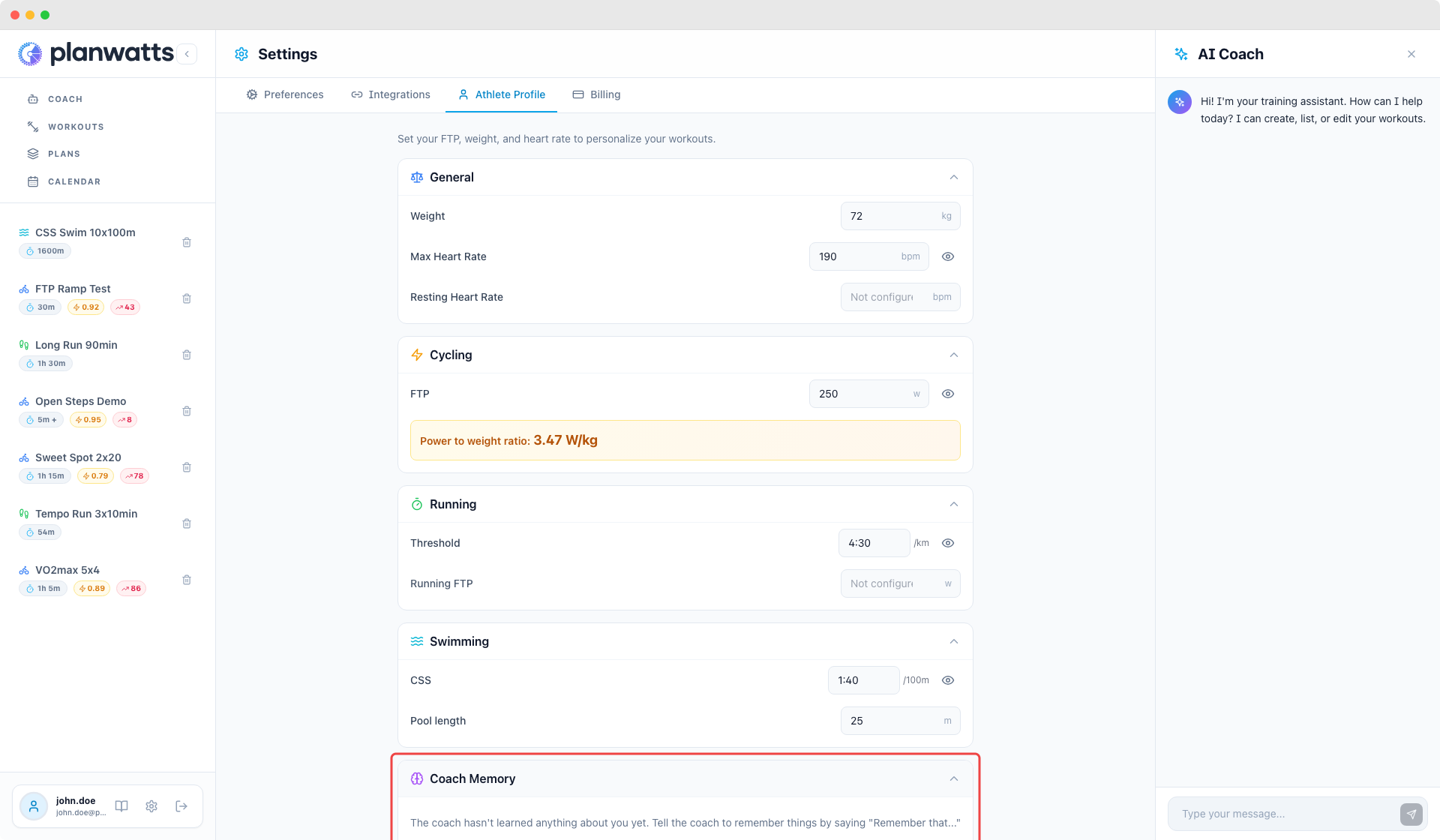
Tell your coach to remember things — "Remember that I always warm up for 20 minutes" or "Remember my left knee is recovering". The coach saves it (with your confirmation) and uses it in future conversations. View, edit, or delete saved notes in your athlete profile under Coach Memory. Learn more at Coach Memory.
Strava-only activity analysis
You no longer need Intervals.icu to get full activity analysis. If you only have Strava connected, PlanWatts fetches streams directly and gives you the same deep analysis — intervals, zones, scores, and coaching insights.
More improvements
- Ramp step granularity — Choose 30s, 1m, or 2m steps for ramps. Shorter = smoother on your device
- Ramp zone presets — Quick-pick buttons (e.g. Z1→Z3) that auto-fill power range. Adapts to ramp type: warmup goes up, cooldown goes down
- Calendar sync reconciliation — Detects events deleted from Intervals.icu and shows a visual indicator with a re-sync option
- Graceful credit exhaustion — When credits run out, AI falls back to a lighter model instead of blocking
v0.13.2 — Choose Your AI Model
March 11, 2026
Supporters can now choose between OpenAI and Claude as their AI coach.
This is the first feature exclusive to the Supporter plan — and it's a big one. You can switch models per conversation or set a default in Settings. Both providers get the same coaching quality, tools, and training science knowledge.
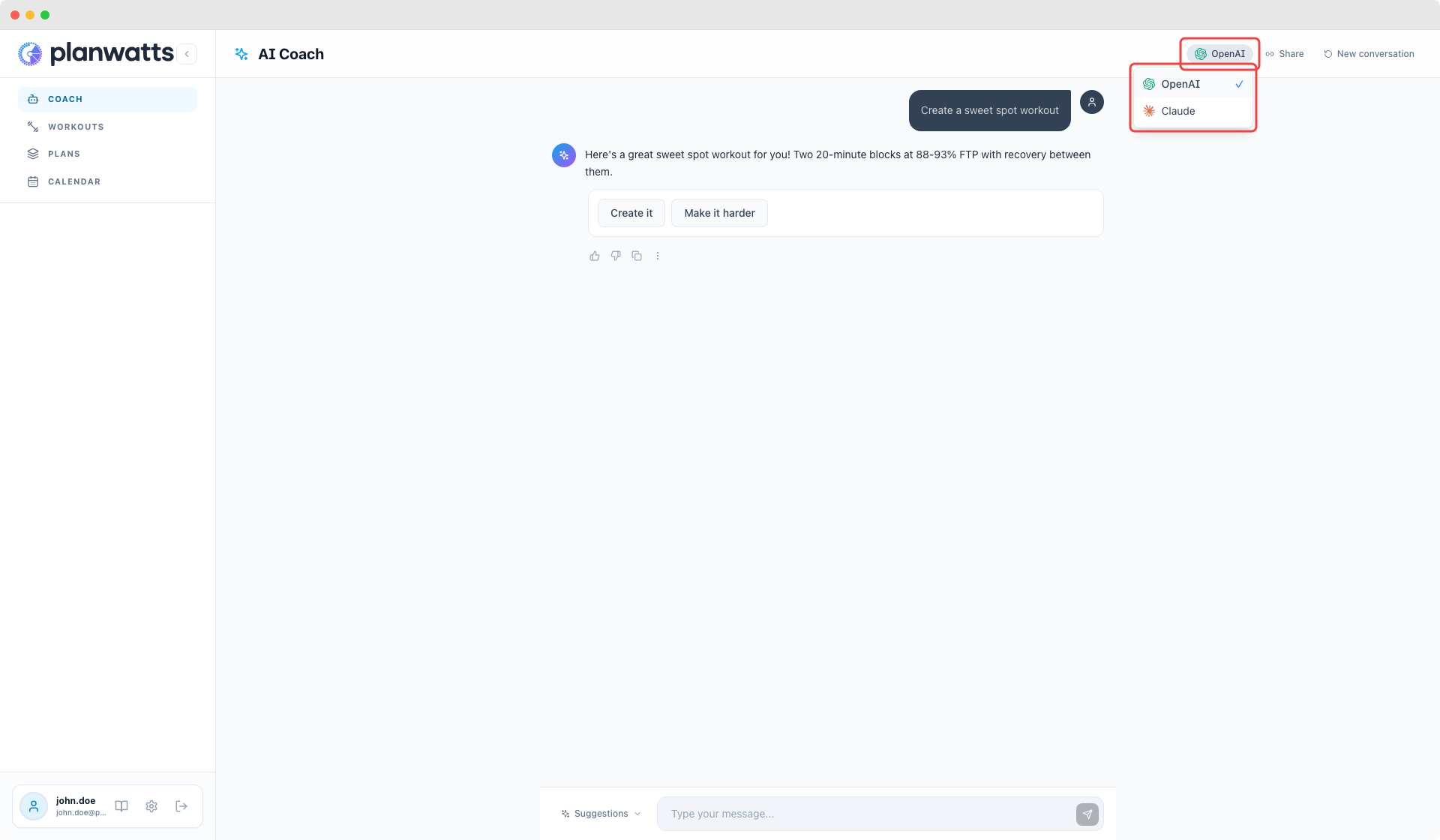
Pick your model right from the chat header. The current model shows as a chip — click it to switch. Your choice is saved per conversation, so you can try Claude for one chat and OpenAI for another.
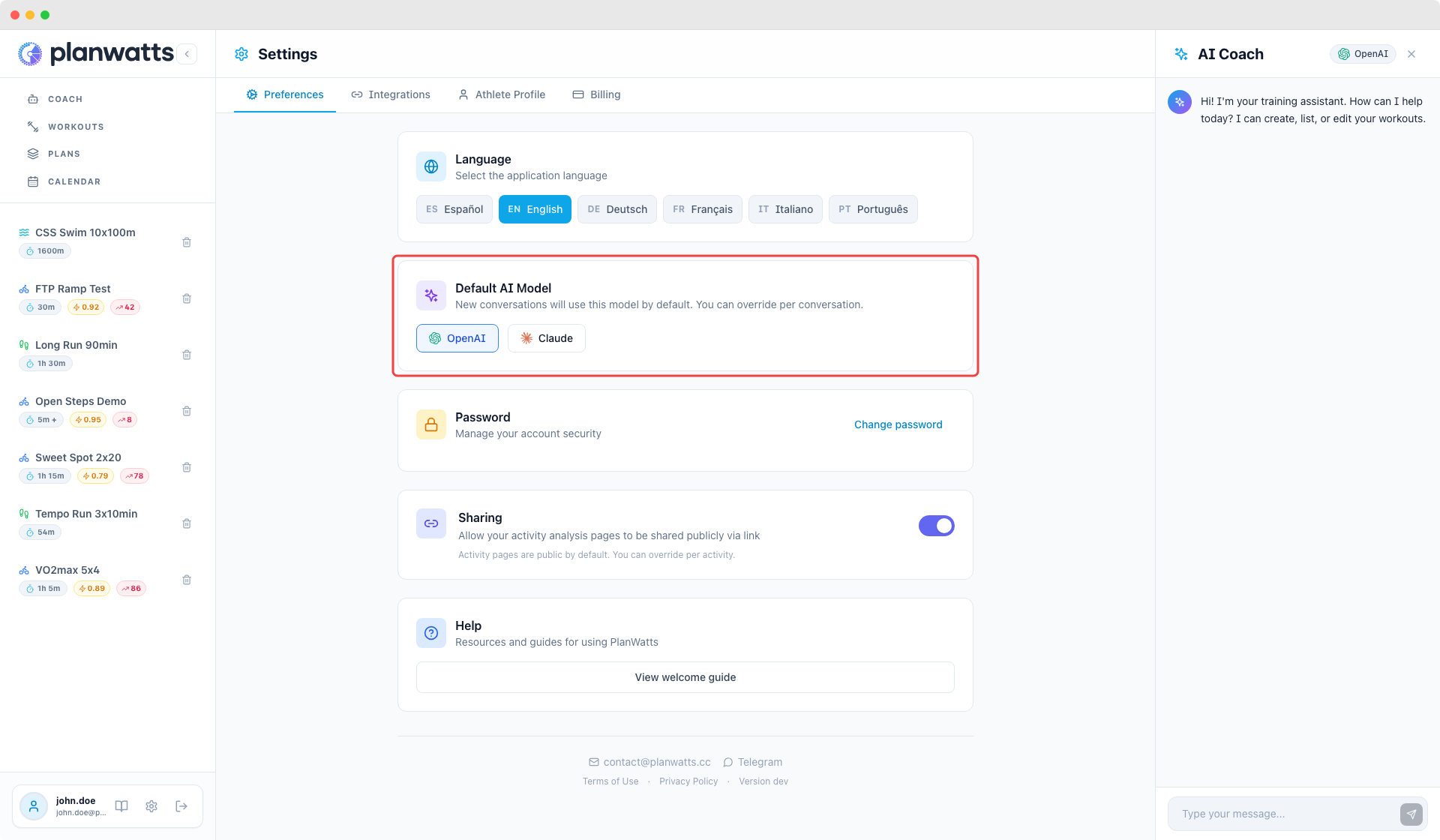
Set your default in Settings > Preferences. New conversations will start with your preferred model automatically.
How do I get Supporter? Head to Settings > Billing to subscribe for 9€/month, or check out the Pricing page for all the details.
Smarter coaching handoffs
The AI Coach now recognizes when your question falls outside the current specialist's area and seamlessly redirects to the right one. For example, if you're in the middle of planning workouts and ask a general nutrition question, the coach will hand off to the coaching specialist instead of giving a half-baked answer. You can always return to what you were doing with a simple confirmation.
More improvements
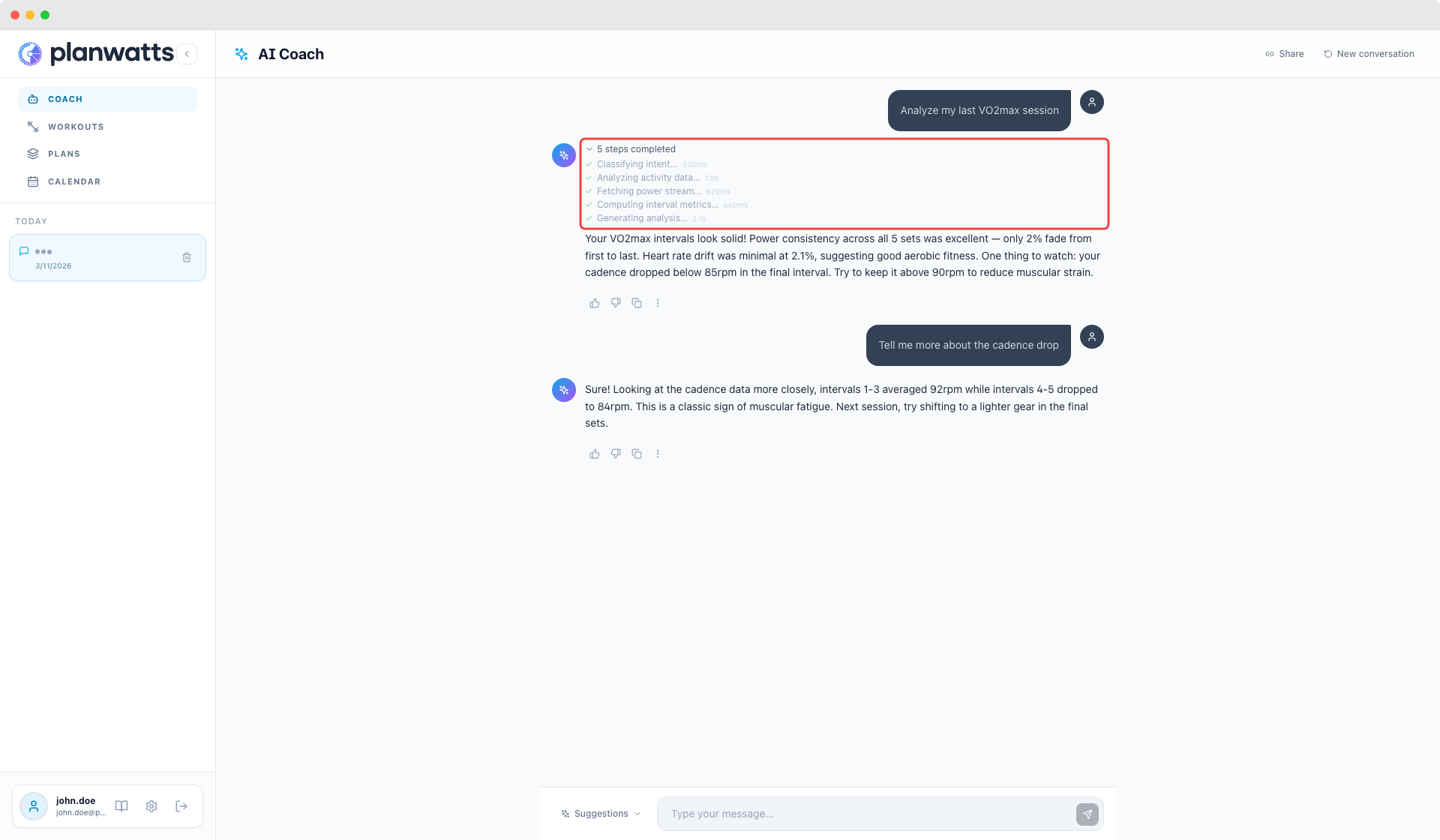
- Live thinking steps — See exactly what the AI is doing while it works: which specialist is active, which tools are running, and how long each step takes. Steps persist above each response so you can review them anytime
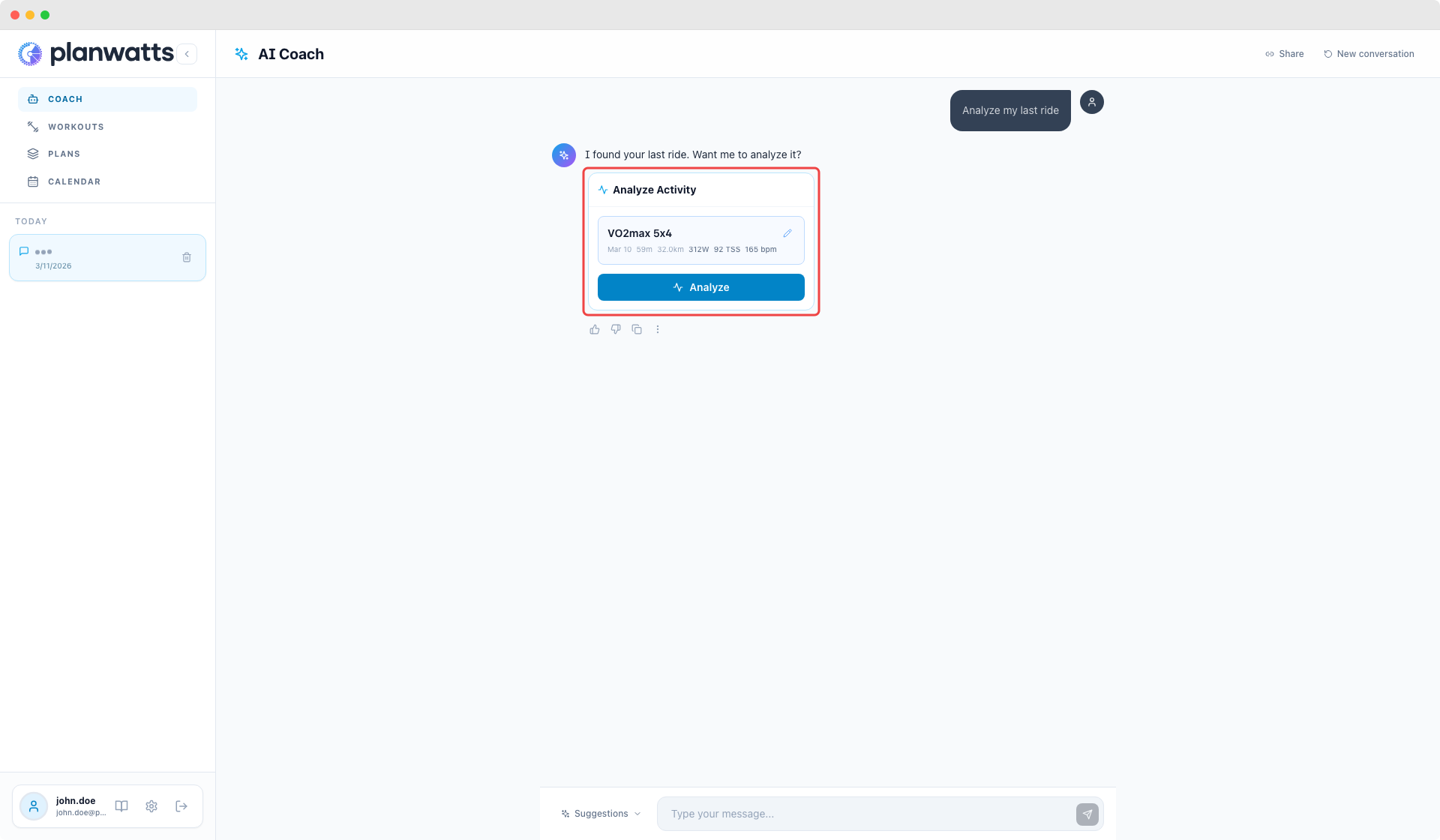
- Activity picker in analysis — The "Analyze Activity" proposal card now includes a picker to change the pre-selected activity before running the analysis
- Cadence analysis improved — Activity analysis now sees min/max cadence per interval, not just averages, so critiques like "no cadence variation" only appear when it's actually true
- Weekly TSS layout fixed — Weekly TSS summary in calendar week view now displays correctly to the left on desktop
v0.12.0 - Introducing Credit Tracking — The Road to Sustainability
March 7, 2026
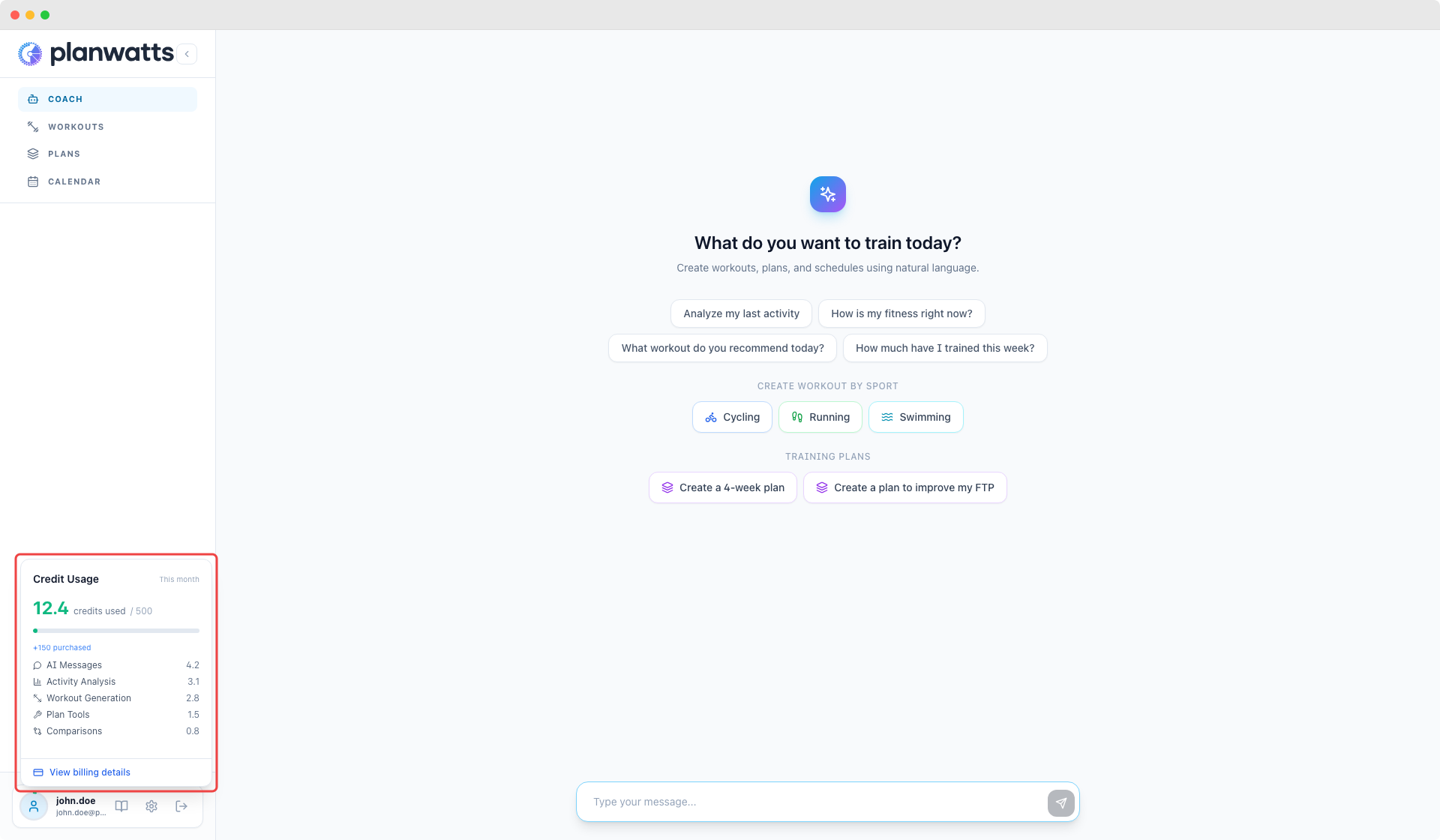
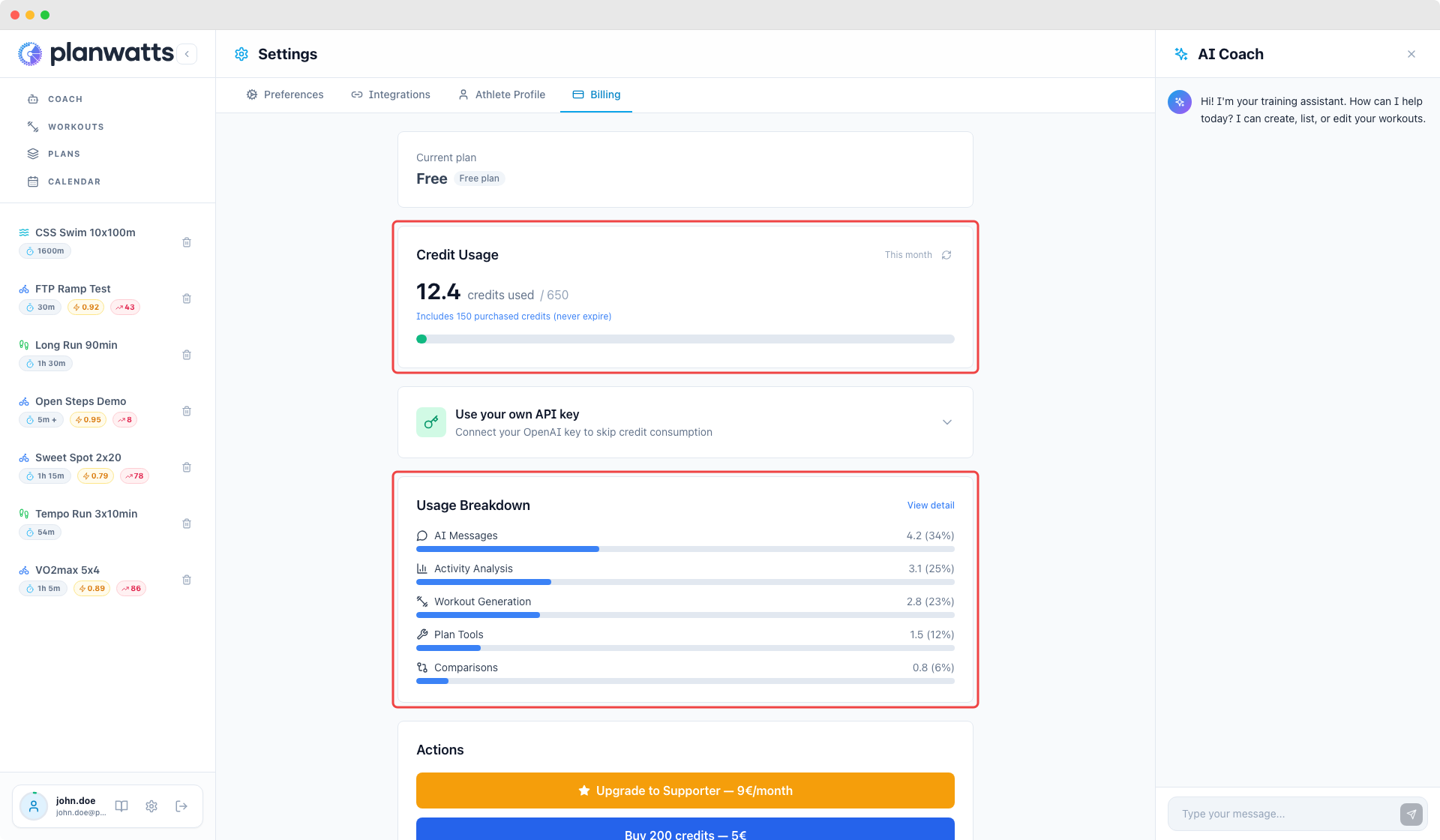
PlanWatts now tracks how many AI credits each conversation costs. You'll see a new credit balance widget in the sidebar and a Billing section in Settings.
Nothing changes about how you use the app — there are no limits, no paywalls, no locked features. This is Phase 0: visibility only.
Why?
PlanWatts has grown a lot in just two months, and so have the AI costs. Running top-tier models (gpt-5.2) for coaching, analysis, and plan generation is what makes the coach actually useful — but it's not free. I'd rather be transparent about that than pretend it is.
Real numbers: $30 in the last 7 days, $84 in the last 30 days — just in AI model costs. Plus infrastructure on top.
What's new
- Credit balance popover — click your avatar in the sidebar to see usage this month, broken down by action type (chat, analysis, workout generation, plan tools)
- Settings > Billing — full usage breakdown with percentage bars and a detailed history of every AI interaction
- New docs page — Billing & Credits explains the full system, the principles, and what's coming next
The approach: credits, not feature gates
Three rules that won't change:
- No features locked behind a paywall — every user gets everything, always
- Full model quality for everyone while credits last — no artificial downgrades
- Maximum transparency — you see exactly what your credits are spent on
Eventually there will be optional paid plans (Free / Supporter / BYOK), but exact prices will be determined with real usage data from this phase.
Multi-provider roadmap: PlanWatts currently runs on OpenAI (gpt-5.2), but support for Gemini and Claude is on the roadmap. This matters especially for BYOK — you'll eventually be able to bring a key from any supported provider, not just OpenAI.
Read the full details at Billing & Credits.
v0.11.0 — Activity Comparison
March 3, 2026
Compare any two activities side by side — with AI analysis
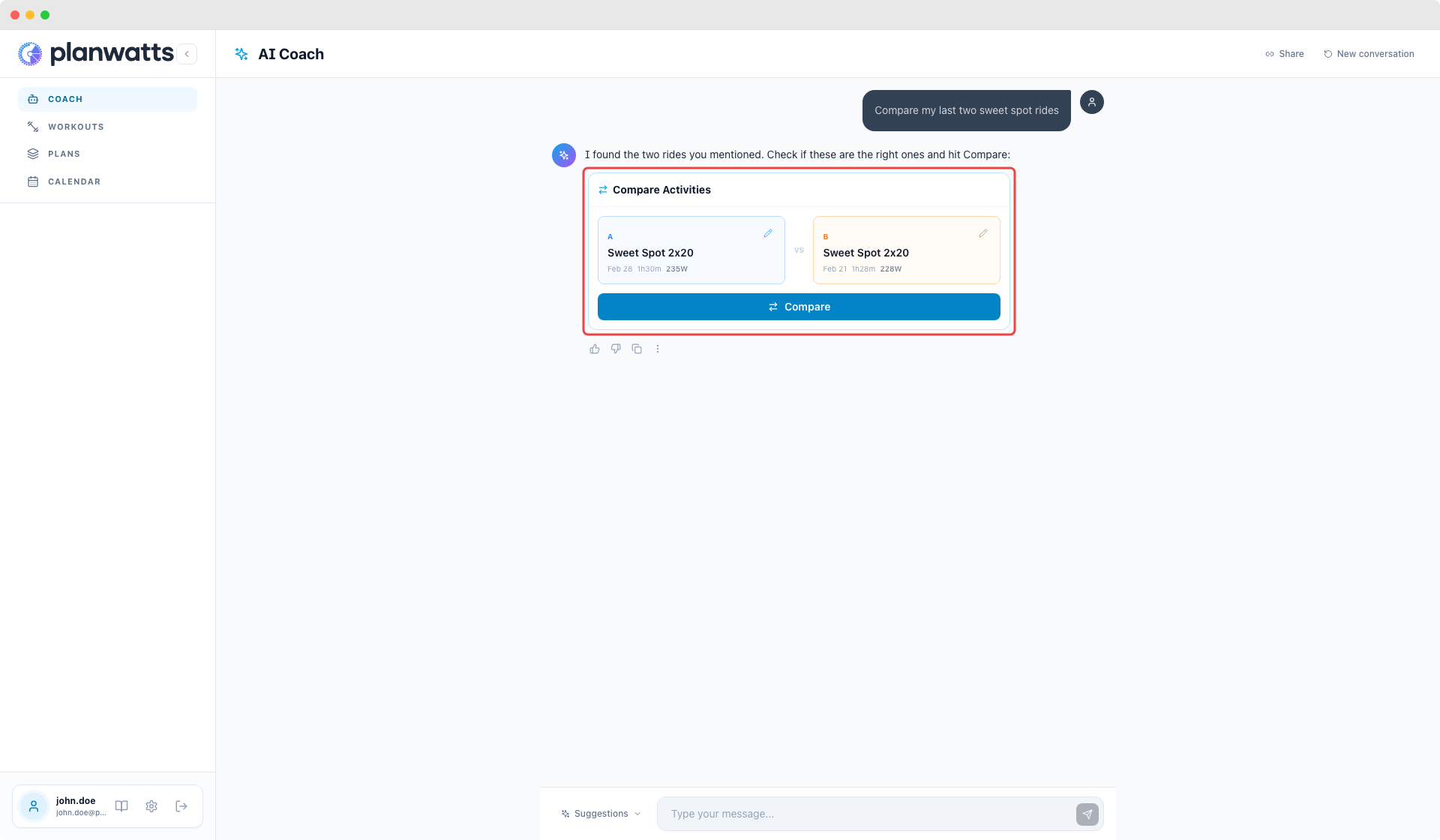
You can now compare two activities directly from the AI Coach. Just say "compare my last two rides" or "compare Friday's ride with the one from the 21st" and the coach finds the right activities, shows you a confirmation card, and once you approve, runs a full AI analysis comparing performance, power, pacing, and progression.
Compare from chat with smart activity resolution
The coach understands natural language time references — "last Friday", "Saturday the 21st", "my last two runs" — and proposes the matching activities in a side-by-side card. You can swap either activity using the built-in picker before confirming.
AI-powered comparison analysis
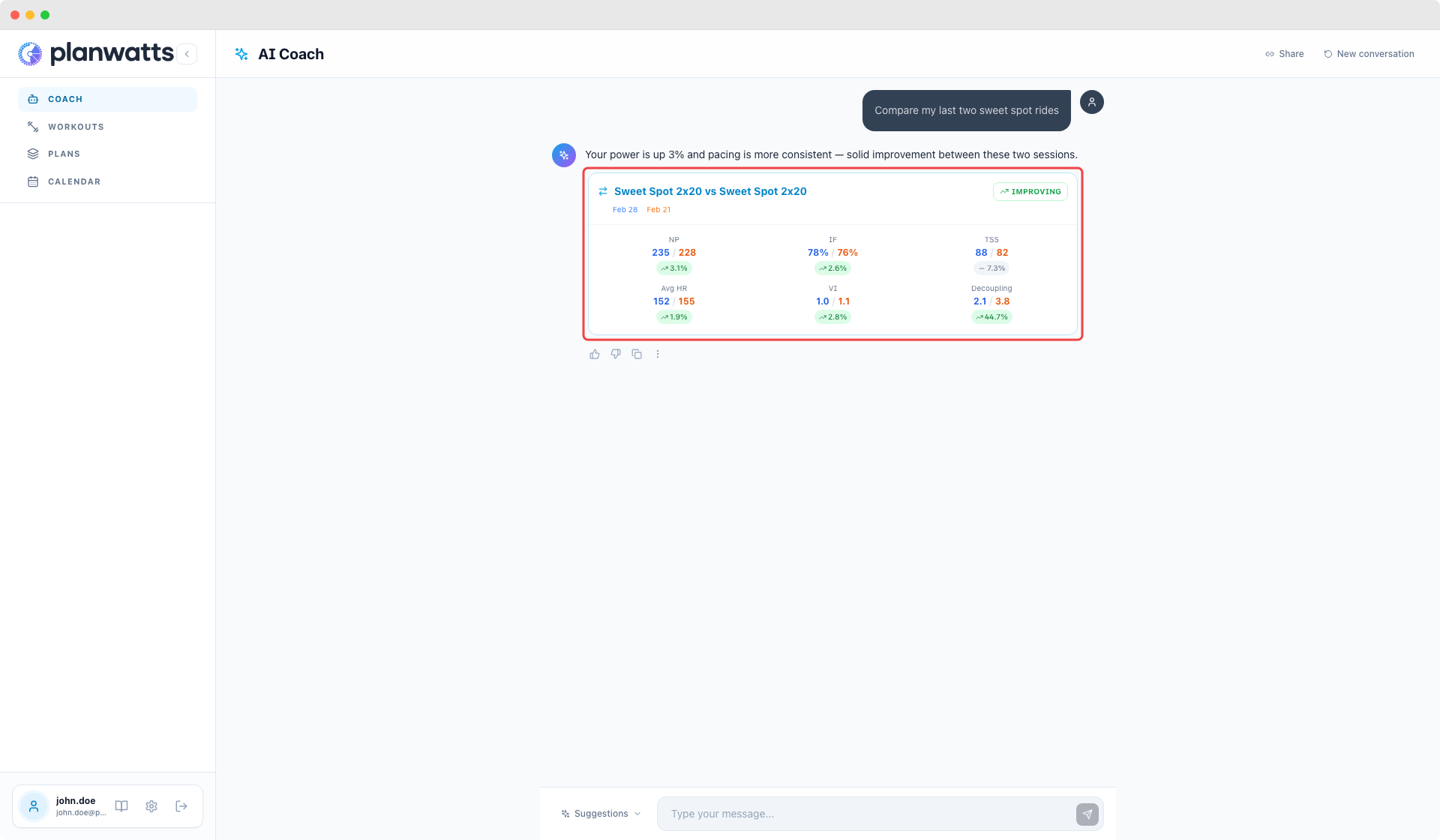
After confirming, the coach runs a structured analysis: executive summary, progress direction (improving/stable/declining), key metric differences, strengths, concerns, and actionable recommendations. The analysis appears right in the chat alongside a compact comparison card with the top metrics.
Full comparison page
Click the comparison title in the chat card to open the dedicated comparison page with detailed metrics, overlaid power/HR charts, and zone distribution. You can also share comparisons via public URLs — same as activity analysis.
Compare from anywhere
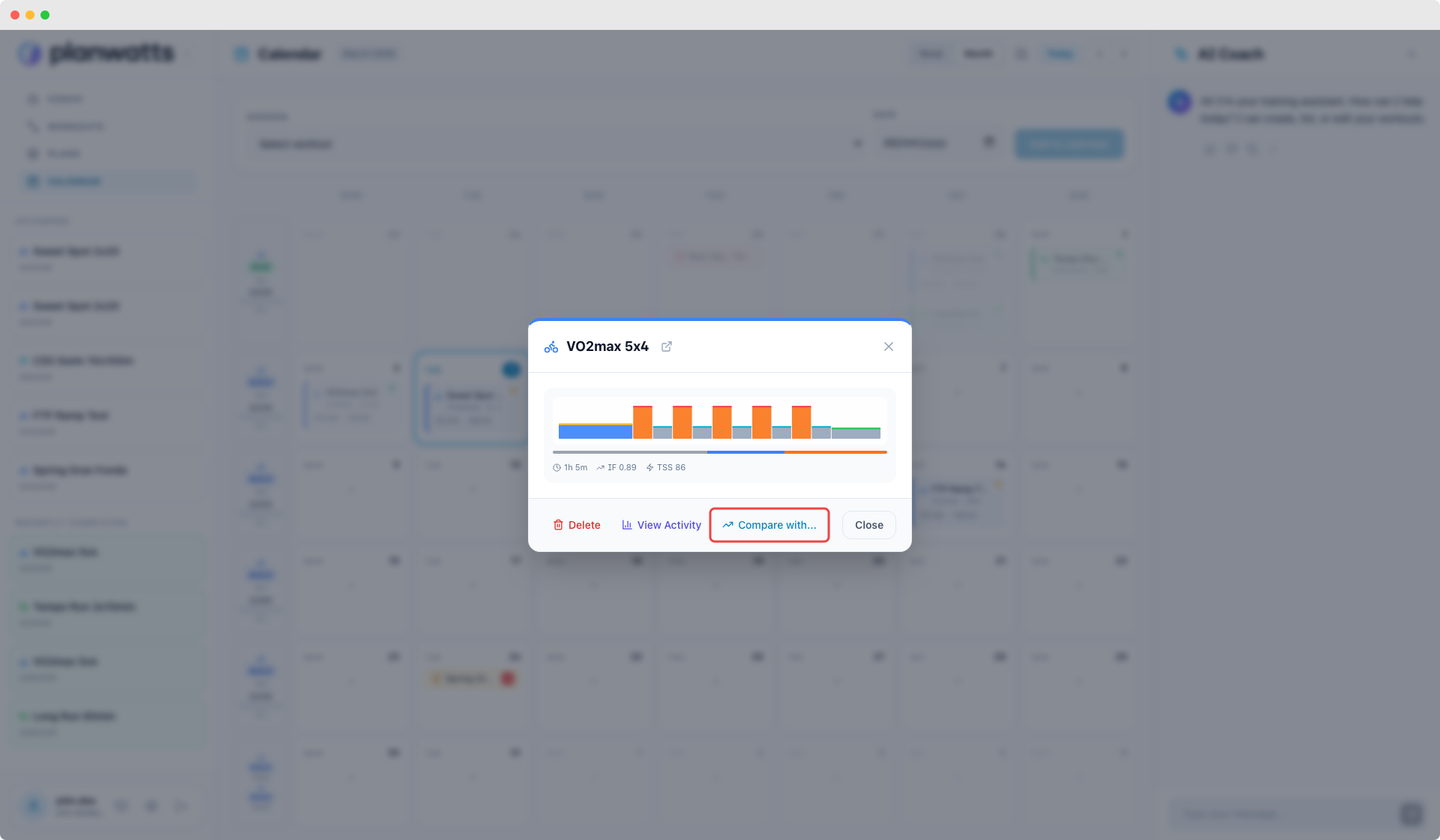
Start a comparison from the activity detail page ("Compare with..."), from the calendar event modal, or just ask the coach in chat. All paths lead to the same persisted comparison with full analysis support.
v0.10.0 — Interactive AI Coach
March 1, 2026
Your AI Coach now talks in cards, buttons & forms
If you've been following along, you've already seen some of these changes rolling out over the past few weeks — I've been shipping drops regularly to get feedback early. This release wraps it all up into a proper version with polish and fixes.
The big theme: the AI Coach no longer replies with walls of text. It now uses interactive cards, clickable buttons, and forms to communicate. It feels way more like using an app and less like reading an essay.
Interactive cards in chat
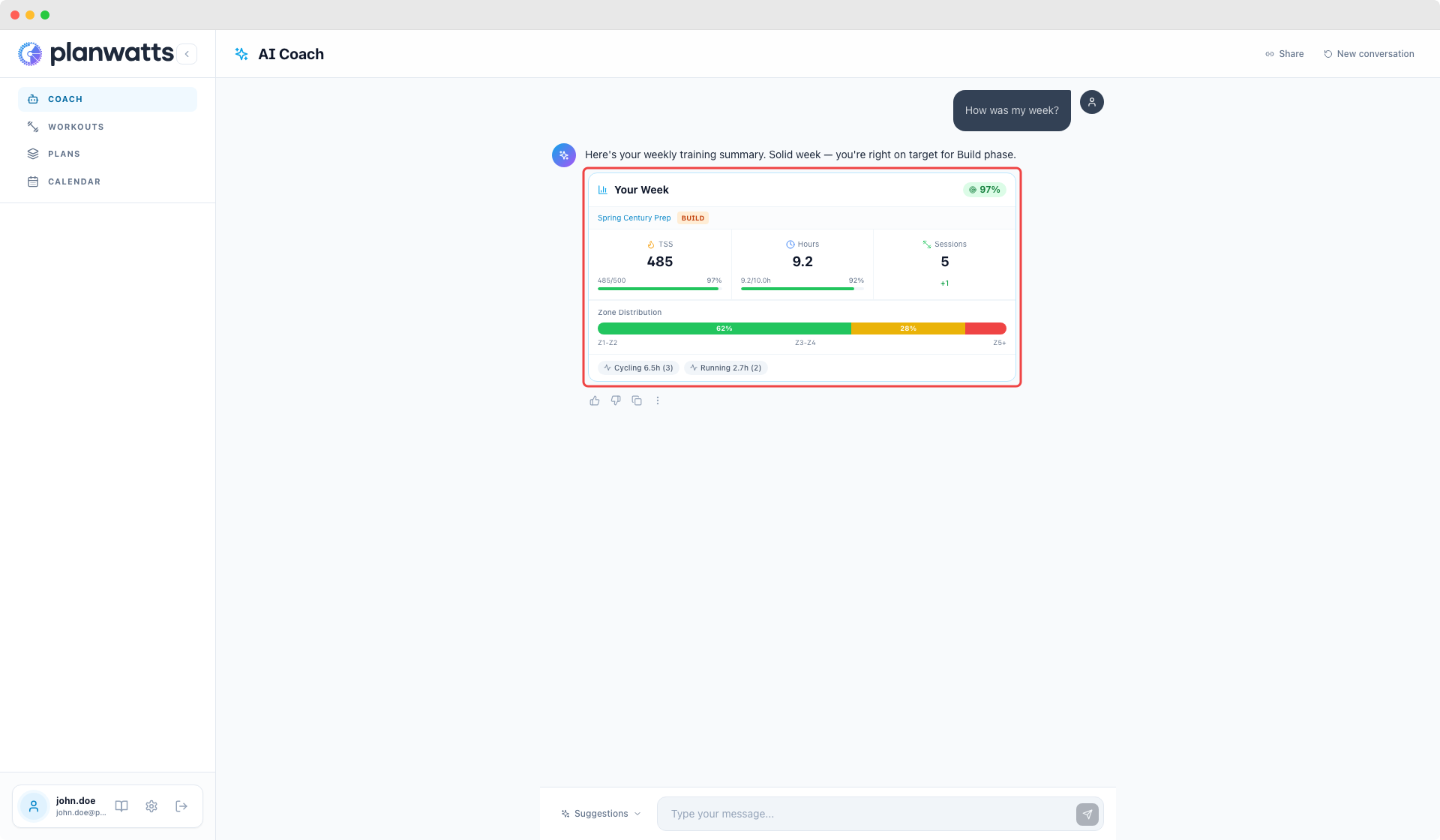
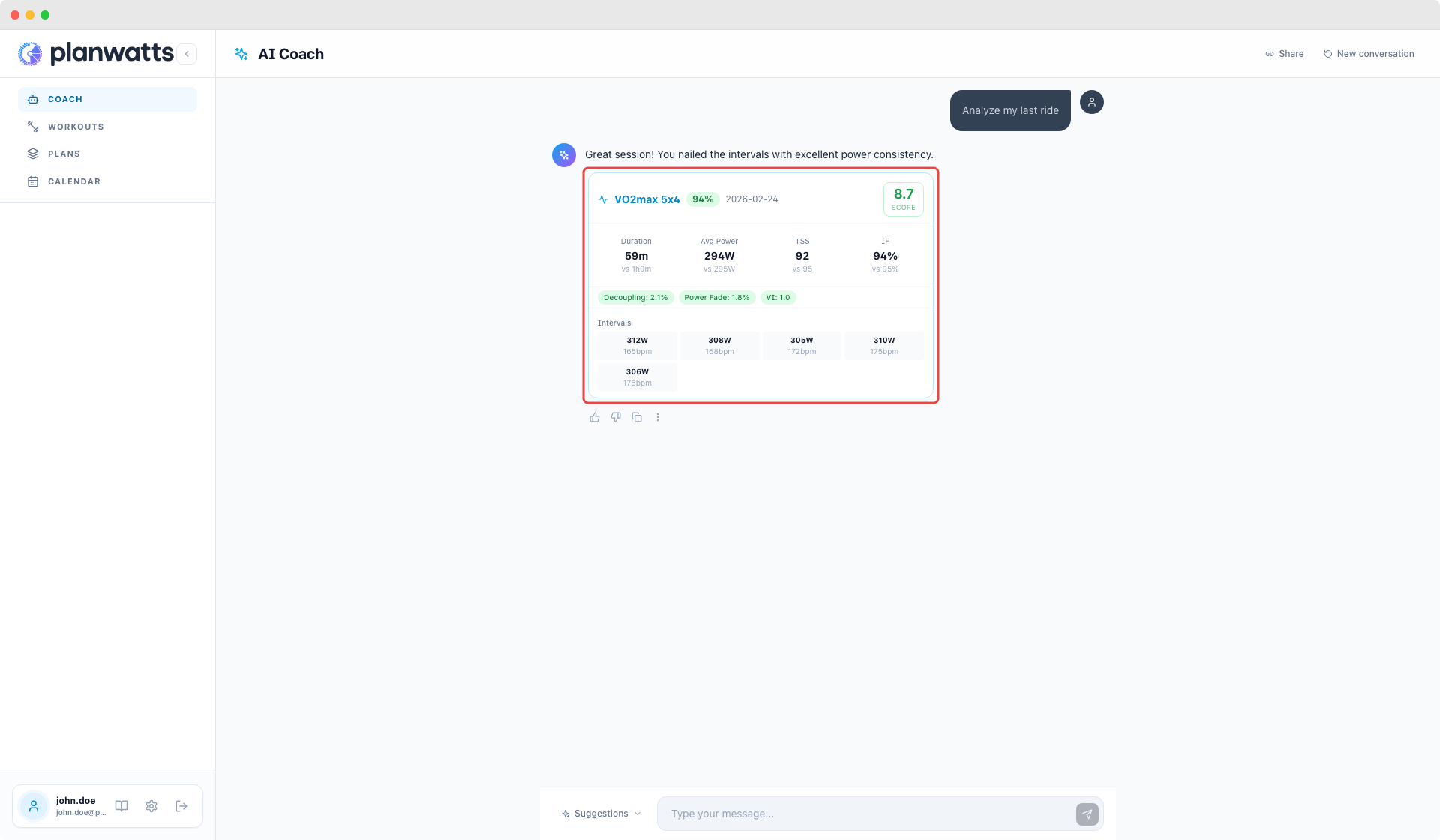
When you ask about your week, analyze an activity, or check your wellness, the coach responds with structured cards — compact, color-coded by sport, with the key numbers front and center. Activity analysis cards even show a score badge (1-10) so you can tell at a glance how the session went.
Clickable options instead of numbered lists
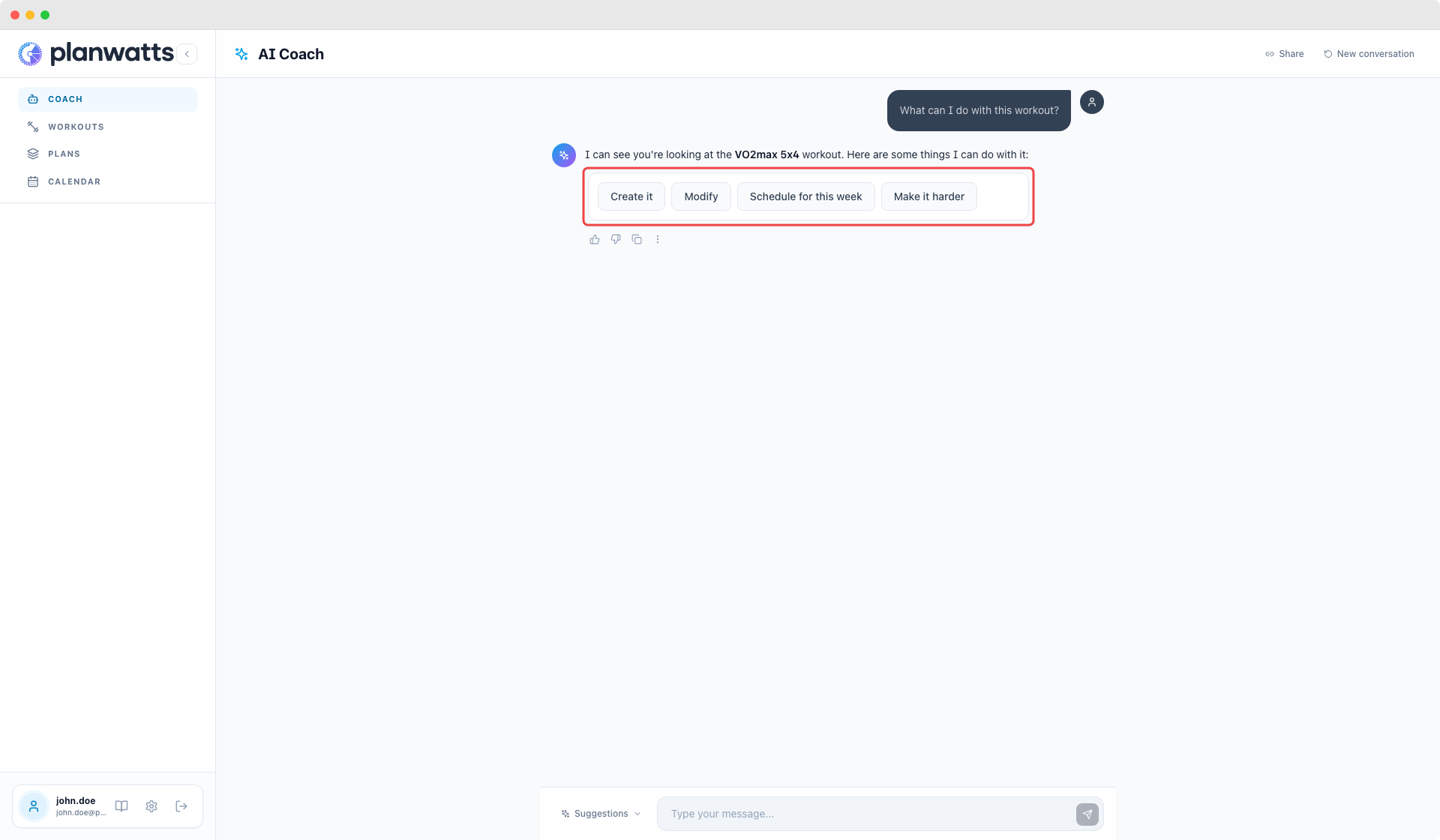
Instead of "type 1, 2, or 3", the coach now shows real buttons you can click. Plan options even include direct links to the plan editor. No more copy-pasting or guessing what to type.
Plan creation in one step
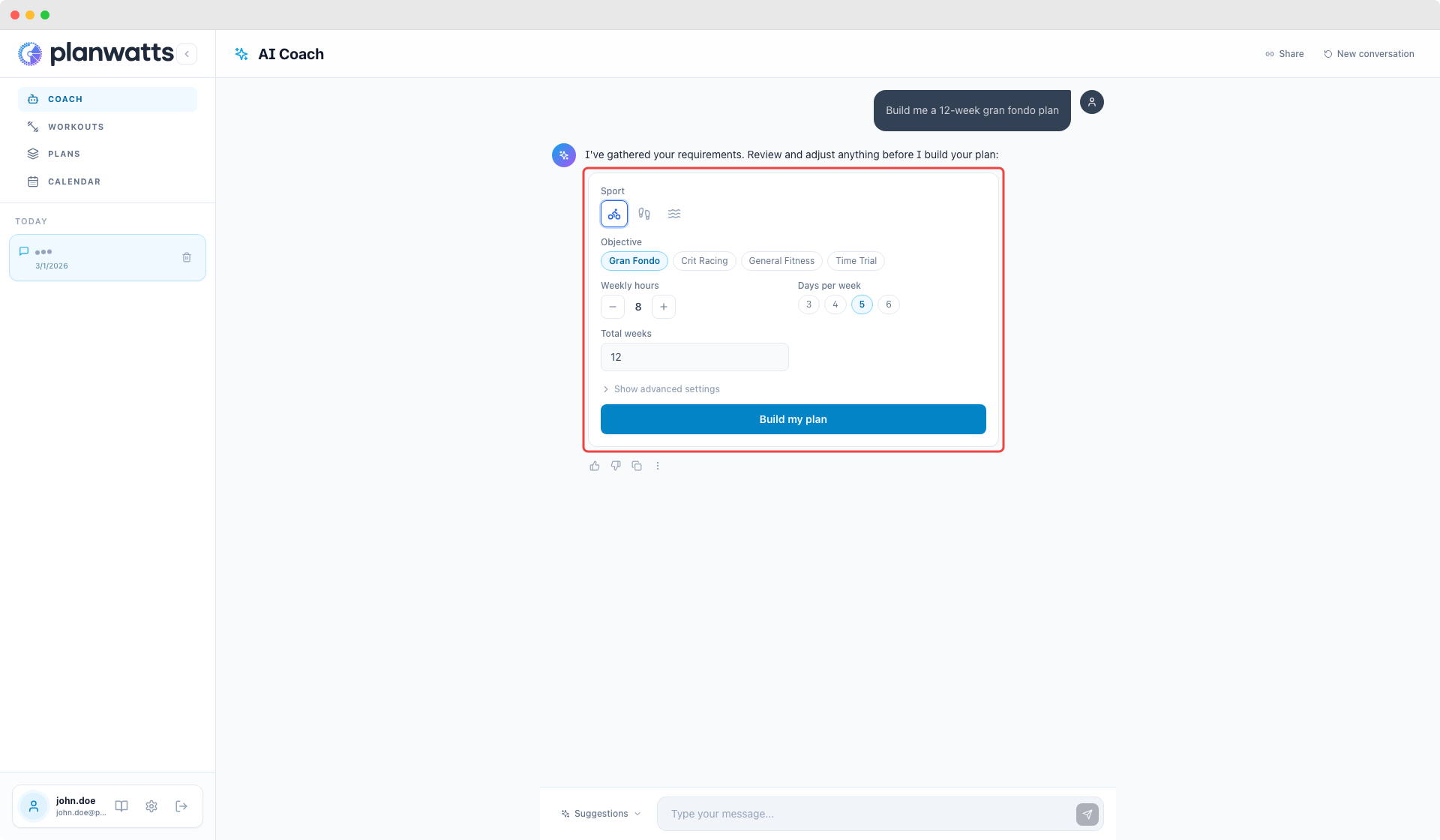
Creating a plan used to be a 5-message back-and-forth. Now the coach shows a single form pre-filled with what it understood from your message. Adjust anything you want, hit submit, done.
Workout preview before saving
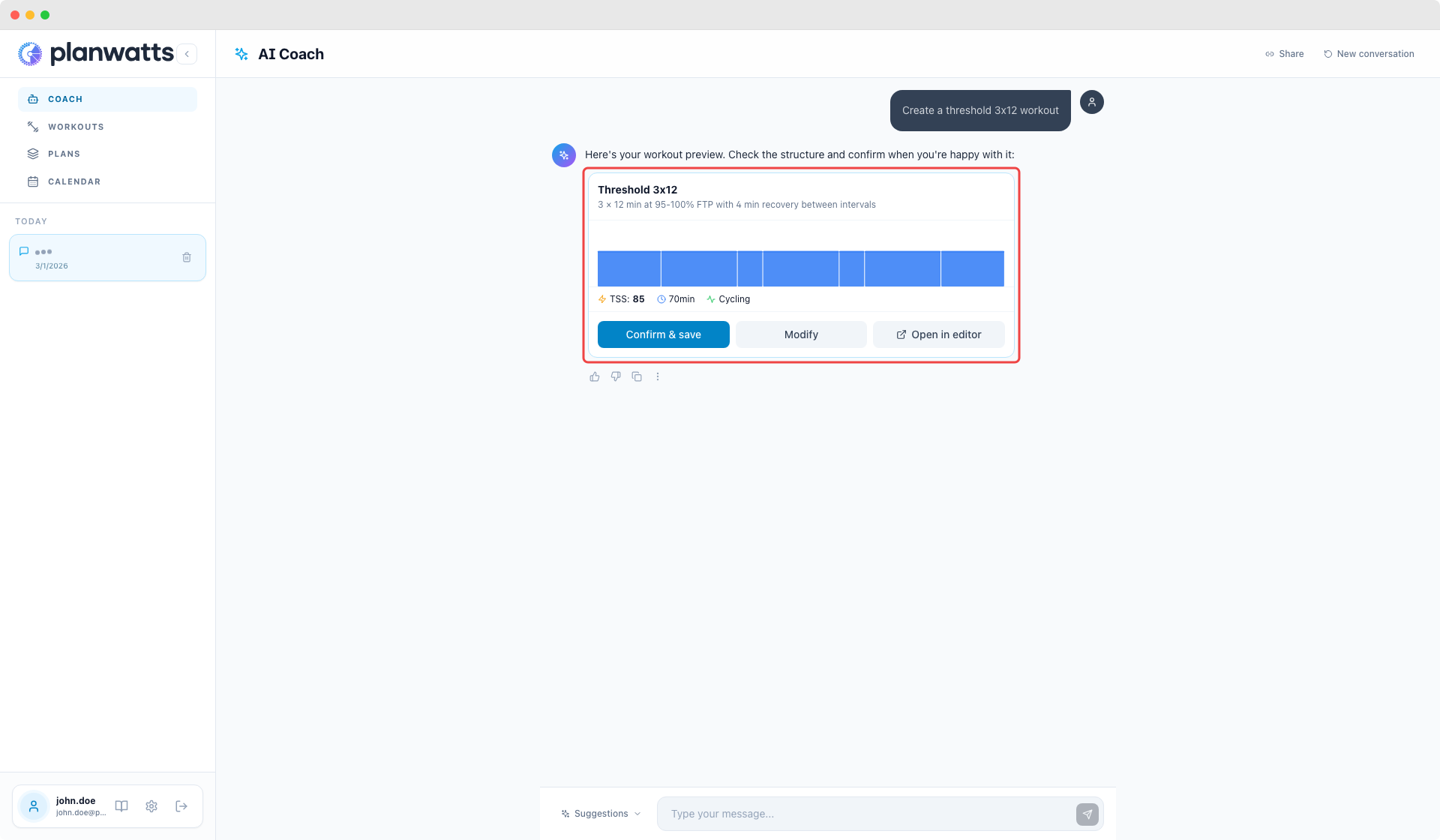
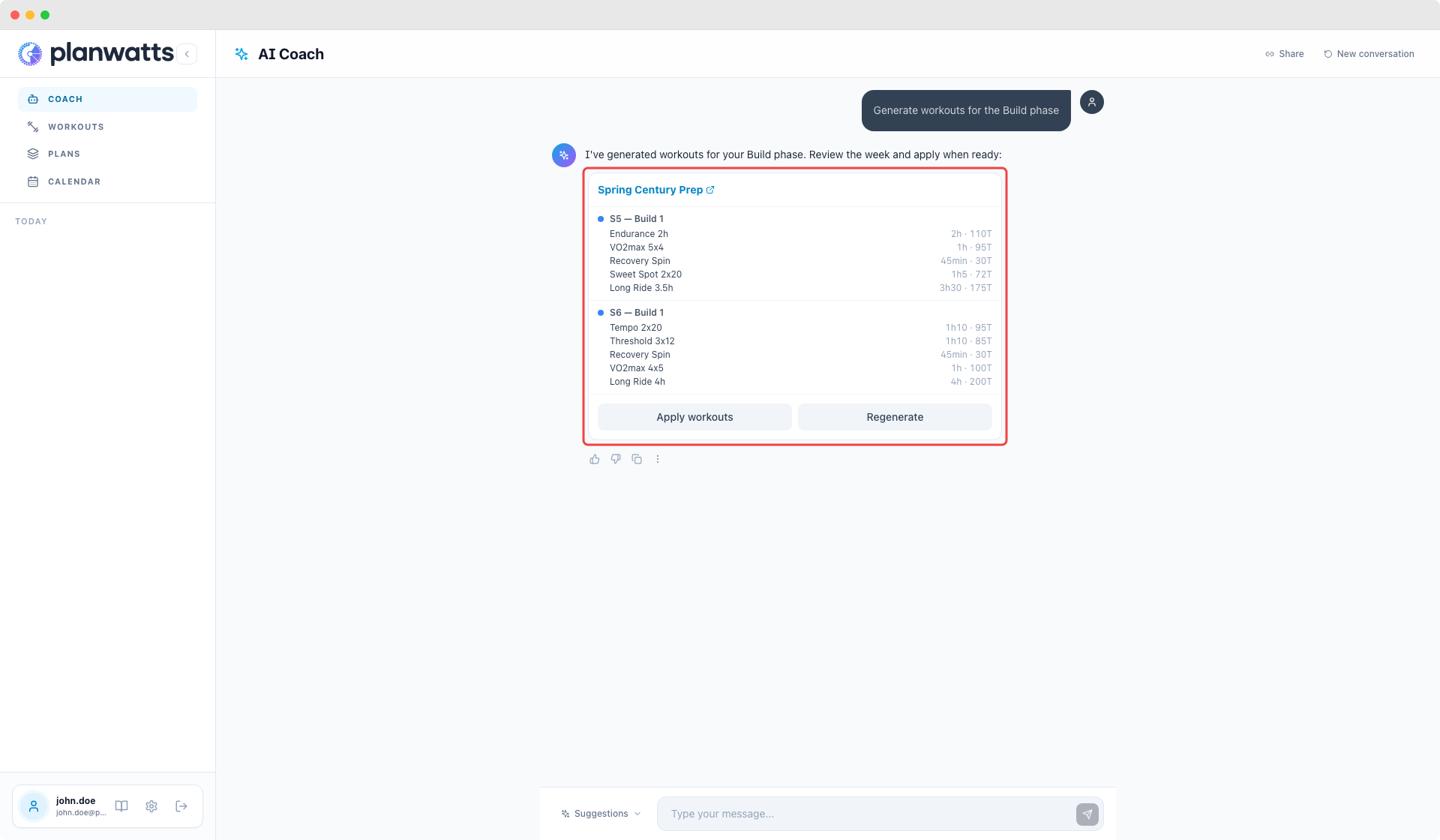
The coach no longer creates workouts behind your back. It shows you a preview first — you see exactly what it generated, and only when you click "Confirm" does it save. Same for plan workouts: preview the full batch, then apply with one click.
Smart sport detection
PlanWatts now learns your primary sport from your activity history. No more defaulting to cycling when you're a runner or triathlete. If it doesn't know yet, it asks with a sport picker instead of guessing.
Calendar sync that actually works
Fixed five separate bugs that prevented plan-to-calendar sync from working correctly. Moving workouts, deleting entries, and swapping phases now trigger a sync properly, and the sync badge shows up when it should.
Multisport ATP import
Completely rewrote how training plans import from Intervals.icu. Multi-sport plans (cycling + running + swimming) now import correctly — each sport gets its own plan with the right phases and targets. Previously, overlapping plans could corrupt each other.
v0.9.4 — ATP Import & Calendar Fix
February 23, 2026
Fixed a bug where importing a training plan (ATP) from Intervals.icu could drop the first phase entirely and shift all weekly TSS targets by one week. If you imported a Base > Build > Peak plan, you'd only see Build and Peak with misaligned targets. Now all phases and targets land on the correct weeks.
Also fixed calendar targets appearing one week late for users in timezones ahead of UTC (most of Europe).
v0.9.3 — ATP Sync with Intervals.icu, Plan Editor Overhaul & Docs Portal
February 22, 2026
Your Intervals.icu ATP now talks to PlanWatts (and back)
A lot has happened since the last update. Some of you asked for specific things in the forum — this release is a direct response to those conversations. Here's what's new.
Intervals.icu ATP Integration
If you've built an Annual Training Plan in Intervals.icu, PlanWatts can now read the whole thing — phases, weekly load/time targets, recovery weeks. It becomes a plan inside PlanWatts that the AI coach uses as context.
What this means in practice:
- The coach knows your phase. If you're in Base, it generates Z2 rides. In Build, it shifts to threshold and VO2max work
- Weekly TSS targets come from your Intervals ATP. The coach aims for them, but treats them as a guide rather than a rigid law — if your HRV is tanking, it'll flag it
- A sync button on the Plans page keeps everything in sync: pushes local changes to Intervals, pulls remote target edits back
It works both ways. Create a plan in PlanWatts and it shows up as a proper ATP in Intervals.icu with phases and weekly targets.
The original ATP stays intact — PlanWatts adjusts weekly workouts without overwriting your big-picture plan. Strategic consistency + tactical flexibility.
Plan Editor Overhaul
The plan editor got a complete rework. The main additions:
AI generates workouts at three levels:
- Full plan — fills all phases at once
- Per phase — click the sparkle icon on any phase header
- Per week — click the sparkle icon on any week's target cell
The AI matches your weekly TSS target, adapts intensity to the phase type (easy aerobic in Base, threshold intervals in Build, race-pace in Peak), and distributes sessions across your training days. You see a preview before anything is applied.
Lock/unlock workouts. Manually tweaked a workout and want to keep it? Lock it. The AI generates around locked sessions without replacing them.
Phase +/- buttons. Expand or shrink phases directly from the editor. Subsequent phases shift automatically to keep everything contiguous.
Plan setup modal. A single modal generates your plan structure + weekly targets with AI rationale and a recovery-week preview based on training science.
One-Click OAuth for Intervals.icu
No more copy-pasting API keys. Go to Settings > Integrations, click "Connect with Intervals.icu", authorize, done. The connection persists indefinitely — no token refreshes, no expiration.
The API key method still works if you prefer it.
In-App Help Docs
PlanWatts now has a docs section accessible from the sidebar. Covers getting connected, training plans, the AI coach, workouts, calendar, activity analysis, and settings. Available in all 6 languages.
Bug Fixes
A bunch of things reported by users:
- Spanglish coach responses — The coach was mixing Spanish fragments into English responses. Fixed — the AI now responds cleanly in whatever language you've set
- HR zones wrong in analysis — The analysis was using generic zones instead of your personal ones from Intervals.icu. Now uses your actual zones
- Garmin not showing pace alerts — Running workouts synced to Garmin weren't triggering the pace gauge on the watch. Fixed by exporting pace/HR ranges instead of fixed values
- Plan dates shifted one day — In UTC+ timezones (like Spain), selecting Monday as start date would register as Sunday. This was causing plans to sync to the wrong week in Intervals. Fixed
- Old conversations showing "..." — Conversations created before the title generation fix never got a name. Now auto-generates titles for old conversations in the background
v0.9.0 — Strava Integration & Push to Strava
February 17, 2026
Full Strava Integration with Activity Sync, Webhooks & Push to Strava
This release brings first-class Strava support to PlanWatts:
Strava Integration
Connect your Strava account in Settings > Integrations. PlanWatts syncs your completed activities from Strava and shows them on your calendar with clickable badges linking back to the original activity page.
- Real-time webhooks — when you finish a ride or run, PlanWatts picks it up automatically via Strava webhooks. No manual sync needed
- Cross-provider dedup — if you also use Intervals.icu, PlanWatts intelligently merges activities from both platforms instead of creating duplicates. Matches by Strava ID first, then by date + sport + duration
Push to Strava
Ever wanted to replace Strava's generic "Afternoon Ride" or "Morning Run" with your actual planned workout name? Now you can.
When you open a completed activity in the calendar modal, there's a new "Push to Strava" button right next to the Strava badge. One click and PlanWatts:
- Renames the activity on Strava to your planned workout name (e.g., "Over-Unders 3x8")
- Adds the workout description with interval details to the Strava activity
- Adds PlanWatts attribution with a share link so your friends can see the plan
Works with both PlanWatts-created workouts and workouts synced from Intervals.icu.
Activity Summary in Calendar
The calendar modal now shows rich activity data when you click a completed workout: name, duration, distance, TSS, power, heart rate, elevation, and even a mini power/HR chart when stream data is available.
v0.8.0 — Share Workouts, Running Power & Conversation History
February 16, 2026
Share Workouts & Plans, Running Power Training, and Conversation History
Three big additions to PlanWatts this release:
Share Your Workouts & Plans
You can now share any workout or training plan via a public link. Click the share icon, copy the link, and send it to your training group or post it in a forum. Recipients see a read-only preview with the full visualization, and can:
- Import to their account with one click (deep-clones the entire plan including all workouts and phases)
- Download as FIT file (all sports) or ZWO file (cycling, for Zwift)
- Sign up and auto-import if they don't have an account yet
Social previews work out of the box — paste a link in Strava, WhatsApp, or a forum and it shows a rich card with sport icon and workout chart.
Running Power Training
If you train with a running power meter (Stryd, COROS, Garmin), PlanWatts now fully supports power-based running:
- Auto-syncs your running FTP and power zones from Intervals.icu
- AI Coach generates power workouts with running-specific zones (Easy, Moderate, Threshold, Interval, Repetition)
- Power/Pace toggle in Settings — choose your preferred metric for new workouts. Existing workouts stay in whatever mode they were created in
- Chart and editor show the correct running power zones with the same % FTP / Watts toggle as cycling
Conversation History
Your coaching conversations are now saved. The Coach sidebar shows your past conversations grouped by date — click any one to pick up where you left off. You can also rename, delete, or share conversations via public link.
Other Improvements
- Activity analysis gets interval data — Analysis now includes per-lap/interval breakdown from Intervals.icu instead of just overall averages
- Calendar fix — Completed activities show on the day they were actually done, not the day they were planned
- Consistent page headers — All pages now share the same header style for a cleaner look
v0.7.9 — Mixed Distance/Time Steps for Running & Swimming
February 15, 2026
Running and swimming workouts can now mix time-based and distance-based steps in the same workout — write "5x1000m" intervals with a "10:00" warmup, just like you'd describe them on paper.
What's New
-
Distance steps in running & swimming - Each step in the editor can now be time or distance. Type
400mor1.5kmand it switches automatically, or use the toggle button. The chart still shows a time axis, estimating duration from your pace -
Running cadence (SPM) - The cadence secondary target now shows Steps Per Minute with running-appropriate presets (170-185) instead of cycling RPM (85-100). Cadence also exports to Intervals.icu for running workouts
What's Fixed
-
Test protocols misclassified - Asking "do a Conconi test" was routed to coaching advice instead of workout creation. Now correctly creates the workout
-
AI Coach losing context on short replies - Saying "crealo" after discussing a protocol now correctly picks up the workout name and sport from the conversation
-
Editor bugs with distance mode - Fixed chart not updating when toggling back from distance, and secondary targets not being deletable
v0.7.7 — Timezone Support, Smart Plan Creation & Intervals.icu Step Fix
February 15, 2026
What's New
-
Timezone-aware coaching - PlanWatts now detects your timezone automatically, so "today", "this week", and all date references in the AI Coach match your actual local time — no more UTC confusion
-
Smarter plan creation - When you ask the AI Coach to create a training plan and include details upfront (like "8-week cycling plan, 10h/week, with a race on April 15"), it now picks up all the info in one go instead of asking you one question at a time through the button wizard
-
Speed-based pace zones - Running and swimming pace zones now use the same intuitive convention as cycling: higher % = faster. Previously it was inverted (higher % = slower), which was confusing. Your zone numbers and workout data are unchanged — only the display is fixed
What's Fixed
- Intervals.icu workouts showing "Other" for all steps - Workouts synced to Intervals.icu were showing every step as "Other" type with missing pace/power targets. Now each step gets the correct section header (Warmup, Interval, Recovery, Cooldown) so Intervals.icu renders them properly with targets visible
v0.7.3 — Activity Max Power Fix
February 13, 2026
Quick bugfix release — the "Max Power" metric on the activity detail page was showing incorrect values.
- Max Power was wrong - The activity page was showing your season PMax (personal record) instead of the actual max power from that specific activity. For example, you'd see 979W on a chill endurance ride. Now it correctly computes max power from the activity's real power stream data. If you open an activity that was previously showing the wrong value, it auto-corrects on load — no need to re-sync
v0.7.2 — Multi-Sport Activity Analysis
February 12, 2026
The AI Coach now actually understands what sport you did when analyzing your activities — not just cycling anymore.
What's New
- Sport-aware analysis - Analyzed a strength session? The Coach evaluates form, technique, and effort instead of trying to talk about pacing and pedaling efficiency. Same for yoga (alignment), running (pacing strategy), hiking (terrain adaptation), and every other sport. The analysis prompt, scores, and section titles all adapt to what makes sense for each activity
- Heart rate chart for non-power sports - Activities without a power meter (strength, yoga, hiking, walking) now show a full HR chart with zone bands instead of an empty "no data" placeholder
- Smart metrics display - The activity detail page only shows metrics that actually exist for your activity, with sport-appropriate labels. No more empty power fields on your yoga session
What's Fixed
- Score cards adapt per sport - Instead of showing 5 fixed scores where half don't apply, the analysis now shows only the relevant scores. Strength gets Overall + Form + Effort. Cycling keeps all 5. Labels change too — "Technical" becomes "Form" for strength and "Alignment" for yoga
- Analysis appears in dashboards - Activity analysis executions now show up in the monitoring dashboards (was missing instrumentation)
v0.7.1 — Multi-Sport Calendar & Smarter Sync
February 12, 2026
Quick patch to fix how non-cycling activities show up and make syncing older data easier.
What's Fixed
- All sport types now display correctly - Weight training, yoga, hiking, walking, rowing, skiing and other activities from Intervals.icu now show with their own icon and color on the calendar and activity pages. Previously everything that wasn't cycling, running, or swimming showed up as a blue bike icon
- Existing activities get corrected automatically - Next time you sync, your historical activities will update to show the correct sport type. No manual action needed
- Activity analysis loading feedback - You now see a spinner while the Coach analyzes your activity instead of wondering if anything is happening
What's New
- Sync sees what you see - The calendar sync button now uses your current view (month or week) to determine the date range. Navigate to an older month and hit sync to pull in activities from that period. Great for backfilling data you missed or correcting sport types on older activities
v0.7.0 — Activity Analysis Pages, Public Sharing & Smarter Coach
February 12, 2026
This release brings a complete activity analysis experience, public sharing, and a much smarter AI Coach that understands your intent better than ever.
What's New
- Activity Detail Page - Every completed workout now has its own dedicated page with an interactive power, heart rate, and cadence chart. You can see your planned workout overlaid on your actual data, toggle power smoothing (1s/5s/30s), view zone distribution bars, and get a plan-vs-actual adherence score
- AI Activity Analysis - Hit the "Analyze" button on any activity and the Coach gives you a structured breakdown: scores per section, strengths, weaknesses, and actionable recommendations. You can also ask the Coach to analyze your last ride, Saturday's run, or any activity by name
- Share Your Activities - Share any activity analysis via a public link with a social preview image. Perfect for sharing your race analysis on forums or social media. You control visibility per activity, with a global default in settings
- Sport-Specific Metrics - Activity pages now show the right metrics for each sport: power, speed, and cadence for cycling; pace and cadence for running; pace and cadence for swimming. No more generic one-size-fits-all
- Chat Feedback - A new action bar below Coach messages lets you thumbs-up/down responses, copy text, and report bugs directly from the chat with your session context attached
- Multiline Chat Input - Press Ctrl+Enter (Cmd+Enter on Mac) to add a new line in the chat input. The textarea auto-grows up to 3 lines. Enter still sends
- Collapsible Messages - Long messages now collapse after a few lines with a fade-out gradient. Click to expand when you want the full text
- Full-Width Coach Messages - Assistant responses now render full-width like ChatGPT/Gemini. Only your messages keep the bubble design
- Language Preference Saved - Your language choice now persists across devices. It's auto-detected on first login and saved to your account
Improvements
- The Coach is significantly smarter at routing your requests: separate specialists handle workouts, scheduling, plan creation, and data analysis, so you get better answers faster
- "Analyze my last activity" / "Analyze Saturday's ride" - the Coach now correctly identifies which activity you're referring to, even with conversational references like "this one" or "that ride"
- Missed workouts (no activity recorded) can now be rescheduled to a future date - only truly completed events are locked
- Short answers like "ftp" no longer accidentally cancel the plan creation flow
- Workout summaries after creation now show accurate durations (calculated, not LLM-guessed)
- "Use this workout today" now correctly uses today's date, the workout you're viewing, and the right sport
Bug Fixes
- Fixed bug report emails not being delivered
- Fixed per-turn AI state leaks that could cause the Coach to reference stale data from previous messages
- Fixed activity chart zone bars for power and heart rate
v0.6.0 — AI Training Plans & Athlete Memory
February 9, 2026
The biggest update yet. PlanWatts can now build entire training plans through conversation with the AI Coach, and it remembers everything about you between sessions - your PRs, thresholds, preferences, injuries, and goals.
What's New
- AI-Powered Training Plans - Tell the Coach what you're training for and it designs a periodized plan conversationally: sport, objective, duration, days per week, race dates. It picks the right periodization model (Linear, Pyramidal, or Polarized) based on your fitness level and training history, then builds the full plan with phases and workouts in one go
- Plan Deploy to Calendar - Once your plan is ready, just ask the Coach to schedule it and it lands on your calendar automatically
- Athlete Memory - The Coach now remembers key facts about you across conversations: personal records, thresholds, training preferences, medical notes, goals, and feedback. Updated info replaces old info, so it stays current
- Plans Page Redesign - Browse, filter, search, and sort your training plans. Grid and list views, phase timeline visualization, quick actions (duplicate, archive, delete)
- Interactive Plan Editor - Click any empty cell in a plan phase to assign a workout, hover to delete. Full control over your plan structure
- Calendar Redesign - Event cards colored by sport with icons, workout type, IF/TSS badges, and sync status. Cleaner modal with sport-colored header, workout preview, date picker for rescheduling, and mark-as-completed
- Smart Periodization - Plan creation analyzes your last 6 weeks of training (zone distribution, volume trends, session averages) and selects the right approach: Traditional or ATR block structure, with intensity distribution matched to your current fitness
- All Sport Types Analysis - No longer limited to Cycling, Running, and Swimming. Mountain biking, trail running, gravel riding, hiking, yoga, walking - if Intervals.icu supports it, PlanWatts can analyze it
- Interactive AI Buttons - The Coach now surfaces quick-action buttons in its responses so you can tap to continue the conversation faster
- Multi-Sport Weekly Summary - If you train multiple sports, the weekly summary now shows a per-sport breakdown with sessions, hours, and TSS
- Apply Plan to Calendar - Publish a plan and apply it directly from the plan card: pick a start date, choose your training days, and all workouts land on your calendar in one click
- Remove Plan from Calendar - Unapply a plan to remove all its scheduled workouts from your calendar and synced platforms (Intervals.icu, Garmin)
- Calendar Bulk Delete - Toggle selection mode, check the events you want to remove, and delete them all at once with optional platform sync
- Phase Zone Distribution - Each plan card now shows an expandable zone distribution bar per training phase, so you can see the intensity balance at a glance
- Schedule Conflict Detection - When the Coach schedules a workout on a day that already has one, it asks you whether to replace, add alongside, or cancel
Improvements
- Full plan lifecycle: draft > published > applied to calendar, with unpublish option to revert
- Plan card actions redesigned: primary actions (publish, apply, delete) are inline icon buttons; secondary actions in overflow menu
- Training plan workouts are separate from your library - assigning a library workout to a plan clones it automatically
- Calendar sync now pushes locally-created schedules to Intervals.icu before pulling remote changes
- Swimming editor steps can toggle between distance and time mode
- Legal pages (terms of use, privacy policy, contact) now available in 6 languages
Bug Fixes
- Fixed iPhone 7 / older Safari black screen (crypto.randomUUID polyfill + regex lookbehind workaround)
- Fixed mobile layout overflow issues (proper dynamic viewport height)
- Fixed user message text invisible in light mode
- Fixed Intervals.icu pace percentages being inverted for running zones
- Fixed rescheduled workouts not syncing to Intervals.icu
- Fixed Coach not being able to analyze external activities (wrong field names)
- Fixed zone distribution classifying all activities as "hard" (integer IF normalization)
v0.5.0 — Multisport is Here
February 6, 2026
PlanWatts now supports running and swimming alongside cycling. The AI Coach has been completely rewritten to be smarter and more reliable, and the entire UI adapts to your sport.
What's New
- Running & Swimming Workouts - Create workouts with pace-based targets for running and CSS-based targets for swimming, with sport-specific zones and metrics
- Sport-Specific Editor - The workout editor adapts to each sport: power zones for cycling, pace zones for running, swim zones for swimming
- Redesigned Athlete Profile - Configure your thresholds for each sport in one place: FTP, threshold pace, CSS, and pool length
- Smarter AI Coach - Completely rewritten AI engine that remembers your past conversations, can search through training science articles to back up its recommendations, and creates workouts for any sport via natural language
- Redesigned Workout Charts - Clean bar charts with zone-colored intensity bars that work across all three sports
- Sport Icons Everywhere - Quickly identify workout types with sport icons in the sidebar, calendar, and library
- Sport Filter in Library - Filter your workout library by Cycling, Running, or Swimming
- Step-by-Step Workout Analysis - Compare planned vs executed power/HR for each interval step after completing a workout
Improvements
- More reliable chat (migrated from WebSocket to HTTP streaming)
- Smoother onboarding experience for new users
- Better AI responses with consistent formatting
v0.4.1 — Bug Fixes
January 28, 2026
This patch release fixes two important bugs in the extended calendar events feature:
- Event deletion sync - Fixed missing checkbox option when deleting extended calendar events (races, notes, holidays, etc.). Now you can choose to also delete them from Intervals.icu/Garmin, just like with workout schedules.
- Date creation bug - Fixed issue where creating events from the calendar modal would create them one day earlier than selected. This was caused by timezone conversion issues and is now resolved.
v0.4.0 — Extended Calendar Events & AI Coach in 6 Languages
January 28, 2026
This release introduces Extended Calendar Events - now you can track races, notes, holidays, and more directly in your calendar. Plus, the AI Coach can now manage your calendar events and provide better recommendations based on your upcoming schedule.
What's New
- Extended Calendar Events - Track races (with priority levels), notes, holidays, sick days, and injuries
- AI Coach Calendar Integration - Ask the Coach to create, update, or delete calendar events
- Intervals.icu Extended Events Sync - Bidirectional sync for non-workout events with Intervals.icu
- Improved Activity Metrics - New metrics including warmup/cooldown times, variability index (VI), and carbs used
- Better Mobile Experience - Improved AI chat with better table display and responsive design
- Full Language Support - AI Coach now supports all 6 languages (German, English, Spanish, French, Italian, Portuguese)
Improvements
- More accurate activity analysis using Intervals.icu data directly
- Simplified and faster activity analysis
- Fixed zone calculations for activity analysis
- Better tool selection for AI recommendations
v0.3.0 — Welcome Guide & Activity Analysis
January 26, 2026
This release introduces the Welcome Guide to help new users get started quickly, plus the AI Coach can now analyze your completed activities from Intervals.icu.
What's New
- Welcome Guide - Interactive onboarding tour that walks you through Settings, Coach, Workouts, and Calendar
- Activity Analysis - Get detailed insights on your power data, pacing, and personalized coaching feedback
- Ask Coach in Calendar - Completed activities now show an "Ask Coach" button for instant feedback
- Coach Quick Actions - Expanded shortcuts on the Coach home screen for common tasks