Coach Actions
1. Creating Workouts From Chat
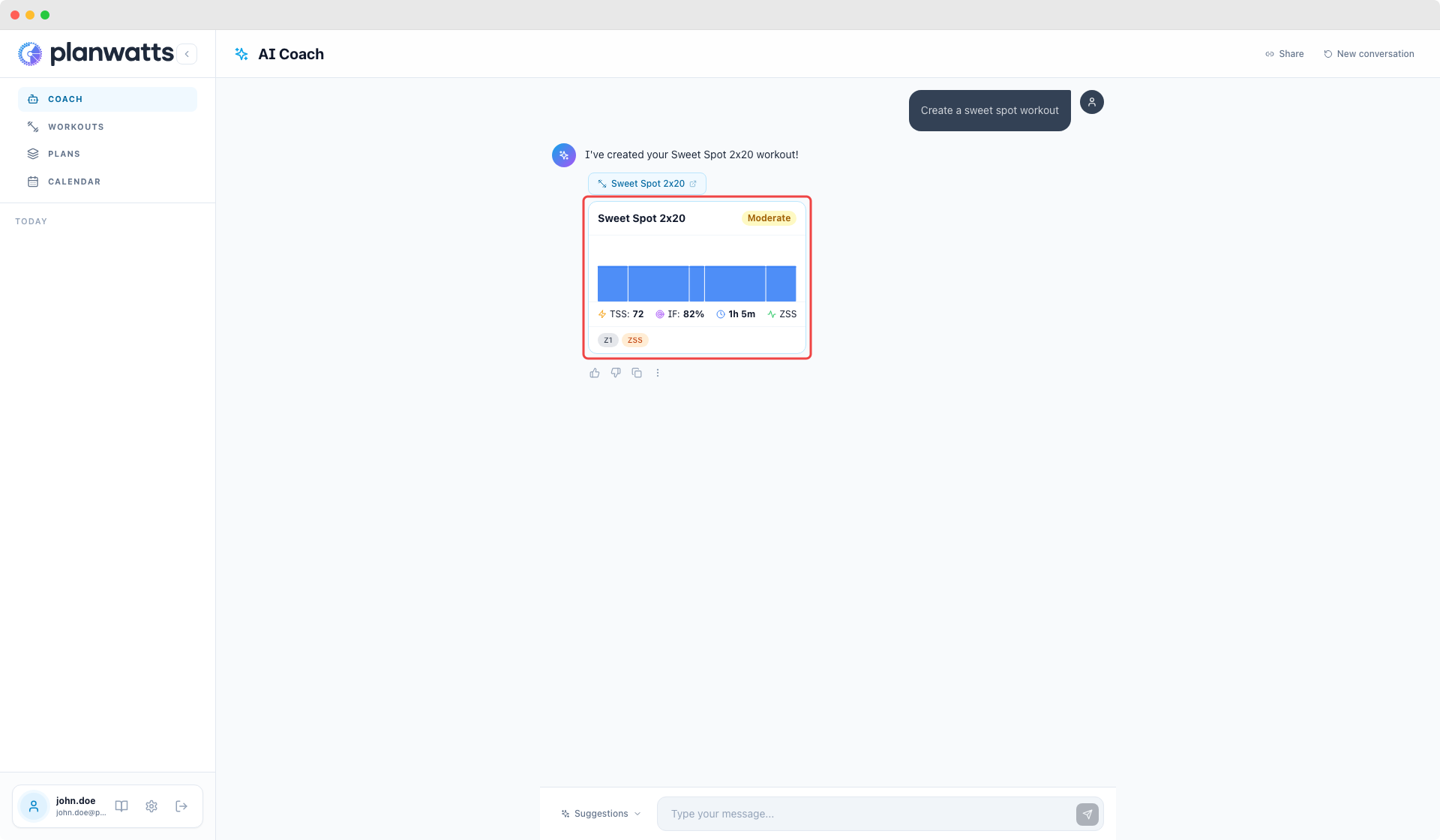
This is probably the most-used feature. Describe a workout and the Coach builds it for you — with proper warm-up, intervals, recovery, cool-down, the whole thing.
You can be as specific or as vague as you want:
- Specific: "3x12min sweet spot intervals at 88-93% FTP with 5min recovery between sets, 15min warm-up, 10min cool-down"
- Vague: "A hard 1-hour ride" — the Coach will ask follow-up questions or make reasonable assumptions based on your profile
Once the Coach proposes a workout, you'll see interactive buttons:
- Create it — saves the workout to your library
- Modify — tells the Coach you want to change something
- Schedule — lets you pick a date and put it on your calendar
You can iterate as much as you want: "make it harder", "add a longer warm-up", "change the recovery intervals to 3 minutes", "actually make it a running workout instead". The Coach remembers the full context of the conversation.
2. Scheduling and Calendar
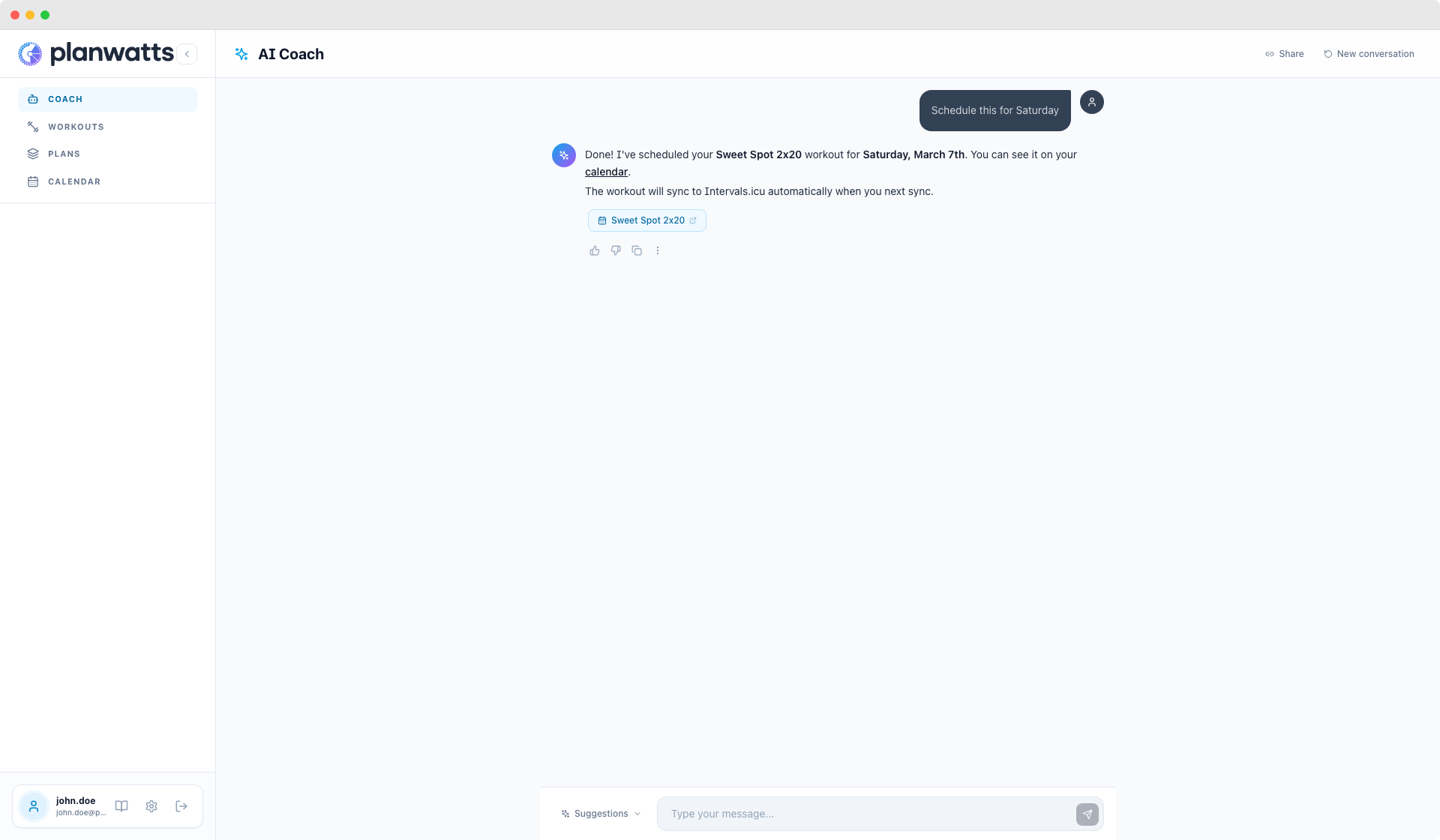
The Coach can put workouts directly on your calendar. After creating a workout, say:
"Schedule this for next Tuesday"
"Put it on my calendar for March 5th"
If you have Intervals.icu, Strava, or Garmin connected, the workout syncs to those platforms automatically.
You can also ask the Coach about your schedule:
"What do I have planned this week?"
"Move my Thursday ride to Friday"
3. Activity Analysis
After you complete a workout, the Coach can analyze it. Just ask:
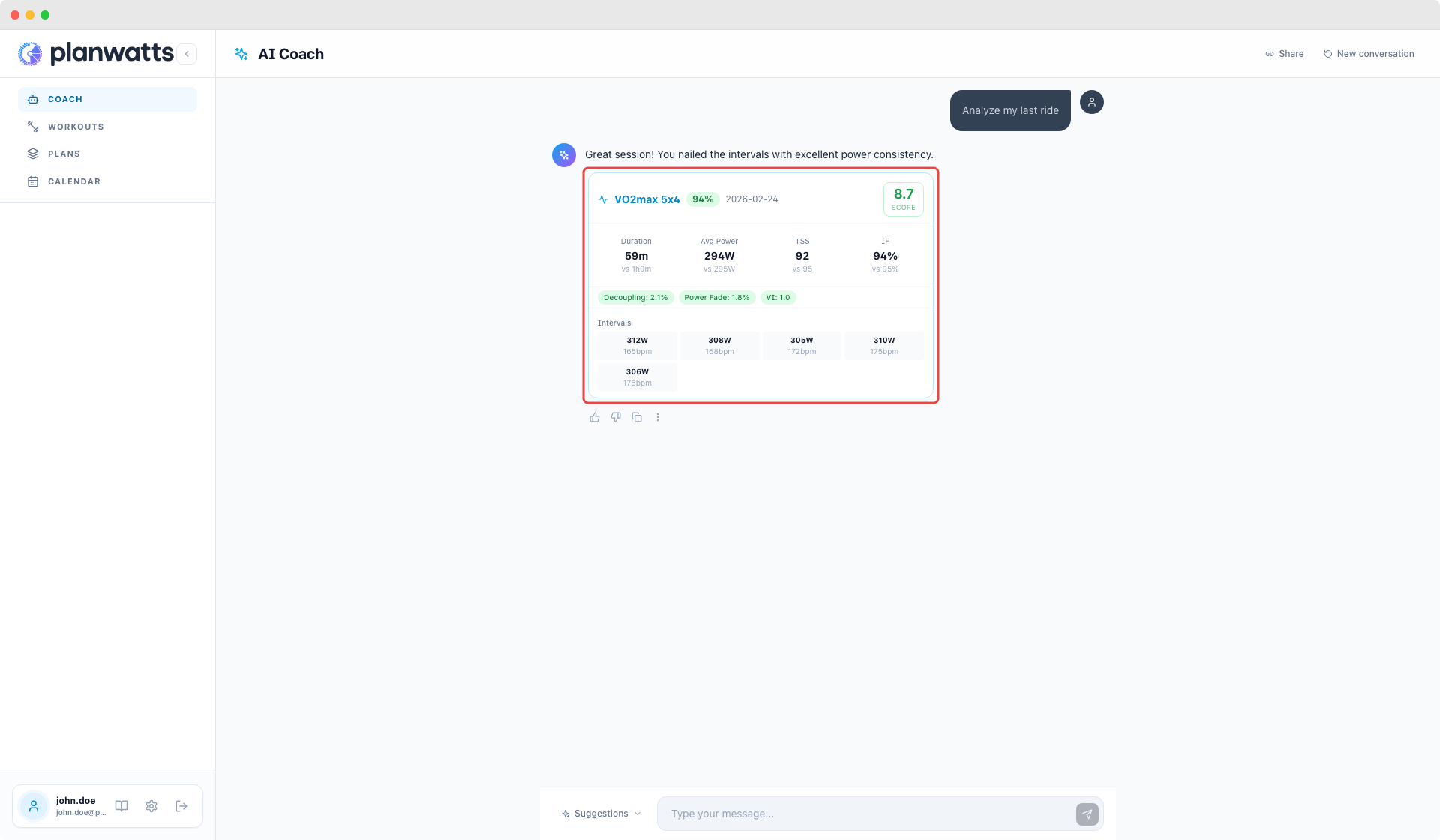
"Analyze my last ride"
"How did my long run go yesterday?"
"Compare my last two rides"
The Coach pulls your activity data — power, heart rate, pace, duration, elevation — and gives you a breakdown:
- Execution score — how well you hit the planned targets
- Pacing analysis — whether you went out too hard, faded, or held steady
- Key observations — what went well, what could improve
- Recommendations — what to focus on in your next session
This works best when you have Intervals.icu or Strava connected, because the Coach can see your detailed activity data.
For the full breakdown of AI analysis features, see the Activity Analysis guide.
4. Training Plans From Chat
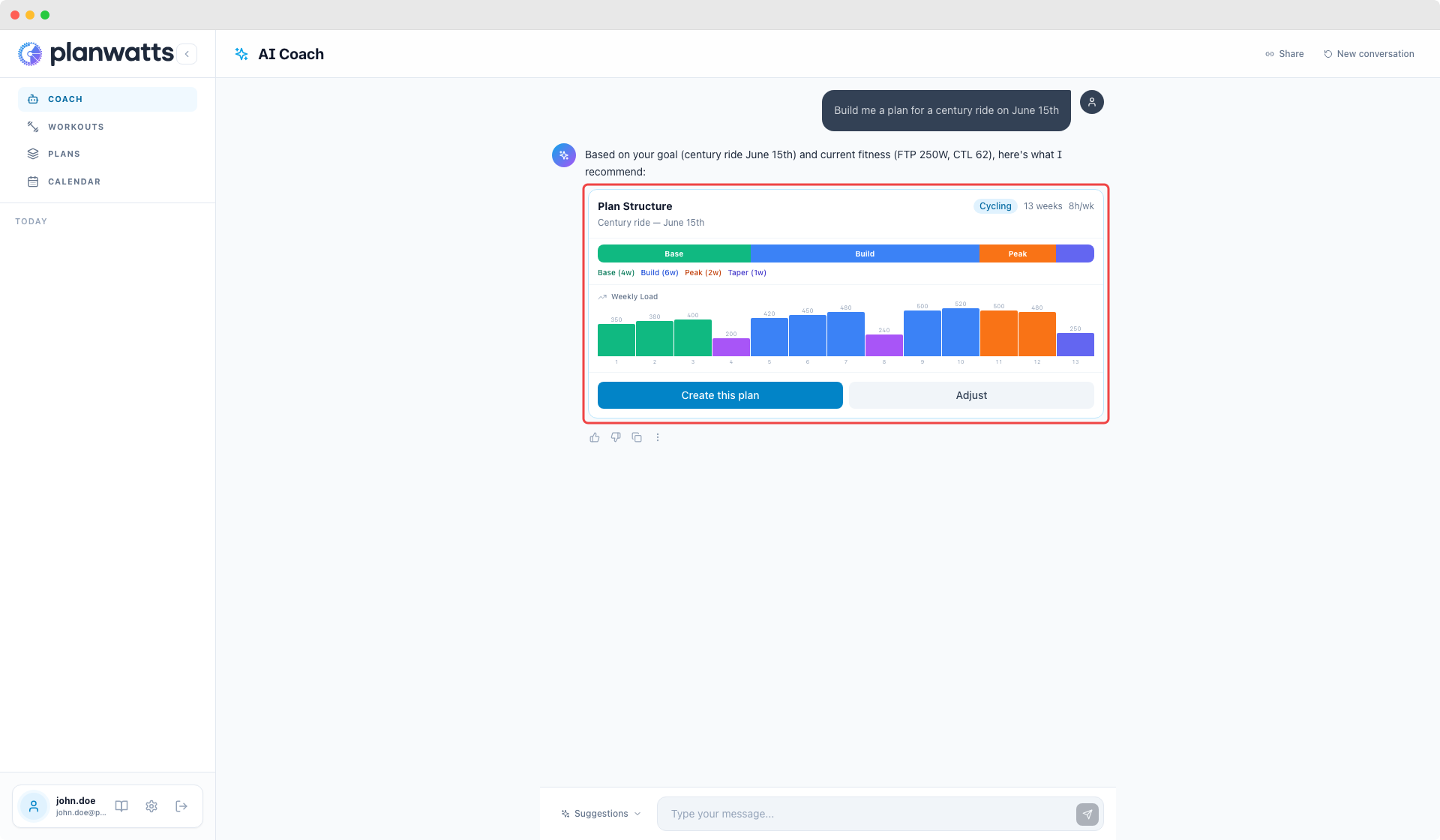
You can build a complete periodized training plan from a single conversation. Describe your goal and the Coach handles the rest:
"I want to prepare for a century ride on June 15th. I can ride 4 days a week, about 8-10 hours total."
"Build me a 12-week 5K running plan. I'm running about 30km a week right now."
The Coach will:
- Ask clarifying questions if needed (current fitness, available hours, event date)
- Propose a plan structure — phases (Base, Build, Peak, Taper), recovery weeks, weekly TSS (Training Stress Score) targets
- Explain the rationale behind the plan design
- Let you review and adjust before confirming
For the full deep-dive on training plans, weekly targets, and calendar sync, check out the Training Plans & ATP guide.
See also
- AI Coach — Overview, basics, home screen, and tips
- Coach Features — Training advice, conversation history, interactive responses, and context awareness