The Workout Editor
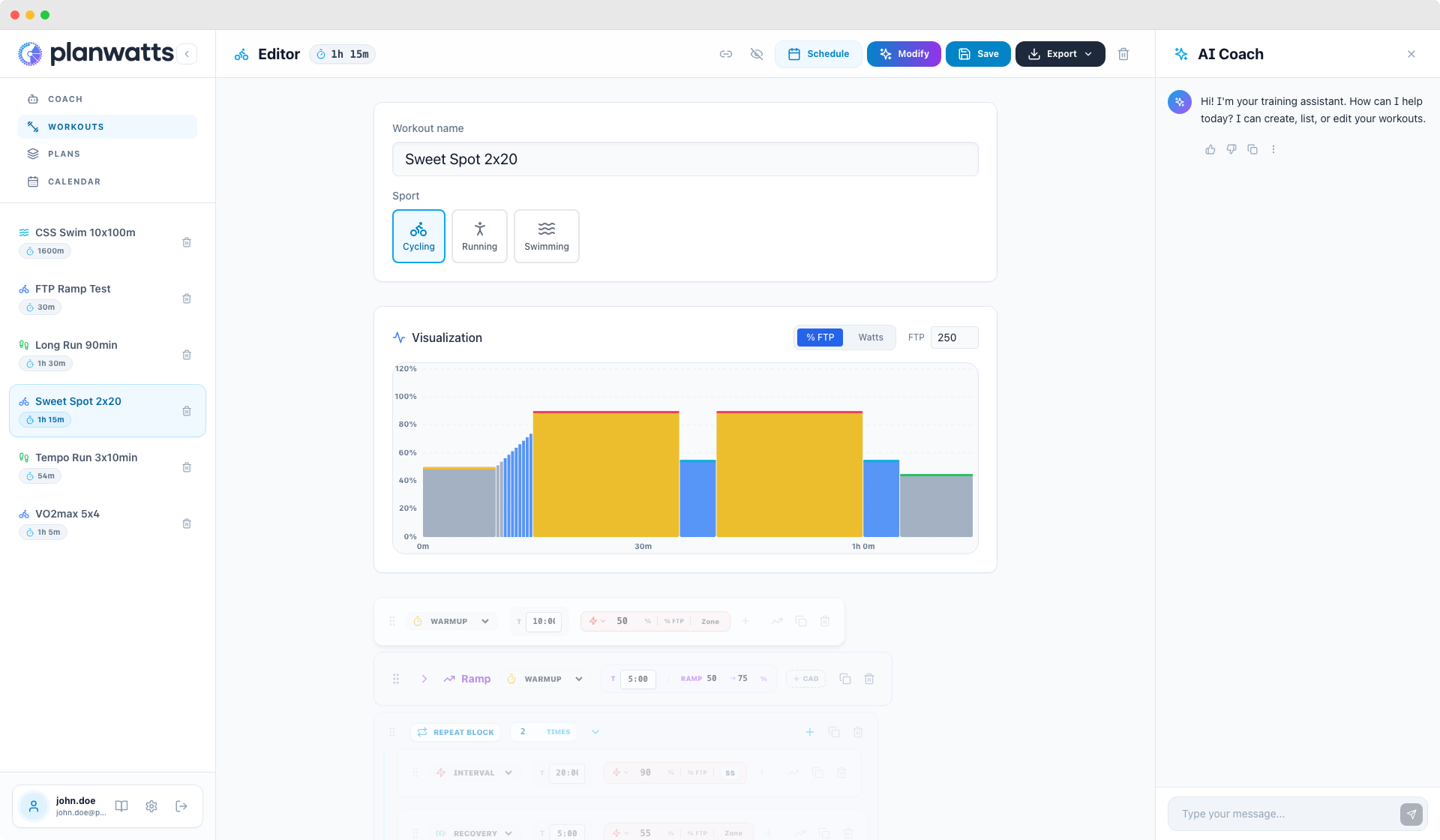
The editor (/workout/:id) gives you a visual, drag-and-drop interface to build any workout structure you can think of.
1. Step Types
Every workout is made of steps, and each step has a type:
- Warmup — progressive ramp-up at the start
- Interval — the work portion (this is where the intensity lives)
- Recovery — easy effort between intervals
- Rest — complete stop (useful for swimming sets or brick workouts)
- Cooldown — wind-down at the end
You drag steps to reorder them freely. Add a step, move it around, delete it — the chart updates in real time.
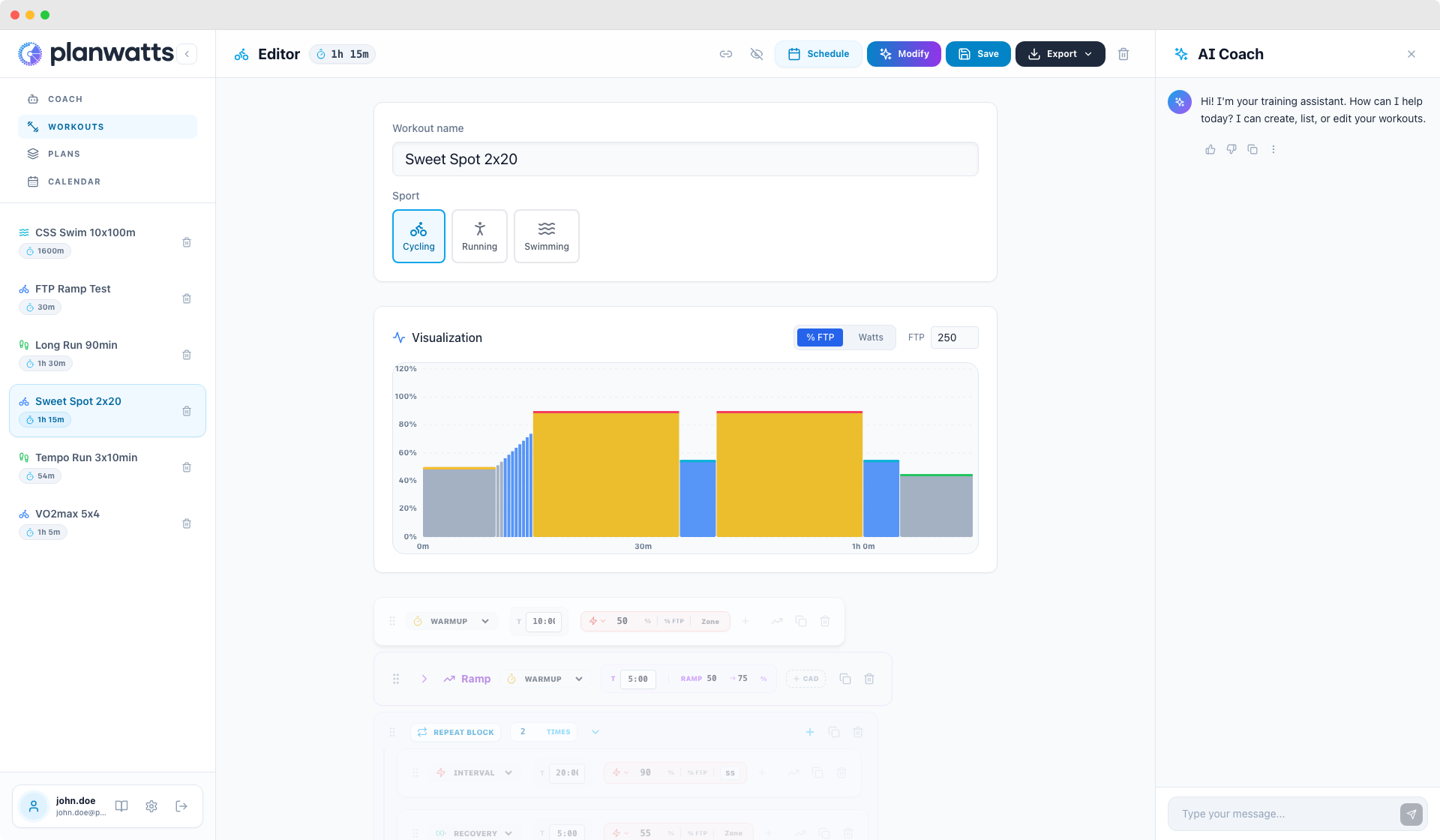
2. Repeat Blocks
Instead of creating 8 individual interval + recovery pairs, you group them into a repeat block and set the repetition count.
For example: 4x [5min at Z4 + 3min at Z1] — you create one interval step and one recovery step, wrap them in a repeat block, set it to 4 reps, done. Clean and readable.
Nested repeats are also supported. This lets you build complex structures like pyramids:
"3x [ 2x(2min Z5 + 2min Z1) + 5min Z3 + 3min Z1 ]"
The editor shows these as visually nested blocks so you can always see the structure.
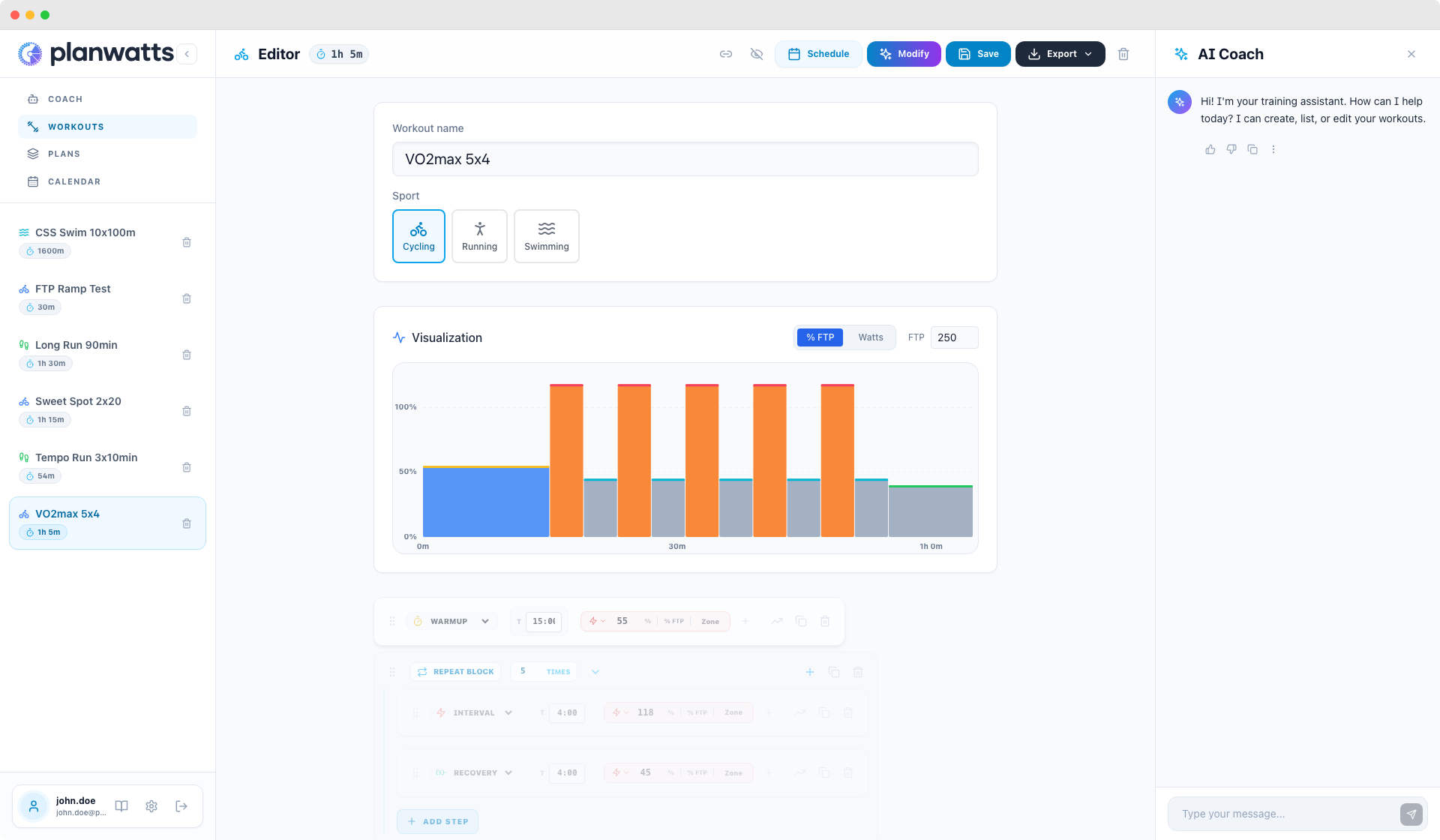
3. Ramp Steps
Ramps let you set a starting and ending intensity within a single step. The power or pace increases (or decreases) gradually across the step duration.
Classic use case: a warmup that ramps from 50% to 75% FTP over 10 minutes. Instead of creating five separate steps at increasing power, one ramp step handles it smoothly.
The chart displays ramps as smooth gradients — visually distinct from flat-intensity steps.
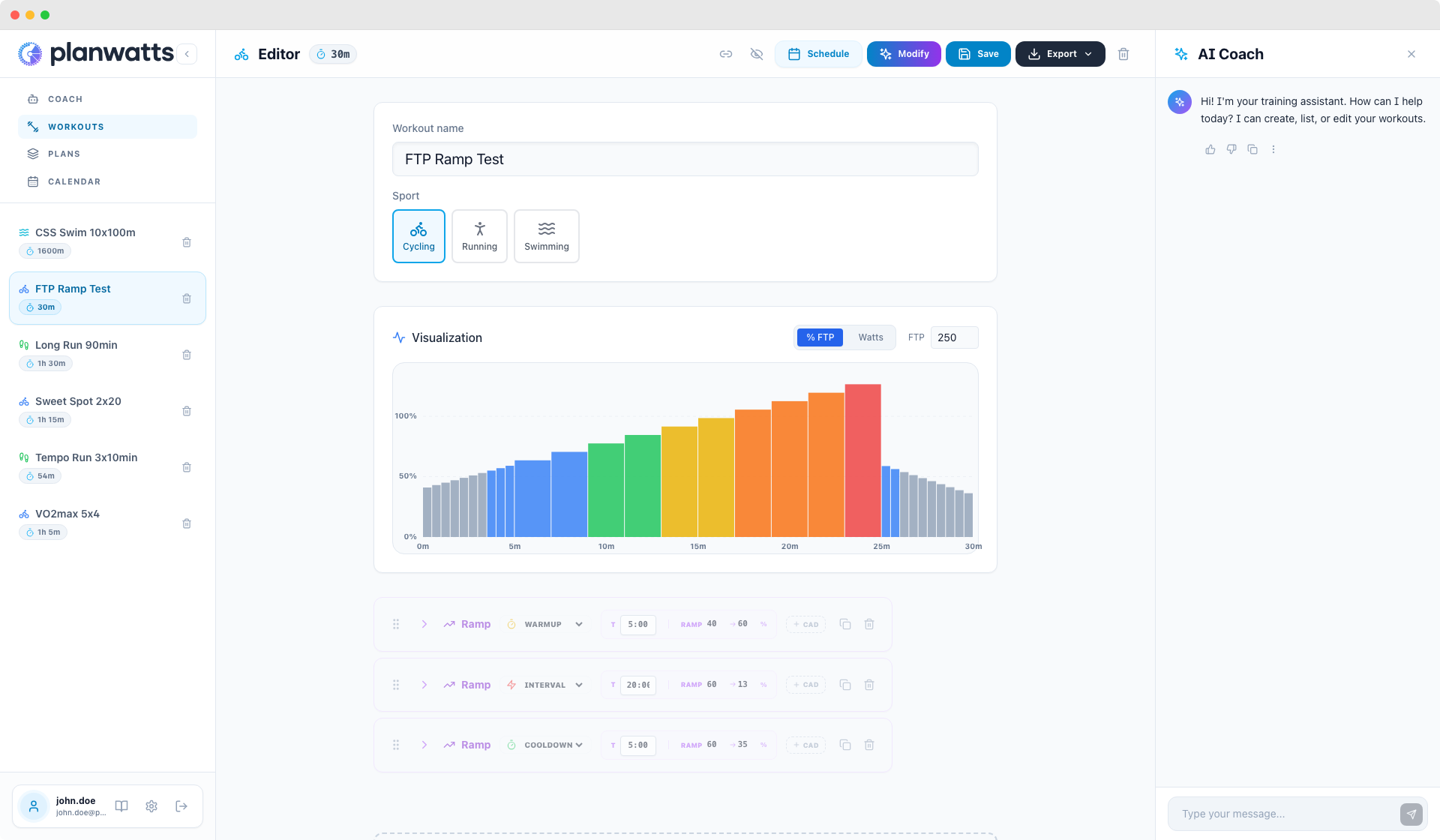
4. Sport-Specific Targeting
PlanWatts adapts the entire targeting system based on your sport.
Cycling
The default targeting is % FTP (Functional Threshold Power) with power zones:
- Z1 (Active Recovery), Z2 (Endurance), Z3 (Tempo), Sweet Spot, Z4 (Threshold), Z5 (VO2max), Z6 (Anaerobic), Z7 (Neuromuscular)
You can switch to % HR (Heart Rate) targeting if you prefer heart rate-based training or don't have a power meter.
Secondary target: Cadence in RPM — useful for drills like high-cadence spinning or low-cadence force work.
Running
The default targeting is % Pace with pace zones:
- Z1 (Easy), Z2 (Aerobic), Z3 (Tempo), Z4 (Threshold), Z5 (VO2max), Z6 (Speed)
Next to every percentage, PlanWatts calculates and displays the actual pace — e.g., "85% → 4:15/km" — so you always know exactly what pace to hold on the road or treadmill.
You can switch to % HR targeting, or if you have a running power meter (Stryd, COROS, Garmin), you can use power-based targeting for running too.
Secondary target: Cadence in SPM (steps per minute) — great for cadence drills or maintaining running economy.
Swimming
The default targeting is % CSS (Critical Swim Speed) with swim zones:
- Z1 (Recovery), Z2 (Endurance), Z3 (Tempo), Z4 (Threshold), Z5 (VO2max), Z6 (Speed)
Swimming steps support both time-based (e.g., 5 minutes at Z3) and distance-based (e.g., 400m at Z3) durations. Distance-based makes more sense for pool workouts where you think in laps and meters.
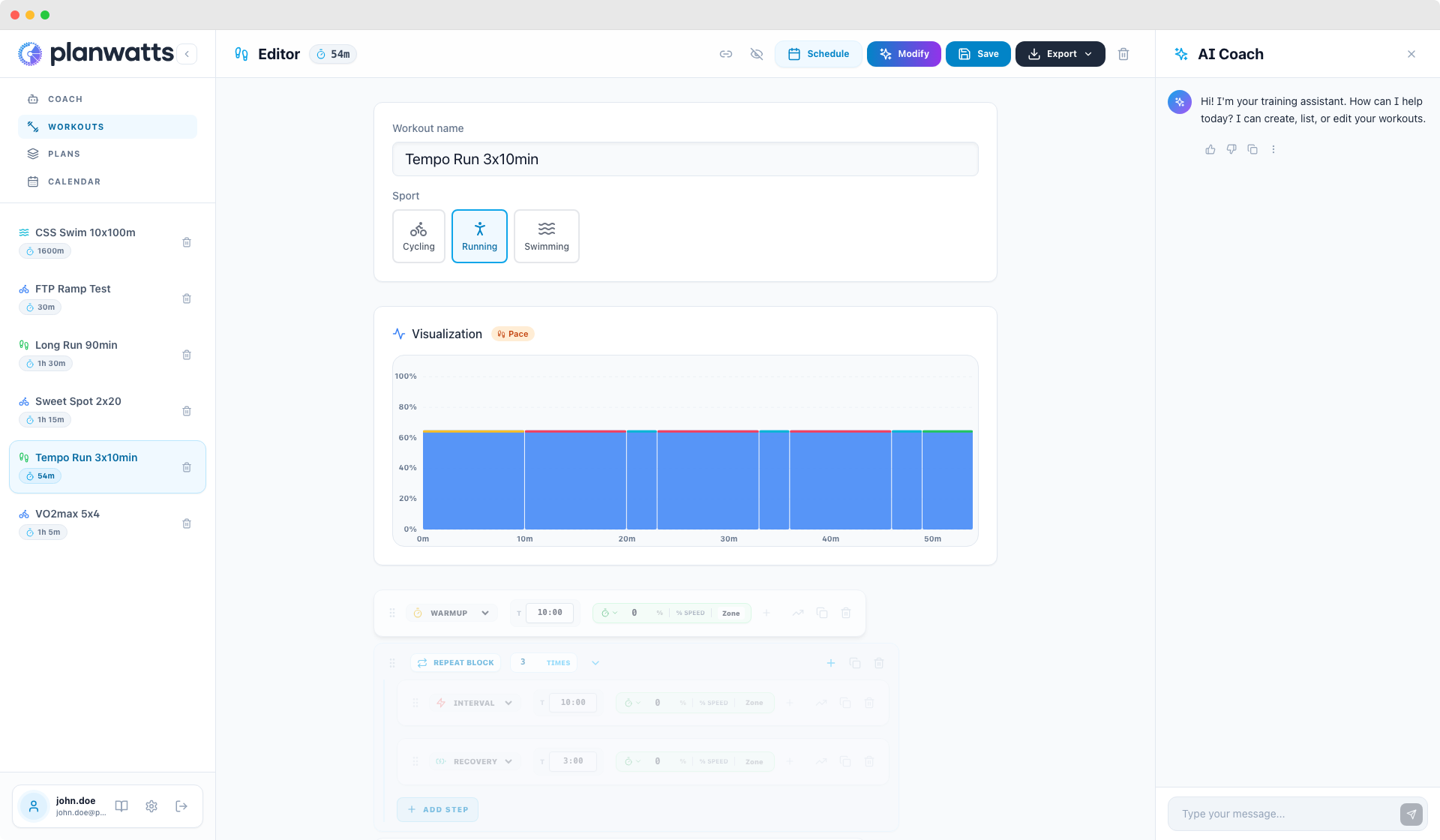
5. Visualization
The Power/Pace Chart
A real-time chart shows your workout profile as you build it:
- Zone-colored bars — each step is colored by its intensity zone, so you can see at a glance where the hard efforts are
- Ramps displayed as smooth gradients, not staircase steps
- Repeat blocks expand to show every repetition in the chart
View Toggle
For cycling, you can toggle between % FTP and Watts on the chart. For running, toggle between % Pace and min/km. This lets you see either relative intensity or absolute values, whichever makes more sense for how you train.
Mini Charts on Cards
Back in the library, every workout card has a small chart preview. You can visually identify workouts by their shape — a sweet spot session looks very different from a VO2max interval workout, and you'll recognize them instantly without reading the name.
See also: Open Steps for steps without a fixed duration, and Export & Share to get workouts onto your devices.