Workouts
The workout system is the core of PlanWatts. Every training session — whether it's a sweet spot ride, a tempo run, or a threshold swim set — lives as a structured workout that you can edit visually, export to your devices, and share with anyone.
1. Your Workout Library
The library (/workouts) is where all your workouts live. Think of it as your personal workout collection — everything you've created, everything the AI Coach has built for you, all in one place.
Browsing and Finding Workouts
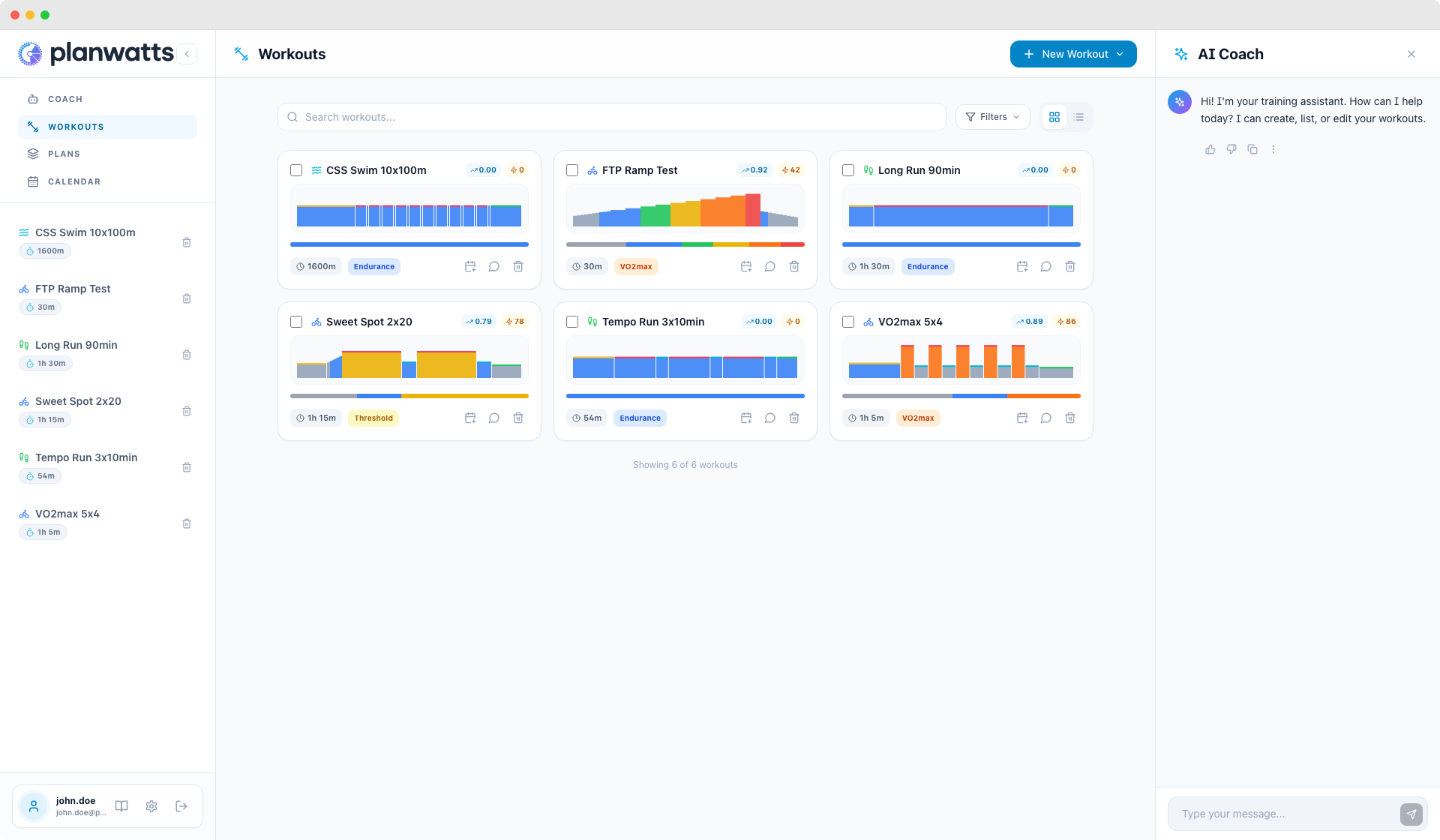
You get two view modes: grid (cards with visual previews) and list (compact table). Each workout card shows you everything at a glance:
- Sport icon — cycling, running, or swimming
- Workout name
- Duration — total time
- TSS (Training Stress Score) — estimated training load
- Zone distribution bar — colored segments showing how much time you spend in each zone
- Mini chart — a small power/pace profile so you can visually identify the workout shape without opening it
You can search by name (start typing and the list filters instantly), filter by sport (Cycling, Running, Swimming), and sort by name, date created, or duration.
The library paginates at 24 workouts per page — enough to browse comfortably without loading hundreds at once.
Bulk Delete
If you need to clean up — maybe you experimented with a bunch of AI-generated workouts and want to start fresh — there's a bulk delete option. Select multiple workouts and delete them in one go.
2. Creating Workouts
There are two ways to create a workout, and you'll probably use both depending on the situation.
Ask the AI Coach
This is the fastest path. Open the Coach and describe what you want:
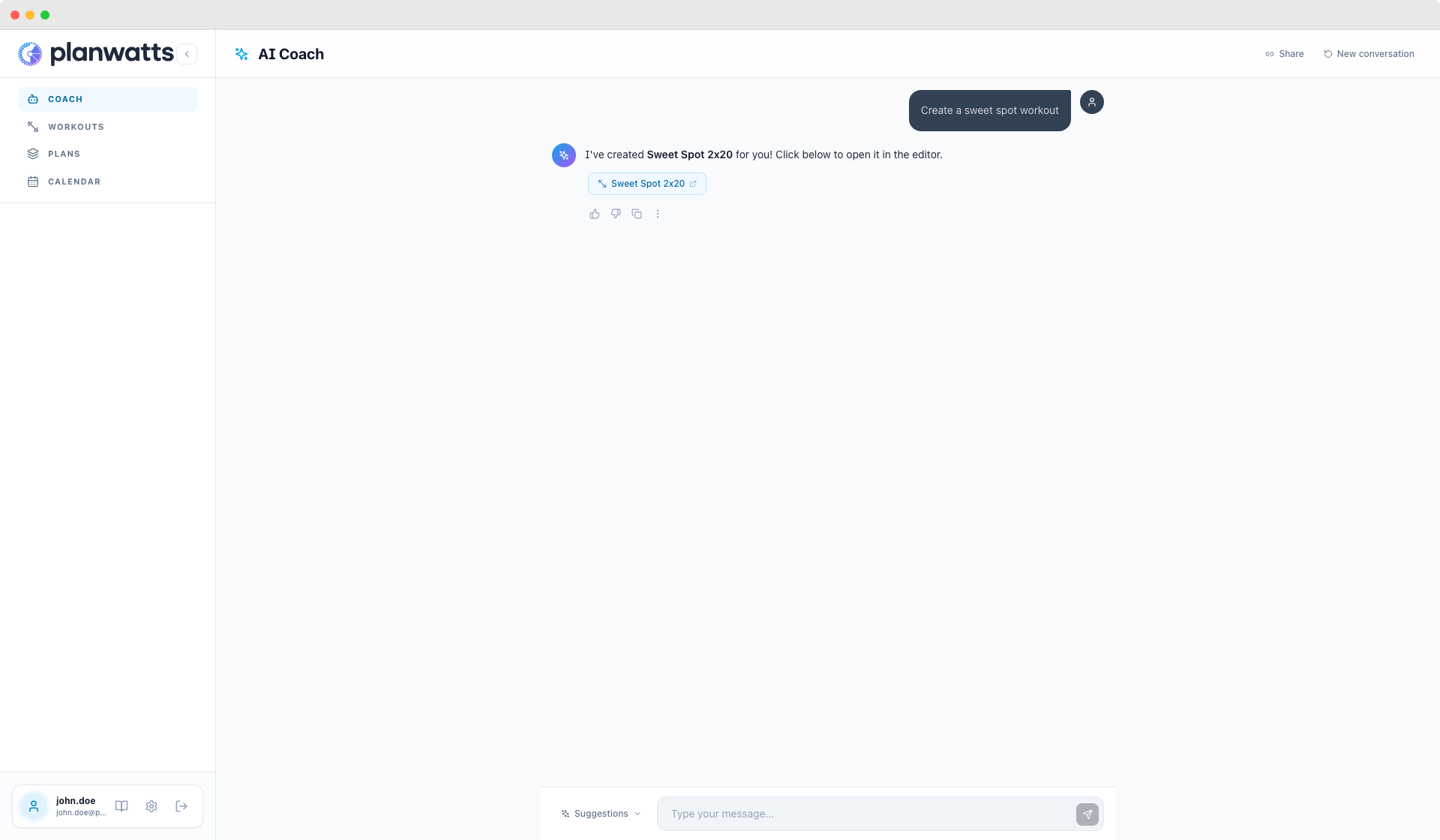
"Create a sweet spot workout for 75 minutes"
"I need a running tempo session with 3x10 min at threshold pace"
"Build me a swim workout focusing on CSS pace, around 3000 meters"
The Coach generates the full structured workout — warmup, intervals, recovery, cooldown — with appropriate zones and durations. You get a clickable link in the chat that takes you straight to the editor, where you can review and tweak it.
Create Manually
From the library, click the create button, choose your sport, and start building in the editor from scratch. Full control from step one.
Next: Learn about the visual editor in The Editor, or jump to Export & Share to get workouts onto your devices.