Plan Workouts
1. Generating Workouts for Your Plan
You can fill your plan with workouts in several ways — and the AI is available directly inside the plan editor, not just in the Coach chat.
AI in the Plan Editor
The plan editor has generate buttons at three levels:
Entire plan — the "Generate" dropdown in the top-right toolbar has a "Generate workouts" option that fills all your phases at once. The AI respects your TSS targets, adapts workout intensity to each phase type, and distributes sessions across your training days.
Per phase — each phase header has a small sparkle icon. Click it to generate workouts for just that phase.
Per week — each week row also has a sparkle icon. Click it to generate for just that specific week.
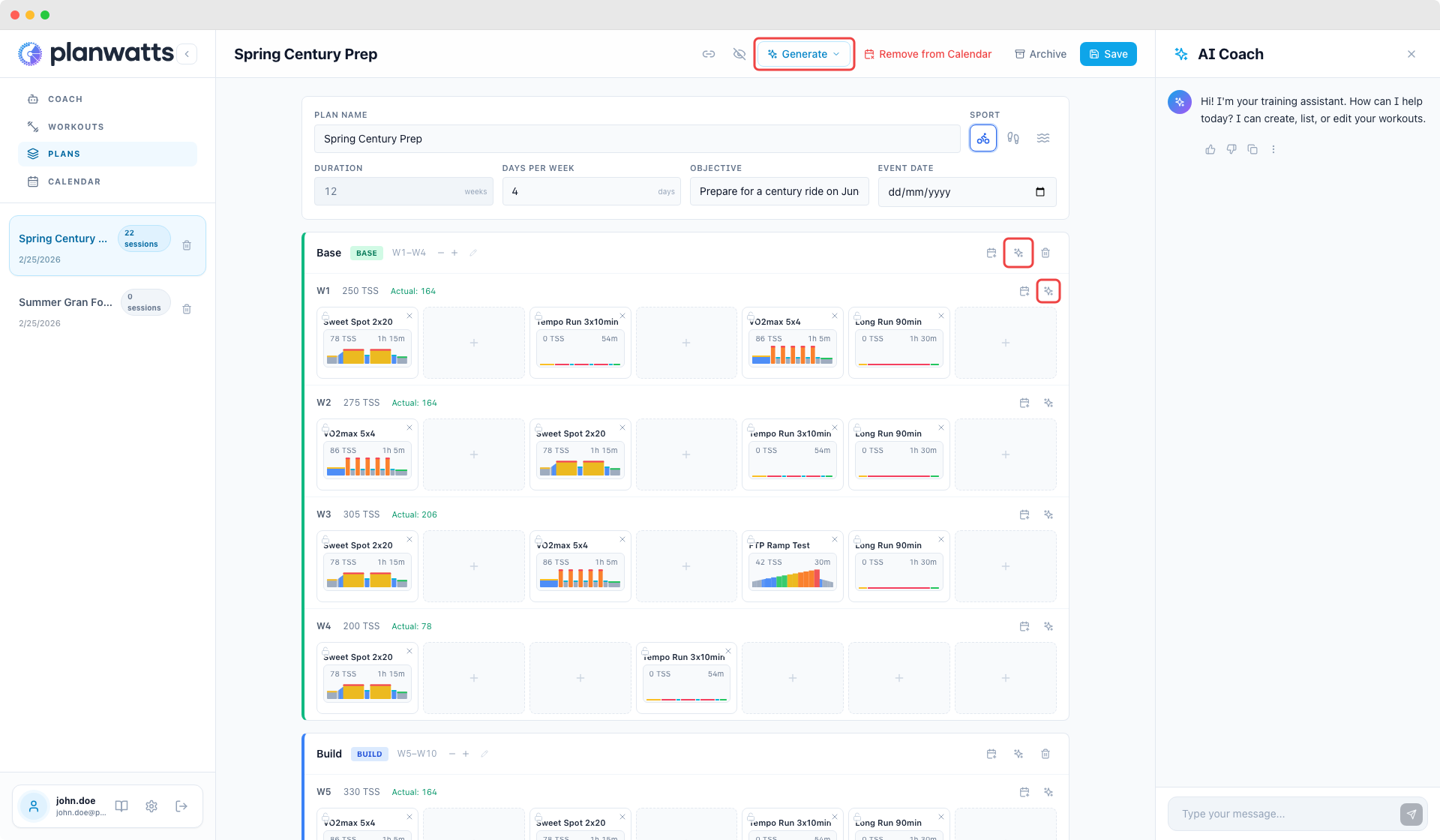
In all three cases, the AI:
- Matches the weekly TSS target
- Adapts to the phase type
- Keeps locked sessions
- Shows a preview first
Through the Coach Chat
You can also ask the Coach directly:
"Generate this week's workouts for my plan"
"Create all the workouts for the Build phase"
Pick from Your Library
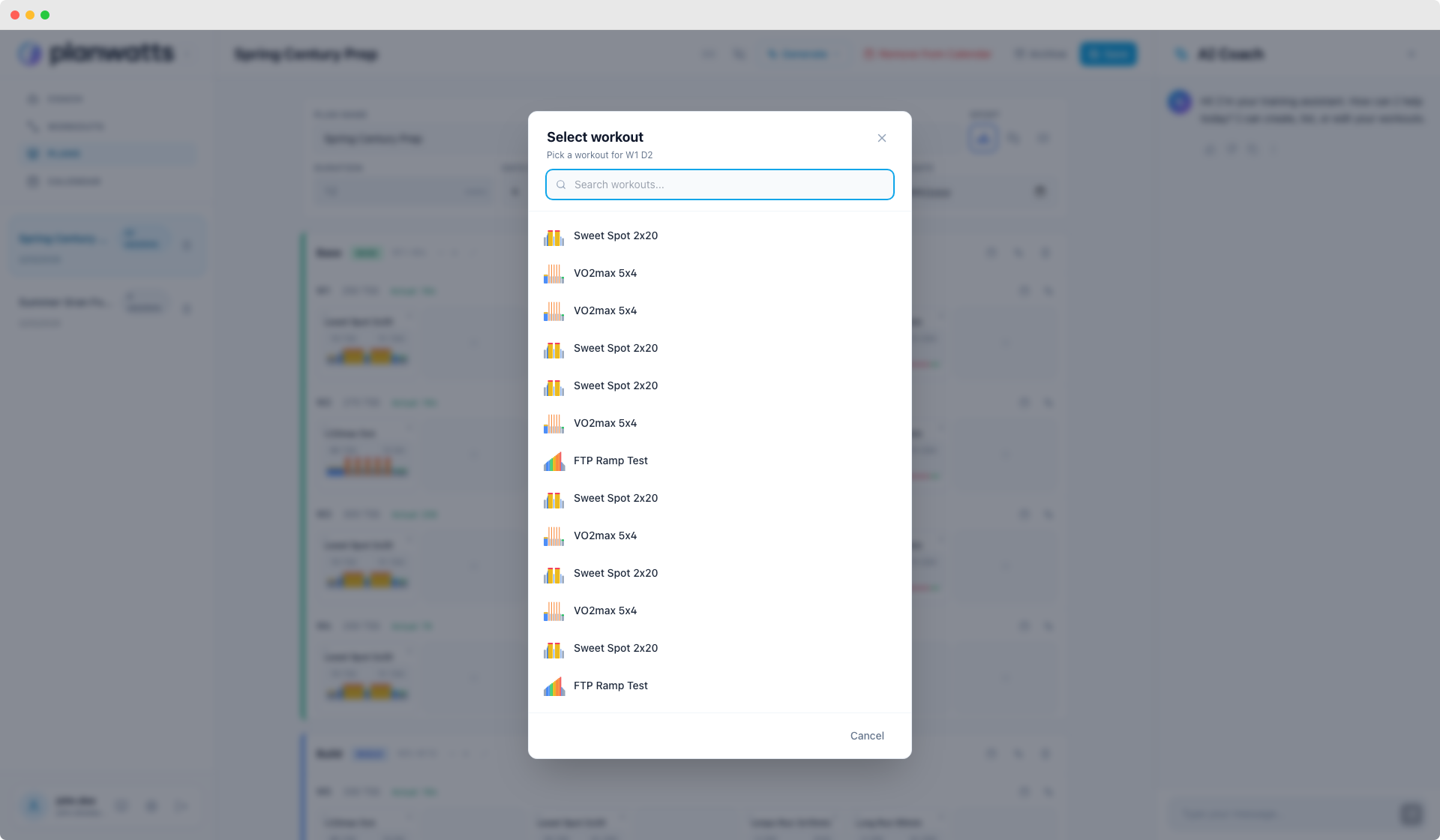
The plan editor also has a workout picker — click an empty cell and search your existing workout library. Library workouts are cloned into the plan automatically.
Mix and Match
Some athletes use the AI for hard weeks and manually assign favorites for easy weeks. Others generate the whole plan and swap individual sessions. Completely flexible.
2. PlanWatts Without Intervals.icu
Everything above works without connecting any external platform. If you just want PlanWatts standalone:
- Create plans with the AI Coach
- Apply them to the PlanWatts calendar
- Generate workouts week by week
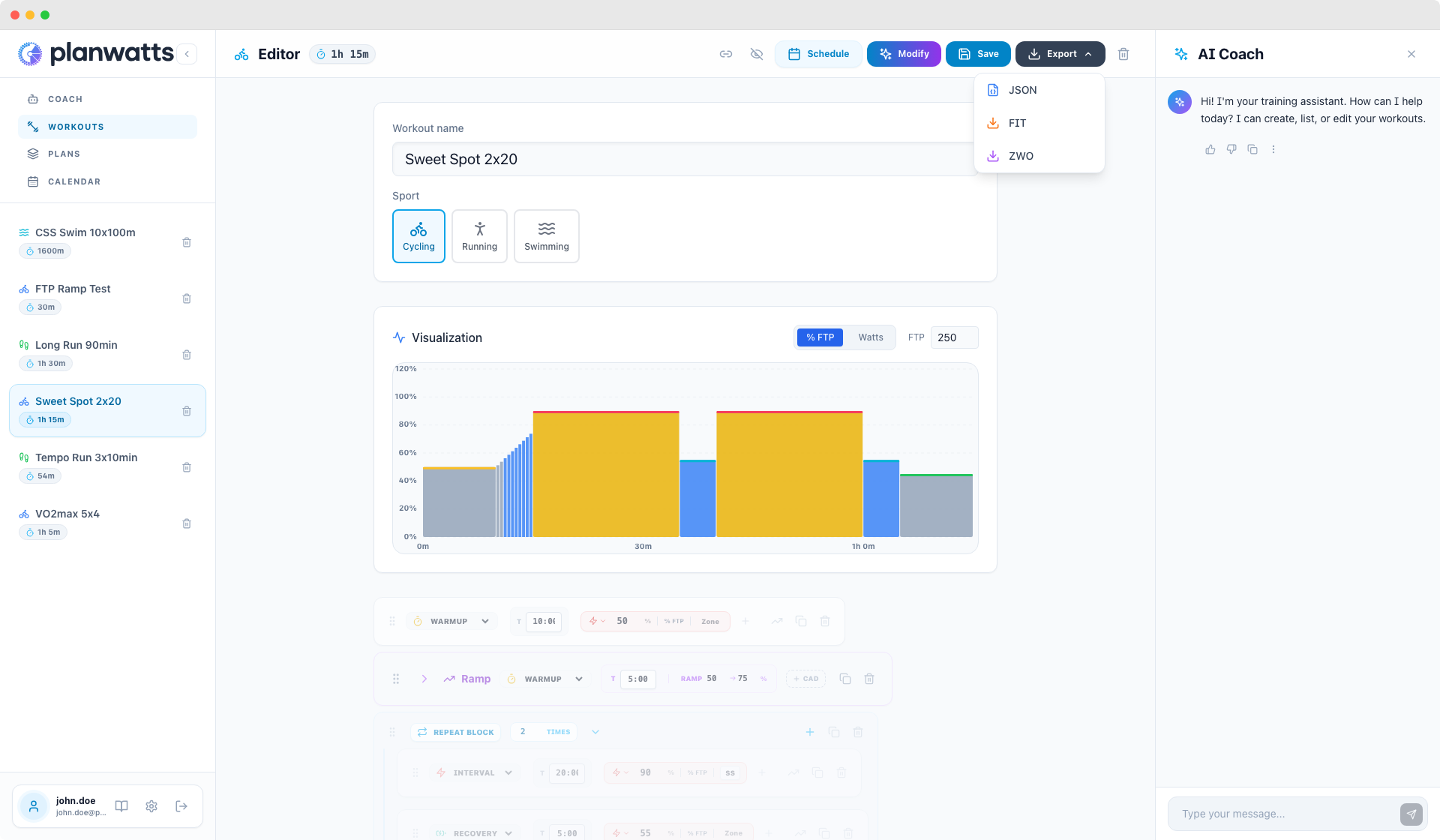
- Export as FIT file — works with any bike computer
- Export as ZWO file — for Zwift indoor training
- Share plans and workouts via public links
Intervals.icu, Strava, and Garmin connections enhance the experience but they're not required.
See also
- Training Plans — creating plans with AI, applying to calendar, weekly targets, and propagation
- Plan Sync with Intervals.icu — importing ATPs, multi-sport plans, and two-way sync