Settings
Before you start creating plans and workouts, there's one place you should visit first: Settings. This is where you tell PlanWatts who you are as an athlete — your FTP, your zones, your thresholds — and where you connect your training platforms. The AI Coach works significantly better when it has your data, so spending two minutes here pays off every session.
1. Athlete Profile
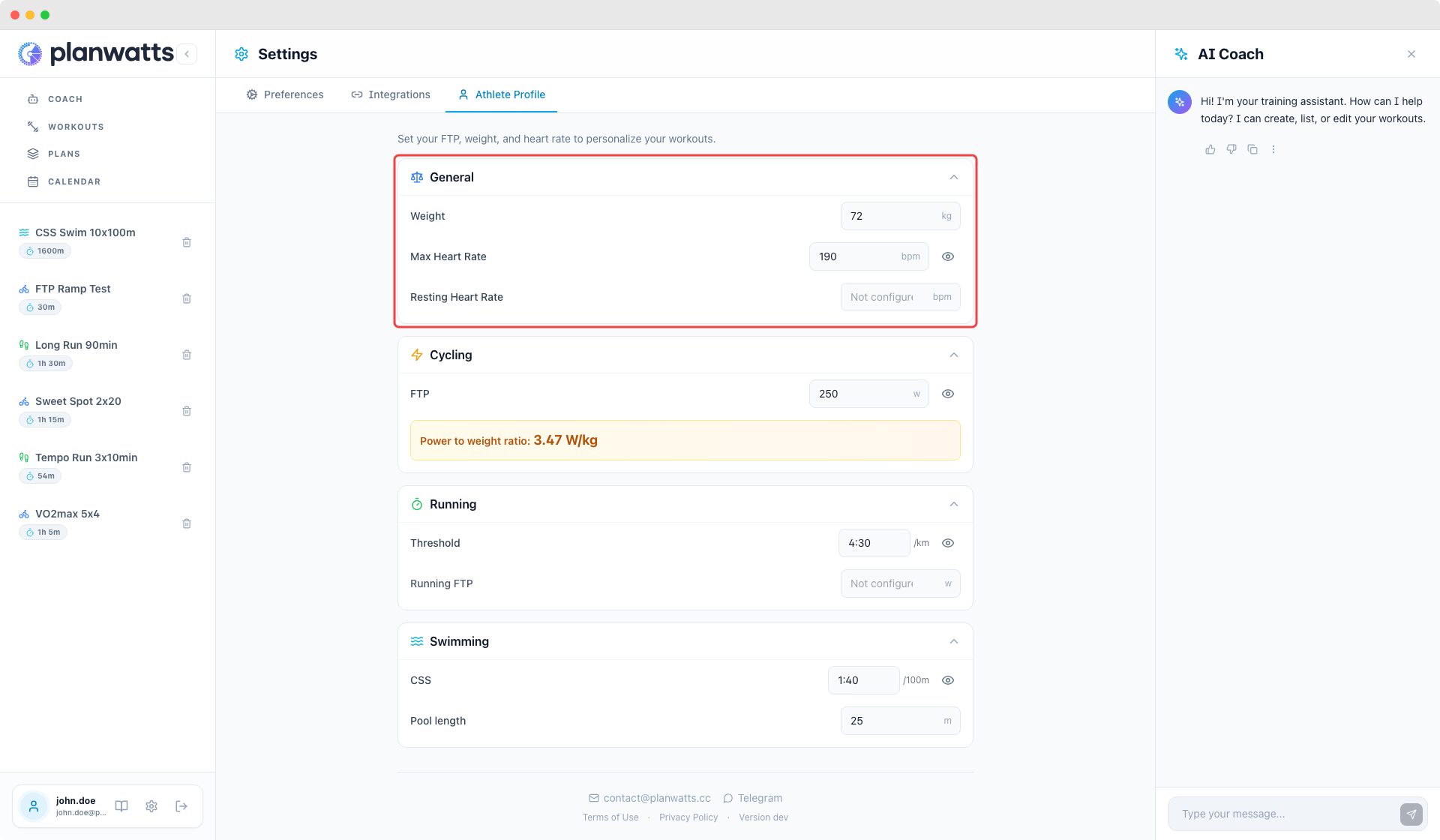
Your profile lives at the top of the Settings page. It's organized by sport — cycling, running, and swimming — plus a general section for basics.
General
Name, weight, and date of birth. Straightforward stuff. Weight matters because some metrics (like w/kg) depend on it, and the Coach uses it when designing workouts.
Cycling
This is where the magic numbers live:
- FTP (Functional Threshold Power) — the single most important number in PlanWatts. Your training zones, weekly TSS (Training Stress Score) targets, and workout intensities all revolve around FTP. If you only set one thing, set this.
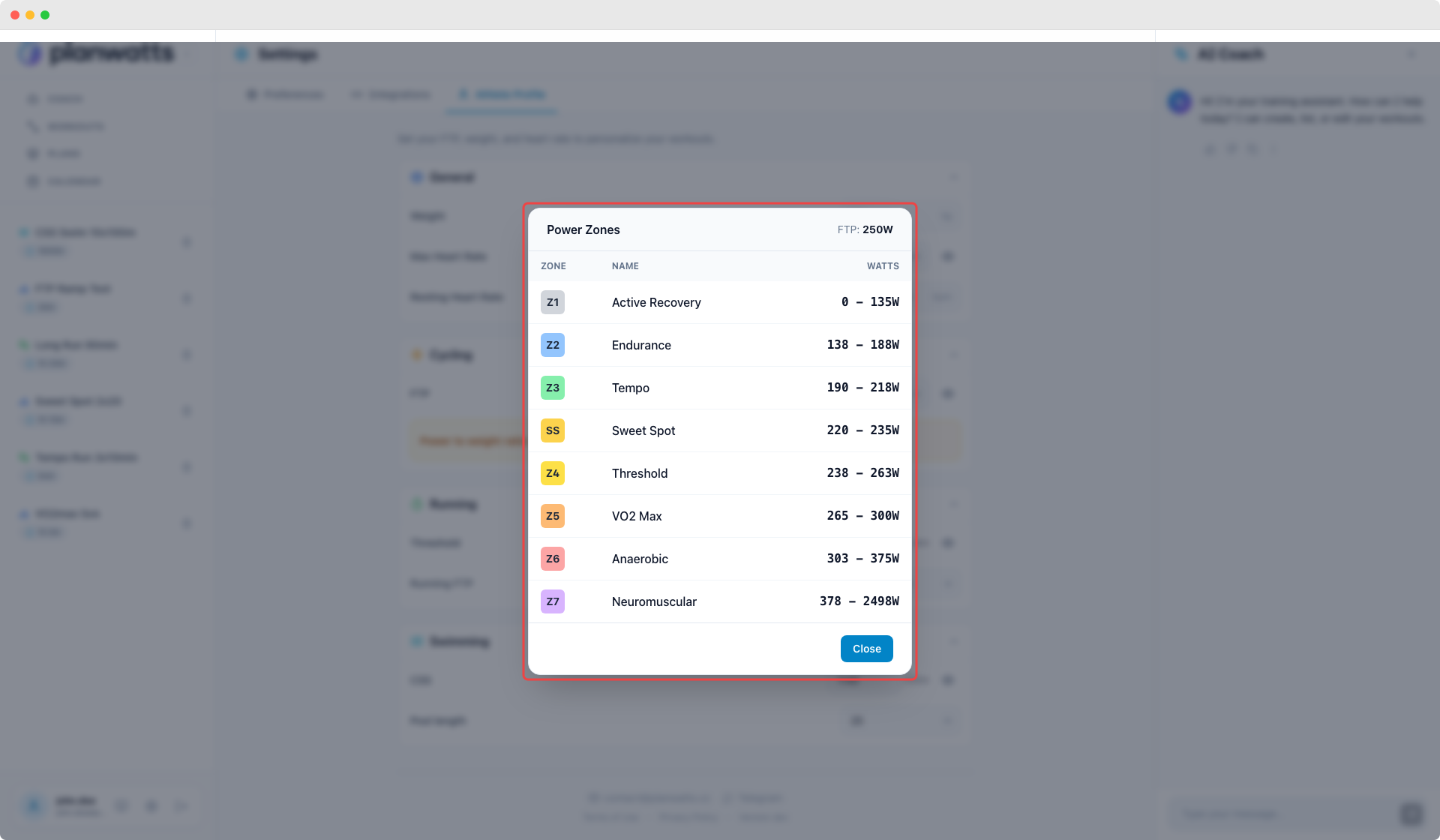
- Power zones (Z1-Z7) — auto-calculated from your FTP the moment you enter it. You'll see them update in real time. If your coach uses custom zone boundaries, you can edit each zone manually.
- Heart rate zones — configurable for heart rate-based training. Set them manually or sync from Intervals.icu.
There's a "Sync from Intervals.icu" button that pulls your FTP and zones directly from your Intervals profile. One click and everything fills in — no manual entry needed.
Each zone section has a "View zones" button that expands a table showing all your calculated power and HR zone boundaries. Handy for quick reference without leaving the page.
Running
Running has its own set of thresholds:
- Threshold pace — your lactate threshold pace in mm:ss/km format. This is the running equivalent of FTP — the baseline for all your pace zones.
- Running FTP — for power-based running if you use a Stryd, COROS, or Garmin running power sensor. Optional, but if you train with running power, set this.
- Power/Pace preference — a toggle that tells PlanWatts whether to generate new running workouts in pace zones or power zones. Pick whichever metric you actually follow during workouts.
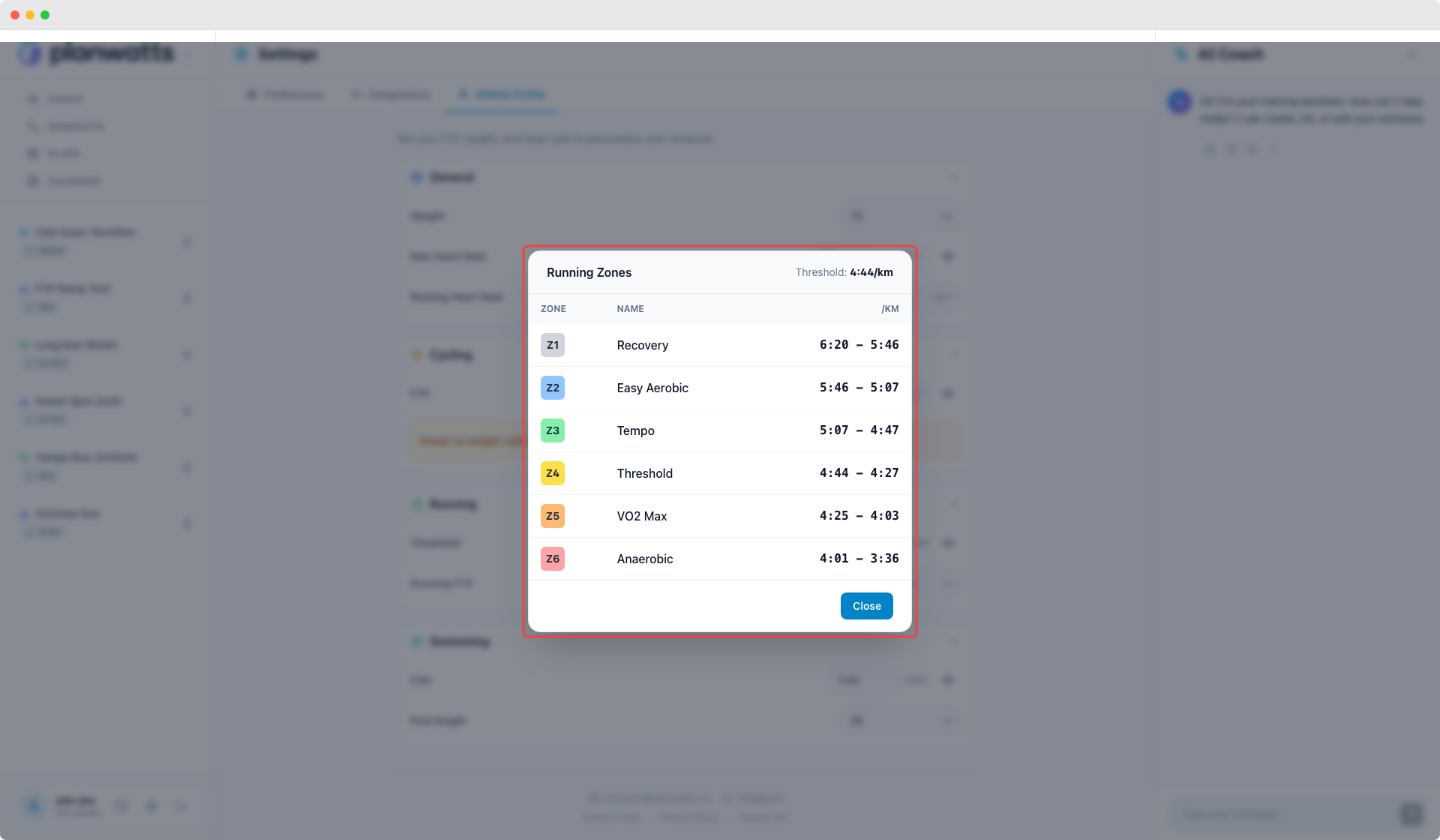
- Pace zones (Z1-Z6) — auto-calculated from your threshold pace. Same idea as cycling power zones — they update when you change your threshold, and you can override them manually.
Click "View zones" to see the full pace zone table.
Swimming
- CSS (Critical Swim Speed) — your threshold pace for swimming, in mm:ss/100m. This is what PlanWatts uses to calculate swim training zones and workout targets.
- Pool length — set your pool length so workout distances make sense (25m, 50m, or custom).
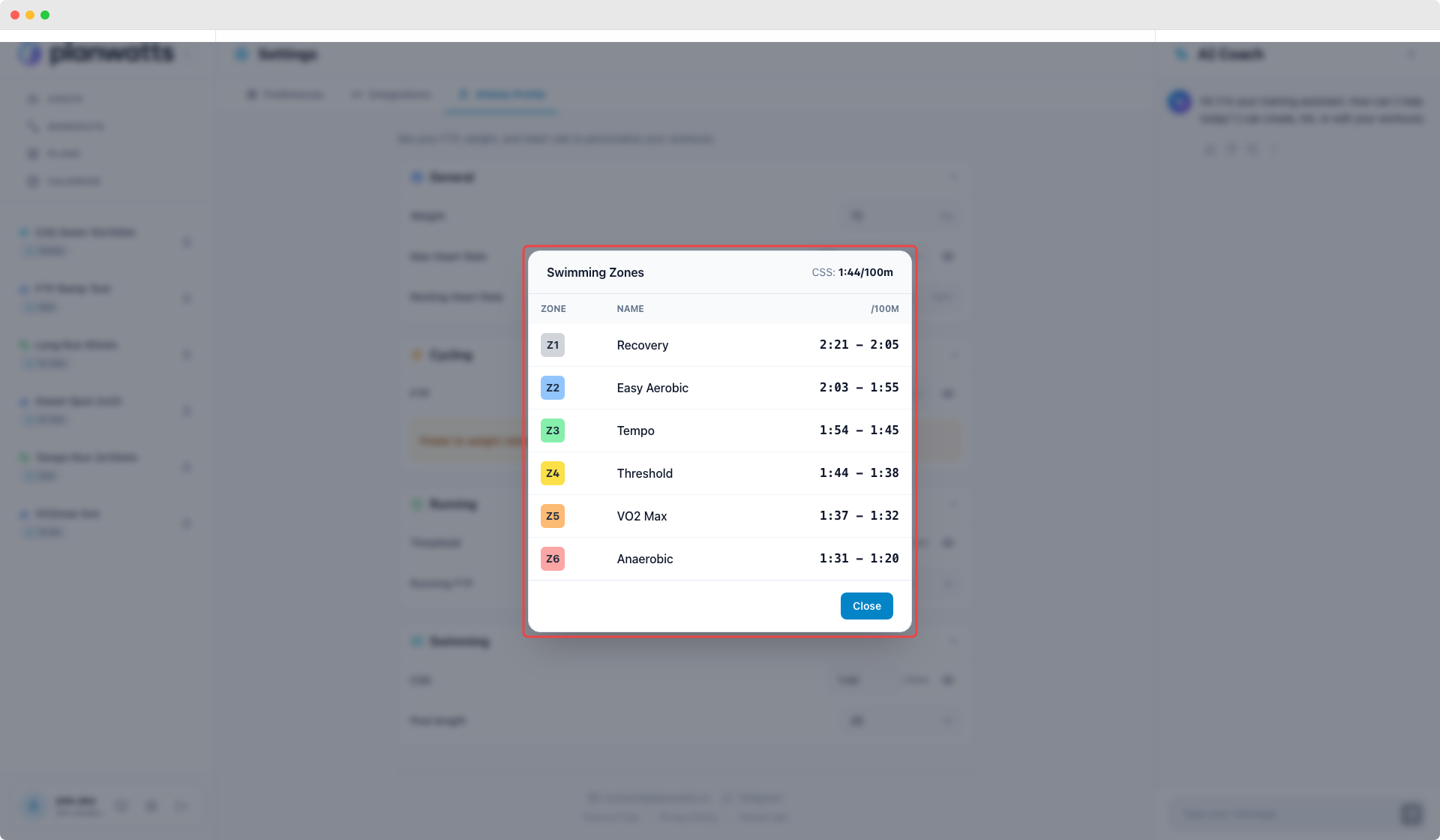
- Swim zones (Z1-Z6) — auto-calculated from your CSS. Same pattern as the other sports.
Click "View zones" to see them all.
Sync Everything from Intervals.icu
If you use Intervals.icu, here's the fastest path: connect your account (see Integrations below), come back to your profile, and hit "Sync from Intervals.icu". PlanWatts pulls your FTP, power zones, heart rate zones, threshold pace, and running zones — all at once. Two clicks and your entire profile is populated.
2. Integrations
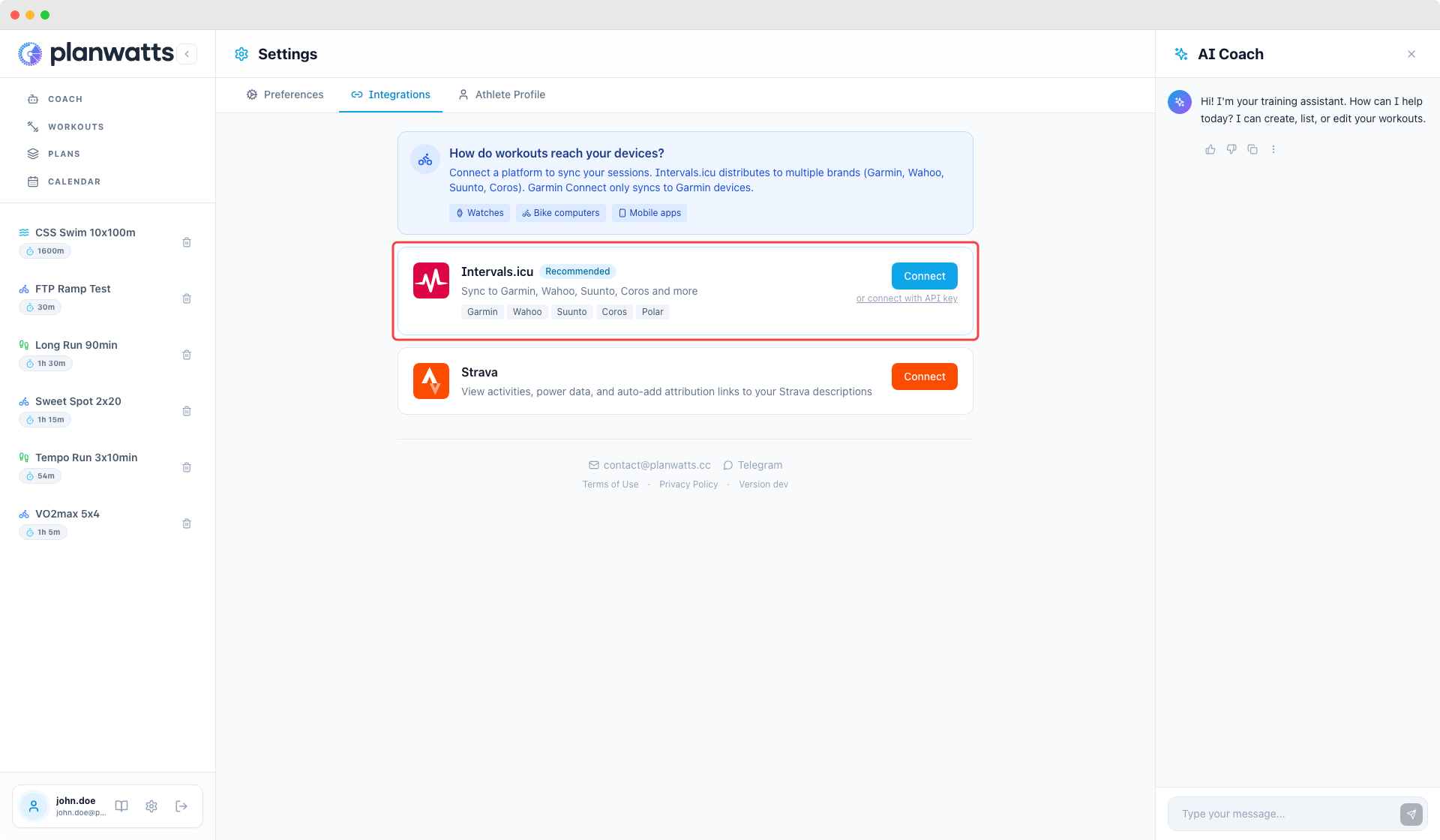
This is where you connect PlanWatts to your training platforms. Each integration has its own card showing the connection status and what it syncs.
Intervals.icu
Two ways to connect:
- OAuth (recommended) — click "Connect with Intervals.icu", authorize on the Intervals side, done. One click, no tokens to manage, no expiration. This is the way to go for most people.
- API key (fallback) — if OAuth doesn't work for your Intervals account, there's a "Connect with API key" option below the OAuth button. You'll need your API key and athlete ID from Intervals.
Once connected, a badge shows your auth method — "via OAuth" or "via API key" — so you always know how you're connected.
What syncs with Intervals.icu:
- Workouts and calendar events (bidirectional)
- Athlete profile and training zones
- Completed activities
- Wellness data (sleep, fatigue, etc.)
Strava
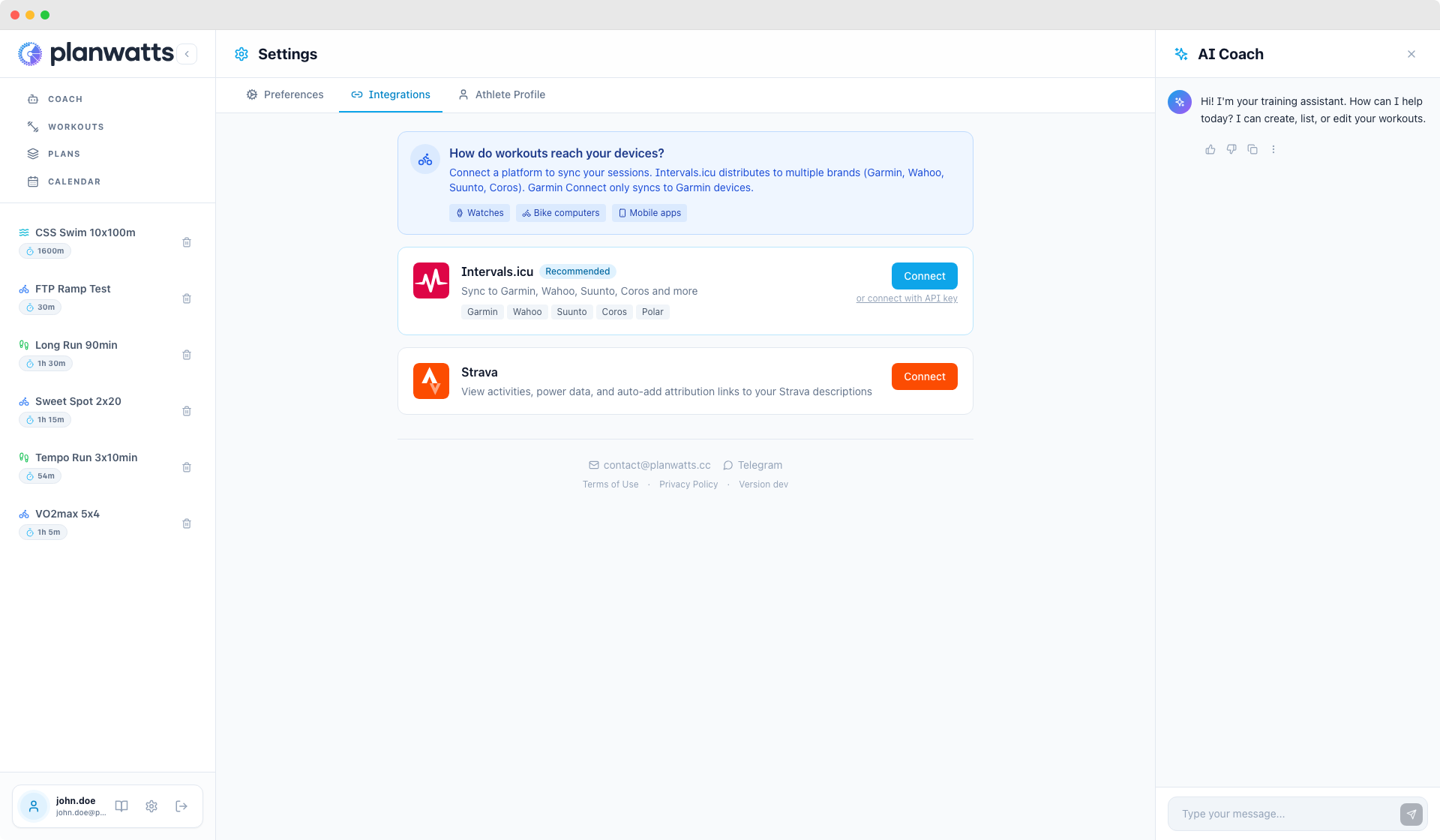
OAuth connect — same simple flow. Click "Connect Strava", authorize, done.
What syncs:
- Completed activities from Strava
- Real-time updates via webhooks — when you finish a ride on Strava, it shows up in PlanWatts within minutes
For a complete guide on setting up device sync with Garmin, Wahoo, COROS, Suunto, and other platforms, see Getting Connected.
Disconnecting
Each integration has a Disconnect button. Disconnecting removes the connection but doesn't delete any data that was already synced — your workouts and activities stay in PlanWatts.
3. Preferences
Language
PlanWatts supports six languages: English, Spanish, German, French, Italian, and Portuguese.
A few things worth knowing:
- Your language is saved to your account — it follows you across devices. Log in from your phone and it's the same language as on your laptop.
- The AI Coach responds in your selected language — if you set PlanWatts to Spanish, the Coach answers in Spanish. Workout names, phase descriptions, plan rationale — everything adapts.
- Auto-detection on first login — PlanWatts picks up your browser language the first time. After that, you control it from here.
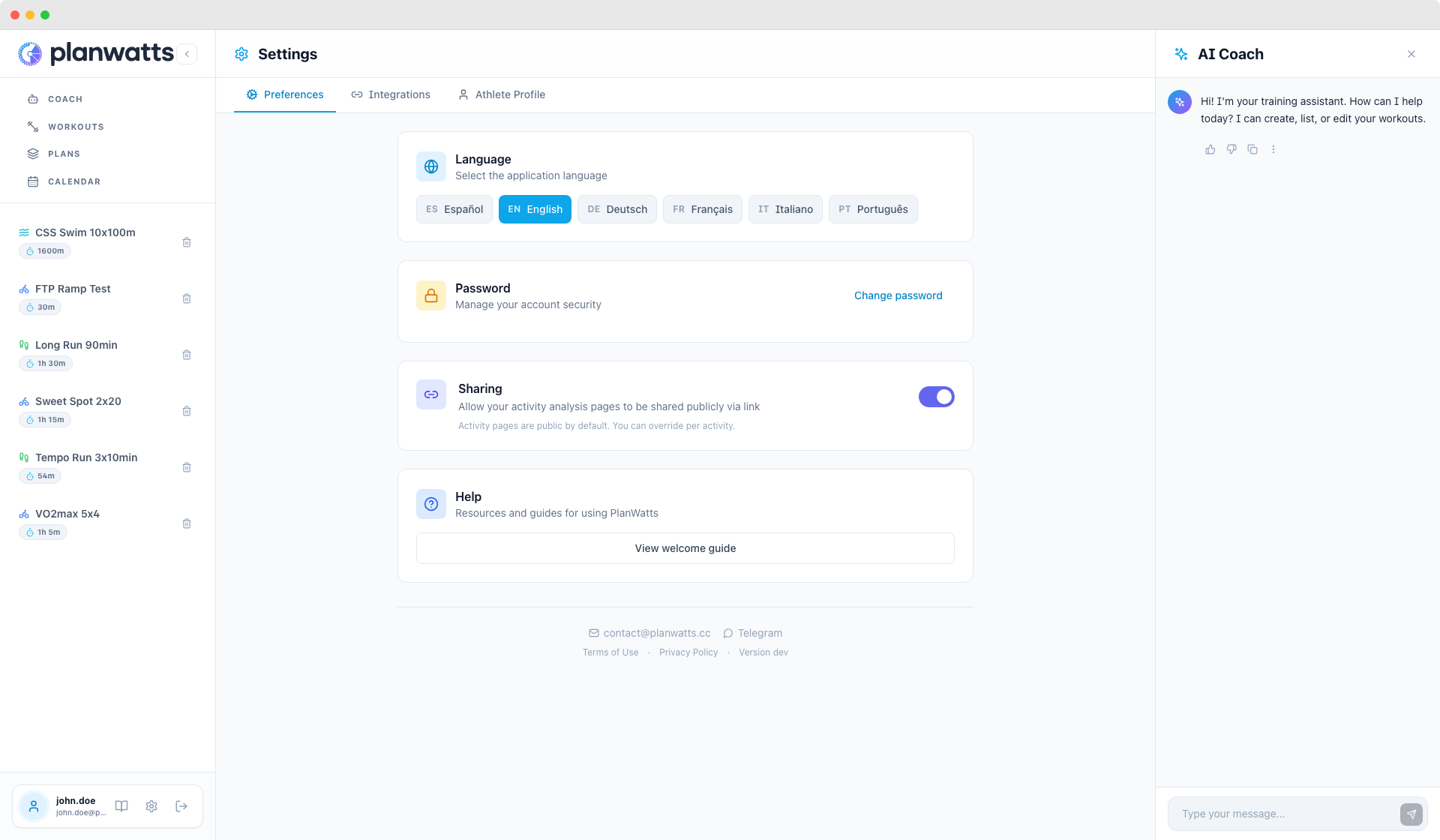
Sharing
- Default activity visibility — choose whether your activities are public or private by default.
- Per-activity override — you can change visibility on individual activities regardless of your default setting.
4. Other Stuff in Settings
A few more things tucked into the Settings page:
- App version — shown at the bottom, useful if you're reporting a bug or checking you're on the latest version
- Contact and support — direct links to reach me via email or Telegram. I read everything and reply to everything
- Legal pages — Terms of Service, Privacy Policy, Contact info
- Re-trigger the onboarding tour — if you dismissed the initial walkthrough and want to see it again, you can restart it from here
5. Delete Account
If you ever want to leave PlanWatts, you can permanently delete your account and all associated data from Settings > Preferences. Scroll to the bottom of the page — you'll see the Delete Account section in red.
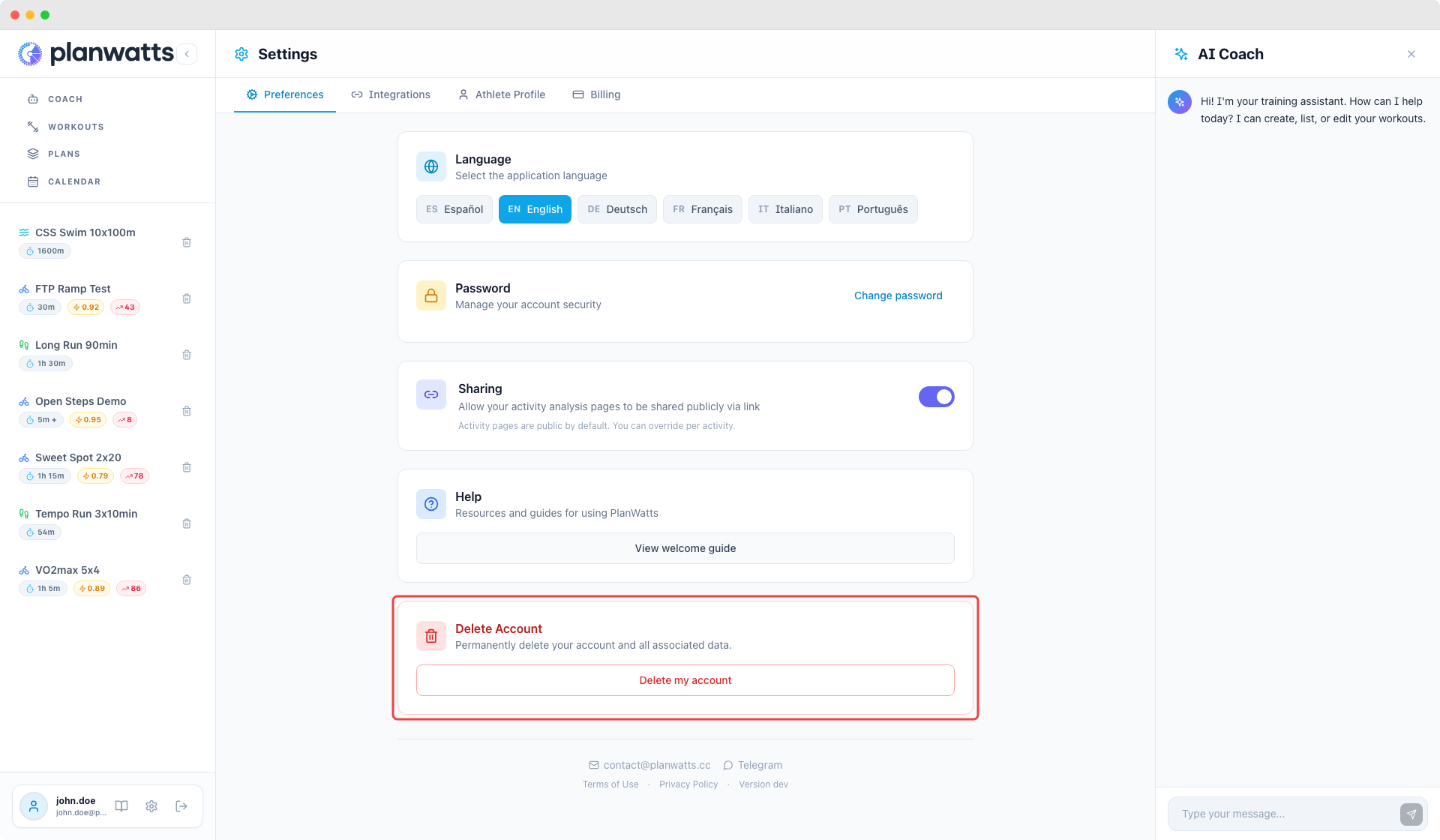
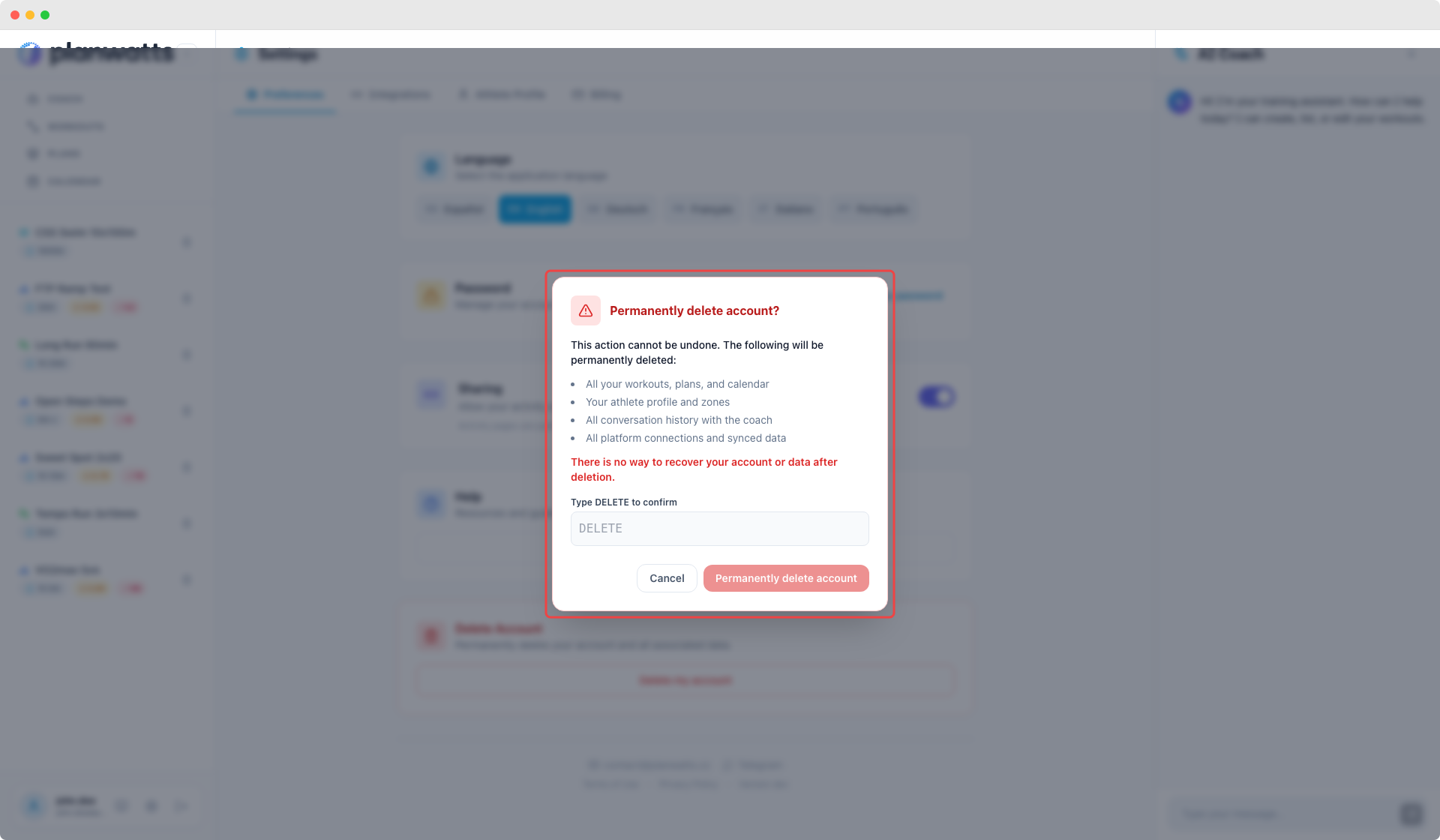
Clicking "Delete my account" opens a confirmation modal that explains exactly what will be deleted:
- All your workouts, training plans, and calendar events
- Your athlete profile and training zones
- All conversation history with the AI Coach
- All platform connections (Intervals.icu, Strava) and synced data
- Your Stripe subscription (if any) will be cancelled
This action is irreversible. There is no grace period, no soft delete, and no way to recover your data after deletion. To confirm, you must type DELETE in the input field.
After confirmation, you are immediately logged out and your account ceases to exist. No personal data remains on our servers.
Pro Tip: Set Up Your Profile First
I can't stress this enough — the AI Coach gets dramatically better when it knows your numbers. It's the difference between "here's a generic endurance ride" and "here's a sweet spot session at 88-94% of your 280W FTP, targeting 75 TSS in 90 minutes."
The fastest setup path:
- Go to Settings > Integrations
- Connect Intervals.icu (one click with OAuth)
- Go to Settings > Athlete Profile
- Hit "Sync from Intervals.icu"
- Done — FTP, zones, thresholds, everything is populated
If you don't use Intervals.icu, just enter your FTP manually. Even that one number makes a huge difference.